
TimeText
Functions summary
Unit |
@ComposableLayout to show the current time and a label, they will be drawn in a curve, following the top edge of the screen. |
Functions
TimeText
@Composable
fun TimeText(
    modifier: Modifier = Modifier,
    curvedModifier: CurvedModifier = CurvedModifier,
    maxSweepAngle: Float = TimeTextDefaults.MaxSweepAngle,
    backgroundColor: Color = TimeTextDefaults.backgroundColor(),
    timeSource: TimeSource = TimeTextDefaults.rememberTimeSource(timeFormat()),
    contentPadding: PaddingValues = TimeTextDefaults.ContentPadding,
    content: CurvedScope.(String) -> Unit = { time -> timeTextCurvedText(time) }
): Unit
Layout to show the current time and a label, they will be drawn in a curve, following the top edge of the screen.
Note that Wear Material UX guidance recommends that time text should not be larger than TimeTextDefaults.MaxSweepAngle of the screen edge, which is enforced by default. It is recommended that additional content, if any, is limited to short status messages before the time using the MaterialTheme.colorScheme.primary color.
For more information, see the Curved Text guide.
A simple TimeText which shows the current time:
import androidx.wear.compose.material3.TimeText

// TimeText displays the current time by default.
TimeText()

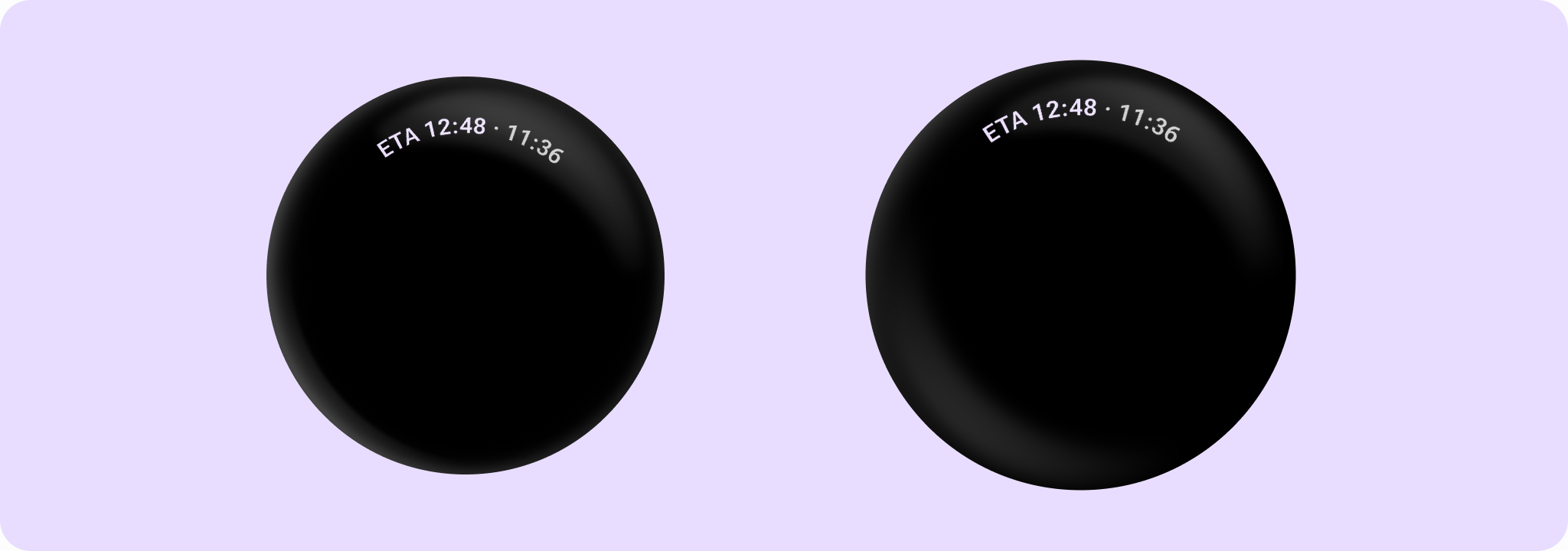
A TimeText with a short app status message shown:
import androidx.wear.compose.material3.MaterialTheme
import androidx.wear.compose.material3.TimeText
import androidx.wear.compose.material3.TimeTextDefaults
import androidx.wear.compose.material3.timeTextCurvedText
import androidx.wear.compose.material3.timeTextSeparator

val style = TimeTextDefaults.timeTextStyle()
val primaryStyle = TimeTextDefaults.timeTextStyle(color = MaterialTheme.colorScheme.primary)
TimeText { time ->
    timeTextCurvedText("ETA 12:48", style = primaryStyle)
    timeTextSeparator(style)
    timeTextCurvedText(time)
}
A TimeText with a long status message, that needs ellipsizing:
import androidx.compose.ui.text.style.TextOverflow
import androidx.wear.compose.foundation.CurvedModifier
import androidx.wear.compose.foundation.weight
import androidx.wear.compose.material3.TimeText
import androidx.wear.compose.material3.TimeTextDefaults
import androidx.wear.compose.material3.curvedText
import androidx.wear.compose.material3.timeTextCurvedText
import androidx.wear.compose.material3.timeTextSeparator

val style = TimeTextDefaults.timeTextStyle()
TimeText { time ->
    curvedText(
        "Long status that should be ellipsized.",
        CurvedModifier.weight(1f),
        overflow = TextOverflow.Ellipsis,
    )
    timeTextSeparator(style)
    timeTextCurvedText(time)
}

| Parameters | |
|---|---|
modifier: Modifier = Modifier |
The modifier to be applied to the component. |
curvedModifier: CurvedModifier = CurvedModifier |
The |
maxSweepAngle: Float = TimeTextDefaults.MaxSweepAngle |
The default maximum sweep angle in degrees. |
backgroundColor: Color = TimeTextDefaults.backgroundColor() |
The background color of the arc drawn behind the |
timeSource: TimeSource = TimeTextDefaults.rememberTimeSource(timeFormat()) |
|
contentPadding: PaddingValues = TimeTextDefaults.ContentPadding |
The spacing values between the container and the content. |
content: CurvedScope.(String) -> Unit = { time -> timeTextCurvedText(time) } |
The content of the |