The Sidekick SDK is available to developers who:
- Publish releases as an APK, rather than an Android App Bundle (AAB).
- Need access to Sidekick, but use an incompatible anti-tampering solution.
To add Sidekick SDK, add the com.google.android.play:sidekick
to your dependencies. Make sure that you include Google's Maven repository
(maven.google.com) as one of your listed repositories.
For example, in your module's build.gradle.kts file, add the following:
dependencyResolutionManagement {
  repositories {
    google()
    // Other repositories
  }
}
dependencies { // Other dependencies implementation("com.google.android.play:sidekick:+") }
Implementation requirements
- Minimum SDK level: Sidekick latest version requires a
minSdkVersionof 23. - Testing workflow: Tests can be conducted only through internal or closed testing tracks using the Google Play Console.
- Feature disabling: If you need to disable the feature, you must either deploy your application again after removing the SDK or contact support to request remote disablement.
Games using multiple processes
If your game activities run in a separate process (use the android:process
attribute in your AndroidManifest.xml's <application> tags), you must update
the manifest by adding the following content providers. No other code changes
are needed.
<application>
  [...]
  <provider
      android:name="com.google.android.play.deku.DekuContentProvider$Process1"
      android:authorities="insert.your.package.name.here.deku.contentprovider1"
      android:exported="false"
      android:process=":insert_name_of_process1_here" />

  <provider
      android:name="com.google.android.play.deku.DekuContentProvider$Process2"
      android:authorities="insert.your.package.name.here.deku.contentprovider2"
      android:exported="false"
      android:process=":insert_name_of_process2_here" />

  [...] <!-- Up to 5 processes ($Process1, $Process2, ..., $Process5) -->
</application>
Publish on Google Play
- To publish releases on Google Play using the Sidekick SDK, complete the Sidekick SDK registration form. Your game will be approved within 1-2 weeks, after which you can upload releases that have integrated the Sidekick SDK as normal.
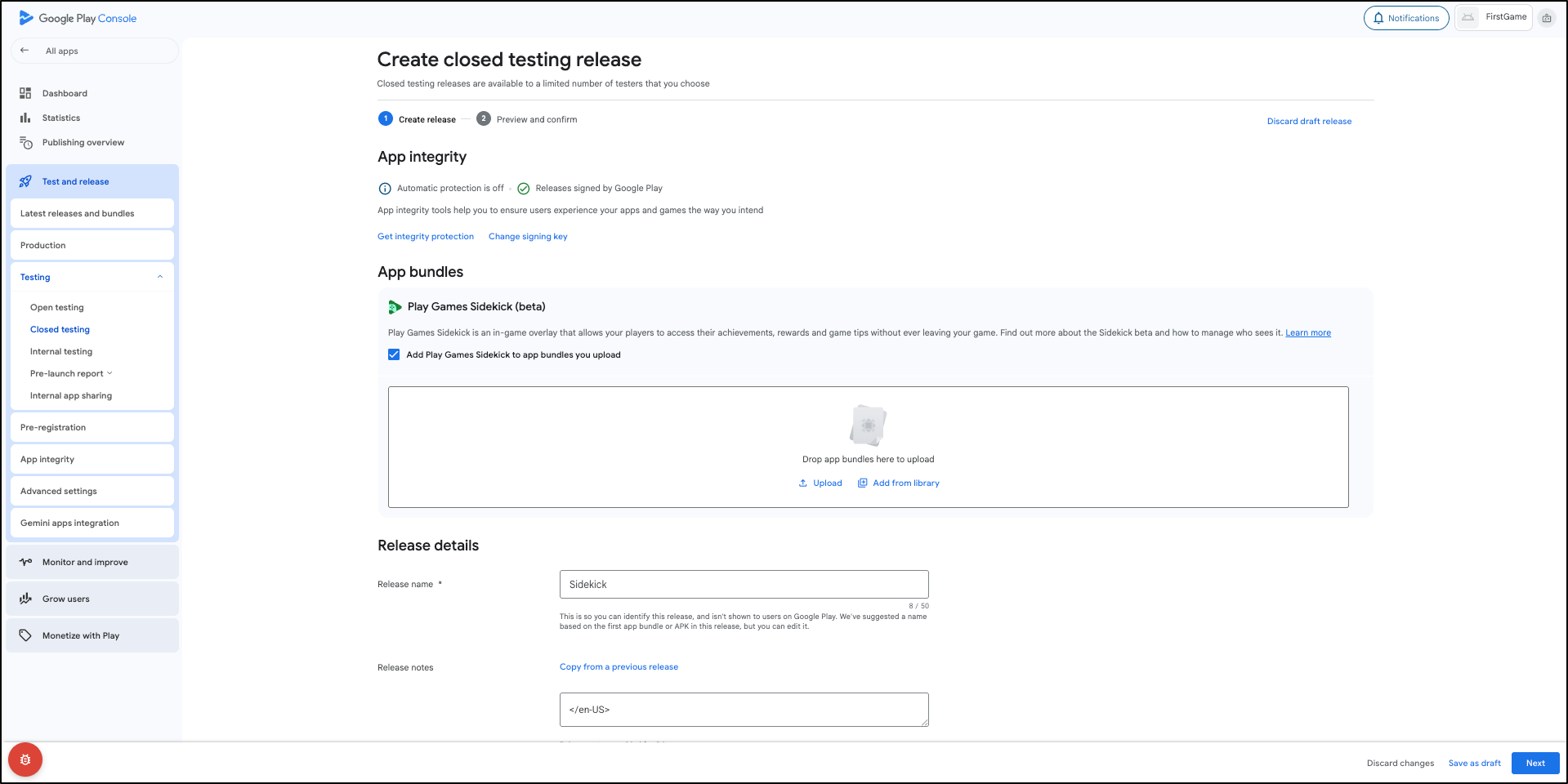
- Even after completing Sidekick SDK integration, it is necessary to enable the setting in the Play Console. Kindly ensure that Add Play Games Sidekick to app bundles you upload is selected. The console will verify the bundle's SDK status without duplicating it.