
Google Play Games revamped Level Up is a program to recognize and reward great gaming experiences with program rate card benefits to drive business growth for your game. Participation in this program is voluntary and developers that choose not to participate will not have a change in benefits they are entitled through other programs. Developers can enroll through Play Console starting September 1, 2026. For more information, see Enroll in the Level Up program.
Our mission is to connect players with the best gaming experiences—ones that provide a consistent gamer experience, reach across all screens and deliver stable and smoother gameplay sessions.
Player expectations and developer needs are always evolving, and the program is designed to evolve with them. User experience guidelines and benefits may be updated over time. To help you maintain your program status, we will provide reasonable notice and detailed documentation before any program updates take effect, ensuring you have sufficient time to implement required changes.
This page describes the user experience guidelines. To know more about the Level Up program and benefits, visit the Google Play Games | Level Up program page.
User experience guidelines
To gain access to the Level Up program rate card benefits, your game needs to adhere to all the user experience guidelines outlined on this page. These guidelines may be updated from time to time as the program evolves.
The following sections outline the guidelines with three main themes:
- Provide a consistent gamer experience
- Expand your reach across all screens
- Deliver stable and smoother gameplay sessions
- Reference device list
Provide a consistent gamer experience
Our gaming platform introduces new mechanics and surfaces delivering an elevated, delightful, and consistent gaming experience for players. To deliver this, games should integrate the following user experience guidelines.
| ID | Guideline |
|---|---|
LU-PA-GAA |
Platform authentication: Integrate the Google Play Games Services v2 SDK and ensure it initializes at startup. This integration powers achievements, game stats, and cross-device sync, for players who have opted into these platform features. For more information, see Play Games Services. |
Using Play Games Platform authentication does not require using Google's identity system, or that you even have an in-game identity system. If you would like to use an identity system, you are free to use any identity provider (such as Sign in with Google, third party providers, or a custom backend) to manage proprietary in-game accounts. Games with in-game accounts can use the Play Games Recall API to sync accounts between devices to make sign-in easier.
Exemptions
| ID | Exemption |
|---|---|
LU-PA-EAA |
Games that primarily target players aged under 13 are not required to initialize Play Games Services or deploy other features in this section (Achievements, GSAPI, Sidekick, Rewards, or Cloud Save) to meet Level Up guidelines. |
Play Games Sidekick
Play Games Sidekick is an overlay that helps players stay in their game by delivering relevant content, functionality, and offers directly to them. Players expect Sidekick to be available on games on the Play Games platform.
| ID | Guideline |
|---|---|
LU-SK-GAA |
Add Sidekick to your game. This can be done through enabling the feature in the Play Developer Console if your game is published in the App Bundle format. Alternatively, you can compile the Sidekick SDK directly into your game if you are using the legacy APK format for publishing, or you are using an incompatible DRM solution. |
Exemptions
While Sidekick benefits all players, it is not available for every audience. We have the following exemptions for this guideline:
| ID | Exemptions |
|---|---|
LU-SK-EAA |
Games that primarily target players aged under 13. Because Sidekick is disabled on children's accounts, games that are primarily designed for children under 13 are exempt. |
LU-SK-EAB |
If a game has encountered a blocking issue with Sidekick, and they have reported it and had it accepted by Google, then they may be granted an exemption for an appropriate period of time to find a work around or for the issue to be addressed. |
Additional resources
For more information, see Sidekick.
Achievements
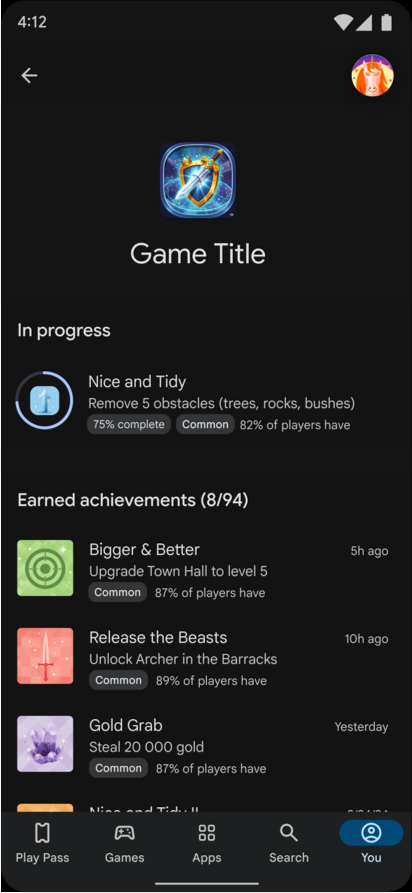
Achievements are a core gaming experience to recognize and reward players for their accomplishment in their games.
| ID | Guideline |
|---|---|
LU-AC-GAA |
We require a minimum of 10 achievements spread across the lifetime of the game. Note that we recommend having 40+ achievements to provide robust, deep engagement with your players on the Google Play Games platform. |
LU-AC-GAB |
All achievements must have a unique name and description. These should make clear to players what they need to do to get the achievement. |
LU-AC-GAC |
To be eligible for Quests, a minimum of 4 achievements must be reasonably and reliably achievable within the first hour of gameplay by everyone who plays. |
Exemptions
While achievements are available for all players, they may not make sense for every audience. We have the following exemption for this guideline:
| ID | Exemption |
|---|---|
LU-AC-EAA |
Games that primarily target players aged under 13. |
LU-AC-EAB |
Games are exempt from providing achievements if they lack sufficient clear events, progression, or player accomplishment within them. Note that progression mechanisms like lifetime high scores, levels, area unlocking or discovery, enemy or challenger defeats, story stages, XP, completion percentages, or item collection can be used to create achievements. |
Additional resources
For information on how to integrate achievements into your game and best practices, see Achievements.
Game Stats
Unlock deeper player engagement and boost your game's visibility across the Google Play Games platform with Game Stats. The Game Stats feature enables users to view their stats in their gamer profile and is used to power additional player engagement features across Play, such as Quests, Social Challenges, and more in the future.
| ID | Guideline |
|---|---|
LU-GS-GAA |
Submit at least 5 repetitive stats to power the Game Stats feature stored against the player's gamer profile. All repetitive stats need to represent regularly occurring actions by players in the game.
|
LU-GS-GAB |
If you have a primary progression mechanic, submit at least 1 additional player progression stat to power the Game Stats feature stored against the player's gamer profile.
|
Player data for Game Stats should be submitted using Game Stats API through either client or server implementation. Each player progression or repetitive stat needs to be configured in Play provided tools. Raw data schema needs to be declared and mapped to a user facing Game Stats, including display string, unique icon and any aggregation rules.
| ID | Guideline |
|---|---|
LU-GS-GAC |
Each stat must follow the requirements described in Game Stats. |
Most games should be able to provide appropriate signals. Examples are available to help you choose the correct data points that will enable the engagement mechanics.
Exemptions
The following exemptions apply to this guideline:
| ID | Exemption |
|---|---|
LU-GS-EAA |
Games that primarily target players aged under 13 Game Stats is not enabled for players under 13 years of age. |
LU-GS-EAB |
Games are exempt from providing player states only if they lack clear progression mechanisms. If your game includes features such as lifetime high scores, levels, XP, completion percentages, or primary item collection, it does not qualify for this exemption as these can be used as a progression mechanism. |
LU-GS-EAC |
Titles on Native PC Early Access Program (EAP), given our SDK does not support this feature yet. (Note: This only applies to the Native PC version of your title). |
Additional resources
For more information, see Game Stats.
Rewards
Create Play Games Reward offers that Play can distribute to players for free as incentives and rewards including items already in the game or new items to drive increased engagement:
| ID | Guideline |
|---|---|
LU-RE-GAA |
All items need to be available to every player at least once using Play. |
LU-RE-GAB |
All items must be meaningful or desirable for players to ensure they effectively drive engagement. |
LU-RE-GAC |
September 30, 2026: At least 2 single-use Play Games Reward offers, such as specific characters, skins, or weapons. These Play Game rewards will be awarded to players after the successful completion of a Quest. |
LU-RE-GAD |
March 1, 2027: At least 1 repeatable Play Games Reward offer, such as lives, temporary power-ups, daily reward items, in-game currency, or other consumables. These rewards will be awarded to players after successful completion of social challenges, with a maximum of 1 reward per week per player. |
Exemptions
The following exemptions apply to this guideline:
| ID | Exemption |
|---|---|
LU-RE-EAA |
Games that primarily target players aged under 13. Reward items are used for features like quests and Social Challenges, which are generally unavailable to players under 13. If your game primarily targets this age group, you are exempt from providing reward items. |
LU-RE-EAB |
Paid games. Players expect to get the full game experience for paid games after their initial purchase. This applies to any game with a single purchase, whether upfront at install time or through a one-time in-game purchase. We won't reward additional in-game items for paid games. |
Additional resources
For more information, see Play Games Rewards.
Cloud save
Players play on multiple devices and install their games on the same device multiple times. As a result, they always need to start their game from their last progress state. To achieve this, you must implement a cloud save solution in your game.
| ID | Guideline |
|---|---|
LU-CS-GAA |
A game must save the player's game state off-device in the cloud and retrieve it when they start the game. |
LU-CS-GAB |
A conflict resolution policy is required when a player has multiple in-game accounts or if there is a conflict between saved game data on their device and in the cloud. Usually, the player decides how to resolve these conflicts. Your conflict resolution policy should address the following scenarios:
|
If you don't have an existing cloud save solution for your player progress, we recommend the Saved Games API as part of Play Games Services to provide this functionality. You are free to use any solution provider to meet this guideline.
We believe that every game should provide the ability for players to resume their progress across installs of the game.
Exemptions
The following exemptions apply to this guideline:
| ID | Exemption |
|---|---|
LU-CS-EAA |
Cloud save is not required for games that don't provide in-game accounts and only provide guest accounts or do not provide any saved game state across gaming sessions. |
LU-CS-EAB |
Games where the save files exceed the size limits of the Saved Games API (3 MB) and implementing an automated third-party cloud solution would be cost-prohibitive are exempt from the cloud save guidelines. However, we recommend developers provide an alternative solution, such as allowing players to manually download and upload their files. |
Additional resources
For more information, see Cloud save.
Expand your reach across all screens
Players want to play their favourite titles seamlessly across all their devices, and we are expanding Android's reach to new screens and spaces. To help developers reap the benefits of growing audiences, developers need to publish optimized versions of their games across form factors.
All games must follow these guidelines to deliver cross device form factor game experience to join the Level Up program:
Large screen optimization
Players expect to play their games on any device form factor that the Google Play Games Platform supports. This includes large screen Android devices like tablets or foldable phones. Your game needs to provide resizability functionality to ensure players get the best experience on these form factors.

| ID | Guideline |
|---|---|
LU-LS-GAA |
Use insets to prevent blocking game controls or UIs that overlap with system bars (status, navigation, gesture) or display cutouts (notches, punch holes). |
LU-LS-GAB |
Support configuration changes (device rotation, fold/unfold, multi-window split, freeform window resizing) without crashes, ANRs, visual artifacts, or touch mapping offsets, while preserving active game state and progress. |
LU-LS-GAC |
Games displayed in landscape must render full screen without letterboxing or pillarboxing on Reference Devices and anchor ratios of 4:3, 16:10, and 21:9. Landscape-only games are not required to support a portrait layout, but must cleanly letterbox or pillarbox themselves on portrait displays. Out-of-anchor ratios may also be letterboxed or pillarboxed. |
LU-LS-GAD |
Games displayed in portrait must render full screen without letterboxing or pillarboxing on reference devices and anchor ratios of 3:4, 10:16, and 9:21. Portrait-only games are not required to support a landscape layout, but must cleanly letterbox/pillarbox themselves on landscape displays. Out-of-anchor ratios may also be letterboxed/pillarboxed. |
Additional resources
Refer to the Form factor distribution guideline for any form factor specific exemptions.
For more information on handling large screen resizability, see Support large screen resizability.
Google Play Games on PC
Google Play Games on PC brings the best of Google Play by enabling players to experience an immersive and seamless cross-platform gameplay.
| ID | Guideline |
|---|---|
LU-PC-GAA |
Your game must be distributed on Google Play Games on PC. There are two ways to meet this distribution requirement:
|
*If you publish as a Native PC Game, your title will not need to support Sidekick, Cloud Save, Achievements, and Game Stats API for the PC version until those features become available in the Google Play Games on PC SDK.
Exemptions
There are some games where distribution on PCs is challenging. The following exemptions apply to this guideline:
| ID | Exemption |
|---|---|
LU-PC-EAA |
Form factor constraints would meaningfully degrade a quality experience. Titles that have critical gameplay technical requirements that are not available on the Google Play Games on PC form factor or where the Google Play Games on PC form factor will create a meaningfully degraded player experience, for example:
|
LU-PC-EAB |
Platform-specific title-level IP-licensing limitation. Some developers have licensed their mobile game's title-level IP from a third party licensor. These agreements may restrict the developer's license, prohibiting the publishing of the title on PCs without first acquiring additional licensed rights. Such licensed-IP games for which the license grant excludes publishing such games to PCs may be eligible for the exemption. |
LU-PC-EAC |
(Paid Games Only) Mobile to PC price differential. Paid games distributed through the Play store prior to September 30, 2026 with a pre-existing PC-to-mobile price differential. |
Additional resources
For more information on distributing to PC with Google Play, see Google Play Games on PC.
Precision input controls
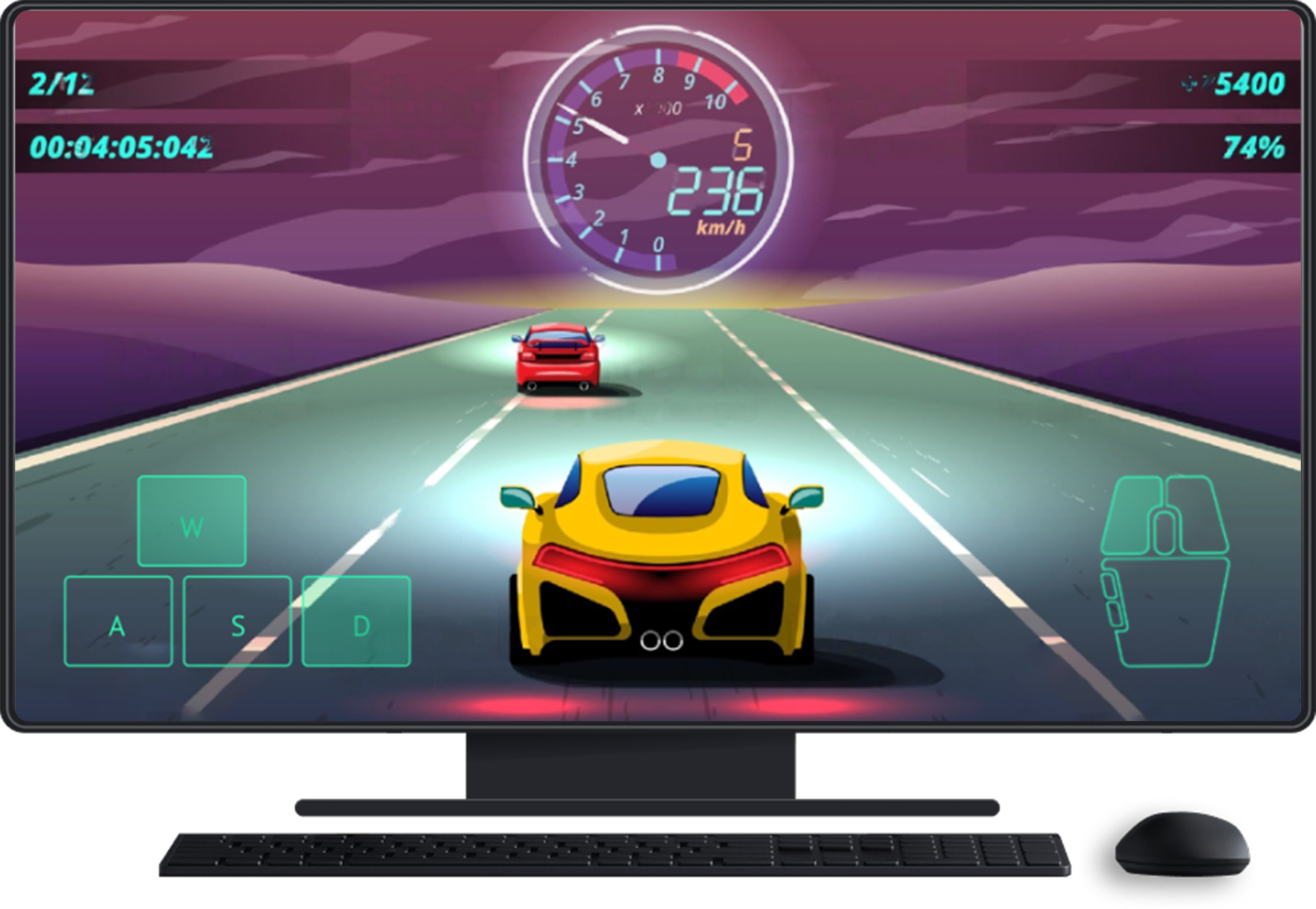
Supporting multiple form factors means supporting the device's natural input, and in general allowing the user to play the way they feel best. This means that games must support controller and keyboard and mouse input for the best cross-screen gaming experiences.
| ID | Guideline |
|---|---|
LU-IC-GAA |
The game must be fully playable with a controller, keyboard, and mouse (K&M) across all devices the game supports through the Play Games platform where these modes of input are available. Fully playable means the game can be played entirely from the start, including all gameplay mechanics and settings menus, without the need to fall back to touch input. |
Exemptions
Not all mobile mechanics translate seamlessly to precision input controls. The following exemptions are driven by core gameplay mechanics and how we believe different modes of input fundamentally affect the player experience.
| ID | Criteria | Controllers Required |
K&M Required |
|---|---|---|---|
LU-IC-EAA |
GPS / Location-Based Spatial Mapping: Augmented reality and location-based games rely fundamentally on the physical geographic displacement of the device. | ❌
(not required) |
❌
(not required) |
LU-IC-EAB |
Ambient Sensors (Microphone/Sleep Tracking): Titles utilizing local mobile hardware sensors (like breath input or sleep tracking) cannot be simulated and are critical to the core gameplay loop without workarounds. | ❌
(not required) |
❌
(not required) |
LU-IC-EAC |
Kinetic Camera / AR Panoramas: Mechanics requiring the user to physically rotate their entire body in 360-degree real-world space to locate digital assets. | ❌
(not required) |
❌
(not required) |
LU-IC-EAD |
Gyroscopic / Accelerometer Spatial Aiming: Games that rely on a gyro or accelerometer being present on the device to play the game, and would otherwise require a significant reworking of the user experience in order to support precision inputs. | ❌
(not required) |
❌
(not required) |
LU-IC-EAE |
Intense Rapid Swiping and Multi-Touch Rhythm: Rhythm games (Music genre) demand simultaneous, synchronous actuation of multiple screen nodes, which a single mouse cursor cannot execute mathematically. Controllers lack the physical layout to map dynamic 6-to-8 lane rhythm charts intuitively. | ❌
(not required) |
❌
(not required) |
LU-IC-EAF |
Gestural Drawing / Freehand Vectors: Drawing specific geometric shapes or freehand paths is effectively impossible to replicate cleanly using the strict radial constraints of a controller thumbstick. | ❌
(not required) |
✅
(required) |
LU-IC-EAG |
Drag-and-Drop / Absolute Point-and-Click: Executing rapid drag-and-drop mechanics with a relative radial thumbstick is kinetically unviable and vastly slower than absolute touch. | ❌
(not required) |
✅
(required) |
Additional resources
For more information about supporting precision inputs within your game, see Enable natural input on all form factors. When supporting controllers, make sure to add this flag to your manifest so that users can find your game when searching for controller-supported games in the store.
Form factor distribution
The Google Play Games platform is available across many different Android device form factors and players expect to play their games across them all.
| ID | Guideline |
|---|---|
LU-FF-GAA |
Your game must be distributed across the following Android form factors with exemplary quality:
|
Exemptions
The following exemptions apply to this guideline:
| ID | Exemption |
|---|---|
LU-FF-EAA |
Form factor constraints would meaningfully degrade a quality experience. Titles that have critical gameplay technical requirements that are not available on the form factor or where the form factor will create a meaningfully degraded player experience. |
For example:
| Gameplay mechanic | Form Factors exempt from distribution |
|---|---|
| Augmented reality and location-based games rely fundamentally on the physical geographic displacement of the device | Google Play Games on PC, Tablets, Googlebook, Android TV |
| Games utilizing local mobile hardware sensors (like breath input or sleep tracking) cannot be simulated and are critical to the core gameplay loop without workarounds. | Google Play Games on PC, Tablets, Googlebook, Android TV, Android Auto |
| Games with mechanics requiring the user to physically rotate their entire body in 360-degree real-world space to locate digital assets. | Google Play Games on PC, Googlebook, Android TV, Android Auto |
| ID | Exemption |
|---|---|
LU-FF-EAB |
Devices with technical specifications below the minimum Mobile hardware requirements. Games are exempt from distribution on devices with hardware (RAM, CPU, storage, or GPU) or Android versions that fall below your minimum mobile phone requirements. |
LU-FF-EAC |
Form factor availability. Games are exempt from distribution on devices that are not available in any of the regions where the game is offered—meaning there is no overlap in regional availability between the device and the game. |
Title availability
Players enjoy the flexibility of choosing their preferred devices while maintaining seamless access to their entire library of gaming experiences.
| ID | Guideline |
|---|---|
LU-TA-GAA |
For titles to be eligible for the program rate card benefits those titles must be released on Android supported form factors at the same time they become available on any other comparable, non-Android form factors from September 30th 2026 and moving forward. |
Currently required Android supported form factors include:
- Mobile and Large Screen (Tablet, Googlebooks, PC)
- Android XR (with titles running in a 2D window on the XR device)
- Android TV
- Android Auto
Titles that do not meet this title availability guideline will become eligible for the Level Up program rate card benefits following a 6-month waiting period, once all user experience guidelines are fully met.
Examples:
- If a title is applying to be in the Level Up program and such title is currently available on other comparable non-Android form factors, such title must be launched on all comparable Android form factors for at least 6 months prior to enrollment into Level Up otherwise they will not be eligible for the program benefits until 6 months after the launch of their title on the Android form factor. The 6 month waiting period does not apply if the title was launched on the non-Android form factor prior to September 30th, 2026.
- If a title currently enrolled in the program launches a comparable non-Android form factor and does not launch on the comparable Android form factor simultaneously, they will become ineligible for program benefits for 6 months.
Exemptions
The following exemptions apply to this guideline:
| ID | Exemption |
|---|---|
LU-TA-EAA |
Differences between device platforms. Not every game is technically or conceptually suited for every hardware configuration; therefore, the title will be exempt if the developer can demonstrate that a specific Android form factor's constraints would meaningfully degrade the user experience against the comparable non-Android platform or if there is no viable technical solution for that hardware. |
LU-TA-EAB |
Launch grace period. To account for unforeseen technical hurdles, store review delays, or "soft launches," we will implement the following:
|
LU-TA-EAC |
EEA. This guideline does not apply in the EEA. However, when distributing to the EEA, Android users should be able to access all new experiences and capabilities within the Android title provided by the developer. Developers are therefore required to fully optimize their titles for Android. |
Deliver stable and smoother gameplay sessions
To ensure games run beautifully across all form factors, we are introducing quality benchmarks that guarantee both performance and stability for players. All games must follow these user experience guidelines to provide a high quality experience to join the Level Up program.
Stability
Players expect their games to provide a stable experience on their device that is free of crashes and Android Not Responding (ANRs). Games need to meet the following quality thresholds. To reduce volatility, these thresholds will be enforced based on the trailing 28 days of data considering only devices within the approved set for which your app has at least 1,500 sessions in the last 28 days.

LU-ST-GAA |
LU-ST-GAB |
|
|---|---|---|
| Android vitals | Test devices | 4GB+ RAM Android Devices |
| Crashes | <1% average crash rate | <2% average crash rate |
| ANRs | <2% average ANR rate | <3% average ANR rate |
Exemptions
There are no exemptions for this guideline.
Additional resources
For more information diagnosing and fixing vital issues, see Android vitals.
Performance
A smooth and stable framerate is critical to delivering a high quality gaming experience on Android devices.
| ID | Guideline |
|---|---|
LU-PR-GAA |
On reference devices, active gameplay scenes must target and render at a minimum of 60 fps by default. This requirement specifically applies to real-time, active gameplay and excludes non-interactive or transitionary states such as loading/splash screens, content downloads, lobby interfaces, menus, and cinematic cutscenes:
|
Exemptions
Mobile games have to make many difficult decisions about what high quality means for their specific experience – such as whether to favor graphical fidelity or battery life during a play session. The following exemptions apply to this guideline:
| ID | Exemption |
|---|---|
LU-PR-EAA |
Games that do not support 60 FPS on other non-Android mobile platforms. |
LU-PR-EAB |
Games that use HWUI or Composer rather than rendering directly. |
LU-PR-EAC |
Games that only push new frames on player interaction, rather than on a continuously regular basis. |
LU-PR-EAD |
Games are not required to meet this on Tablet and Foldable devices due to their challenges in thermal design and computations to support high-resolution screens. |
Additional resources
For additional details on calculating and measuring Level Up performance, see frame rate. You can also explore the slow sessions documentation for optimization strategies regarding frame smoothness.
Memory
To deliver a premium experience, Android 17 introduced optimized memory handling and stricter platform requirements, which is accompanied by new, actionable memory telemetry in the Play Console.
Effective February 2027, Play requires games to meet established bad-behavior thresholds for dynamic memory usage (anonymous RSS + swap), bitmap usage, and code optimization across all Android versions. Developers can now monitor these memory metrics and bad behavior thresholds within Android vitals.
| ID | Guideline |
|---|---|
LU-MM-GAA |
Once enforcement for these memory thresholds are in effect, games must comply with all memory thresholds to qualify for or maintain Level Up eligibility. You can find the memory thresholds and enforcement timeline here. Optimize your game: Follow the latest guidance for games to maximize memory savings across process states. |
Exemptions
There are no exemptions for this guideline.
Vulkan
Vulkan is Android's modern graphics API that offers significant improvements in performance and battery usage. It also offers new higher fidelity graphical techniques that will improve the gameplay experience on Android.
Older games might prefer to access Vulkan through ANGLE rather than converting their own code to Vulkan. ANGLE is Google's conformant OpenGL ES translation layer for Windows, Mac, Linux, iOS and Android. ANGLE uses Vulkan under the hood.
| ID | Guideline |
|---|---|
LU-VK-GAA |
On devices that have updated graphics drivers, where
|
Exemptions
Our default stance is that all games should adopt Vulkan because it offers considerable performance and battery benefits. The following exception recognizes that some games might not have a choice on graphics API.
| ID | Exemption |
|---|---|
LU-VK-EAA |
Games that don't control their own rendering and render through HWUI/SKIA (similar to how apps render). These games have no control over their graphics pipeline, and will be moved to Vulkan automatically over the coming versions of Android. |
LU-VK-EAB |
If your game uses WebGPU as its rendering API. WebGPU is a new higher level language that uses Vulkan on newer devices and OpenGL ES on older devices. If for some reason WebGPU decides not to use Vulkan on a focus device, that is beyond the control of the developer. We're working on deploying the Vulkan backend on as many devices as possible as quickly as possible. |
LU-VK-EAC |
If a game has encountered a blocking issue with Vulkan, and they have reported it and had it accepted by the relevant code-maintainer (For example, a Game Engine, GPU-IP Vendor, or Google), then they may be granted an exemption for an appropriate period of time to find a work around or for the issue to be addressed. |
LU-VK-EAD |
A developer may be exempt from this requirement if they are able to reduce their CPU instruction count in a similar fashion to what Vulkan provides. Vulkan provides an approximate 30% reduction in CPU instruction count as compared to other solutions. If the developer can show a similar improvement with an alternative solution, then the use of Vulkan is not required. |
Additional resources
For more information on upgrading your game's graphics APIs, see Vulkan.
Reference device list
The following devices are used to test our guidelines. Because Android hardware and features evolve, this list can be updated to ensure comprehensive coverage.
Device list
| Year | System on a Chip vendor |
System on a Chip model |
Manufacturer | Marketing name | Form factor |
|---|---|---|---|---|---|
| 2026 | TENSOR G5 | PIXEL 10 PRO XL | PHONE | ||
| PIXEL 10 PRO FOLD | FOLDABLE | ||||
| MEDIATEK | MT6993 | VIVO | X300 | PHONE | |
| X300 PRO | PHONE | ||||
| OPPO | FIND X9 PRO | PHONE | |||
| FIND X9 | PHONE | ||||
| QTI | SM8845 | ONEPLUS | ONEPLUS 15R | PHONE | |
| LENOVO | MOTOROLA SIGNATURE | PHONE | |||
| SM8850 | SAMSUNG | GALAXY S26 ULTRA | PHONE | ||
| GALAXY S26 | PHONE | ||||
| GALAXY S26+ | PHONE | ||||
| ONEPLUS | ONEPLUS 15 | PHONE | |||
| OPPO | FIND N6 | FOLDABLE | |||
| XIAOMI | XIAOMI 17 | PHONE | |||
| XIAOMI 17 ULTRA | PHONE | ||||
| LEITZPHONE POWERED BY XIAOMI | PHONE | ||||
| XIAOMI 17 PRO MAX | PHONE | ||||
| SAMSUNG | S5E9965 | SAMSUNG | GALAXY S26 | PHONE | |
| GALAXY S26+ | PHONE | ||||
| 2025 | TENSOR G4 | PIXEL 9 PRO XL | PHONE | ||
| PIXEL 9 PRO FOLD | FOLDABLE | ||||
| MEDIATEK | MT6991 | XIAOMI | XIAOMI 15T PRO | PHONE | |
| SAMSUNG | GALAXY TAB S11 | TABLET | |||
| GALAXY TAB S11 ULTRA | TABLET | ||||
| GALAXY TAB S11 ULTRA 5G | TABLET | ||||
| GALAXY TAB S11 5G | TABLET | ||||
| VIVO | VIVO X200 | PHONE | |||
| X200 PRO | PHONE | ||||
| X200T | PHONE | ||||
| OPPO | FIND X8 | PHONE | |||
| FIND X8 PRO | PHONE | ||||
| QTI | SM8735 | XIAOMI | XIAOMI PAD 8 | TABLET | |
| SM8750 | SAMSUNG | GALAXY S25 ULTRA | PHONE | ||
| GALAXY S25 | PHONE | ||||
| GALAXY S25+ | PHONE | ||||
| GALAXY S25 EDGE | PHONE | ||||
| GALAXY Z FOLD7 | FOLDABLE | ||||
| ONEPLUS | ONEPLUS 13 | PHONE | |||
| ONEPLUS 13S | PHONE | ||||
| PAD 3 | TABLET | ||||
| OPPO | FIND N5 | FOLDABLE | |||
| XIAOMI | XIAOMI 15 | PHONE | |||
| XIAOMI 15 ULTRA | PHONE | ||||
| SONY | XPERIA 1 VII | PHONE | |||
| VIVO | IQOO 13 | PHONE |
Comprehensive testing across every specific model may not be required because several devices in the list use identical SoCs and exhibit comparable performance. Developers are eligible to self-certify for the guidelines once they have successfully verified requirements on at least one device from each listed SoCs:
Phones
| Year | System on a Chip | Devices |
|---|---|---|
| 2026 | Tensor G5 | PIXEL 10 PRO XL |
| 2025 | Tensor G4 | PIXEL 9 PRO XL |
| 2026 | MTK MT6993 | X300, FIND X9 |
| 2025 | MTK MT6991 | XIAOMI 15T PRO, GALAXY TAB S11, VIVO X200, FIND X8 |
| 2026 | QCOM SM8845/8850 | ONEPLUS 15R, MOTOROLA SIGNATURE, GALAXY S26, ONEPLUS 15, XIAOMI 17 |
| 2025 | QCOM SM8750 | GALAXY S25, ONEPLUS 13, PAD 3, XIAOMI 15. XPERIA 1 VII, IQOO 13 |
| 2026 | Exynos S5E9965 | GALAXY S26 |
Tablet
| Year | System on a Chip | Devices |
|---|---|---|
| 2025 | MTK MT6991 | GALAXY TAB S11 |
| 2025 | QCOM SM8735 | XIAOMI PAD 8 |
| 2025 | QCOM SM8750 | OPPO PAD 3 |
Controllers
For controllers, make sure to test your game with the following as it covers the common styles of controllers supported on the platform today:
- Sony DualSense Wireless Controller
- XBox Wireless Controller
- Nintendo Switch Pro Controller (note: This is for the original Switch console)
We recommend using the testing guidance here for more details.
Change notes
September 2026
Performance
- Guidelines updated:
LU-PF-GAA Previous text:
Games that do not support 60 FPS on other platforms.
New text:
Games that do not support 60 FPS on other non-Android mobile platforms.
- Guidelines updated:
Large screen optimization
Guidelines updated:
LU-LS-GAA,LU-LS-GABLU-LS-GAC,LU-LS-GADPrevious text:
Handle system bars, display cutouts, and configuration changes—such as device rotation and window resizing—to prevent crashes and visual artifacts. Ensure all UI and gameplay elements remain visible and interactive, avoiding any obstructions that block player input, while correctly maintaining or restoring the game state.
Games in a landscape layout need to be full screen, without letterboxing or pillarboxing, at the aspect ratios for each reference device and also at the anchor aspect ratios of 4:3, 16:10, and 21:9.
Games in a portrait layout similarly need to support the complement aspect ratios. For example, for the anchor ratios the equivalent is 3:4, 10:16, and 9:21.
Games are able to letterbox or pillar box themselves under the following conditions:
- On a device with an aspect ratio that is not found on a flagship device or outside one of the anchor aspect ratios defined previously.
- If the only game layout orientation (portrait or landscape) is different from the device's physical orientation.
New text:
Use insets to prevent blocking game controls or UIs that overlap with system bars (status, navigation, gesture) or display cutouts (notches, punch holes).
Support configuration changes (device rotation, fold/unfold, multi-window split, freeform window resizing) without crashes, ANRs, visual artifacts, or touch mapping offsets, while preserving active game state and progress.
Games displayed in landscape must render full screen without letterboxing or pillarboxing on Reference Devices and anchor ratios of 4:3, 16:10, and 21:9. Landscape-only games are not required to support a portrait layout, but must cleanly letterbox or pillarbox themselves on portrait displays. Out-of-anchor ratios may also be letterboxed or pillarboxed.
Games displayed in portrait must render full screen without letterboxing or pillarboxing on reference devices and anchor ratios of 3:4, 10:16, and 9:21.Portrait-only games are not required to support a landscape layout, but must cleanly letterbox or pillarbox themselves on landscape displays. Out-of-anchor ratios may also be letterboxed or pillarboxed.
Google Play Games on PC
- Guidelines updated:
LU-GPGC-GAA Previous text:
Your game must be distributed on Google Play Games on PC. There are two ways to meet this distribution requirement: Your mobile game meets the playability requirements when played on the Android emulator Google Play Games for PC.
- Ensure all unsupported Android features and permissions are not marked as required to ensure proper distribution.
- OR, Your game is part of the Native PC Early Access Program (EAP).
New text:
Your game must be distributed on Google Play Games on PC. There are two ways to meet this distribution requirement: Your mobile game meets the playability requirements when played on the Android emulator Google Play Games for PC.
- Ensure all unsupported Android features and permissions are not marked as required to ensure proper distribution.
- OR, Your game is published as a Native PC game on Google Play Games and integrates with the PC SDK*.
* If you publish as a Native PC Game, your title won't need to support Sidekick, Cloud Save, Achievements, and Game Stats API for the PC version until those features become available in the Google Play Games on PC SDK.
- Guidelines updated:
Precision input controls
New text:
Form factor distribution
- Guideline updated:
LU-FF-GAA Previous text:
- September 2026: Mobile, Foldables, and Tablets
- March 1, 2027: Googlebook
- September 2027: Android XR, Android TV, and Android Auto
New text:
- September 2026: Mobile, Foldables, and Tablets
- September 2027: Android XR, Android TV, Googlebook, and Android Auto
- Guideline updated:
Vulkan
- Guideline updated:
LU-VK-GAA - Previous text:
- Vulkan must be set as the primary graphics API if you are using Unity version 2021 or newer, or Unreal Engine version 4.25 or newer. Minor OpenGL ES usage (For example, for Adverts, webviews, etc) is acceptable as long as it is <10% of frames.
- Instead of using Vulkan directly, games using Unity's Built-in Render Pipeline may opt-in to using ANGLE for Android 17+ devices. These games have until September 30, 2027 to set Vulkan as the primary graphics API. Transitioning to Unity's Universal Render Pipeline is highly recommended to achieve this but is not the only permissible path.
All other games can decide to either use Vulkan as the primary graphics API or opt-in to using ANGLE for Android 17+ devices. To opt in to use ANGLE modify the app's manifest file as follows:
<application android:appCategory="game"> <meta-data android:name="com.android.graphics.driver.prefer_angle" android:value="true" /> </application>New text:
If you are using Unity version 2023 or newer, or Unreal Engine version 4.25 or newer:
Vulkan must be set as the primary graphics API. Minor OpenGL ES usage (For example, for Adverts, webviews, etc) is acceptable as long as its <10% of frames.
Games using Unity's Built-in Render Pipeline may opt-in to using ANGLE for Android 17+ devices. These games have until September 30, 2027 to set Vulkan as the primary graphics API. Transitioning to Unity's Universal Render Pipeline is highly recommended to achieve this but is not the only permissible path.
If you are using an older version of Unity or Unreal, or any other game engine, then you are required to either use Vulkan or enable ANGLE rendering to meet this guideline. To opt-in to use ANGLE, modify your app's manifest file as follow:
<application android:appCategory="game">
<meta-data android:name="com.android.graphics.driver.prefer_angle" android:value="true" />
</application>
- Guideline updated:
Memory
- Guidelines updated:
LU-MM-GAA Previous text:
To deliver a premium experience, Android 17 is introducing optimized memory handling and stricter platform requirements later this year–accompanied by new, actionable memory telemetry in the Play Console. Because meeting these standard memory limits will be required for Level Up, we strongly encourage [implementing these memory optimization strategies][bbb] early to ensure app stability and a great user experience. More detailed compliance criteria to maintain your program status will be shared in the coming months.
New text:
To deliver a premium experience, Android 17 introduced optimized memory handling and stricter platform requirements, which is accompanied by new, actionable memory telemetry in the Play Console.
Effective February 2027, Play requires games to meet established bad-behavior thresholds for dynamic memory usage (anonymous RSS + swap), bitmap usage, and code optimization across all Android versions. Developers can now monitor these memory metrics and bad behavior thresholds within Android vitals.
Once enforcement for these memory thresholds are in effect, games must comply with all memory thresholds to qualify for or maintain Level Up eligibility. You can find the memory thresholds and enforcement timeline here.
Optimize your game: Follow the latest guidance for games to maximize memory savings across process states.
- Guidelines updated:
July 2026
- Game Stats
- Guidelines updated:
LU-GS-GAA - Exemption updated:
LU-GS-EAC - Previous text:
- Submit at least 5 repetitive stats to power the Game Stats feature stored against the player's gamer profile. All stats need to represent regularly occurring actions by players in the game.
- At least 1 stat needs to be usable for competitive player engagement features.
- Stats should not require a purchase (For example, buy gems).
- Stats should not require watching advertisements.
- Stats should not be generic use of the game (For example, open the game; use settings).
- Stats should be available to all users (For example, not a team-specific action).
- New text:
- Submit at least 5 repetitive stats to power the Game Stats
feature stored against the player's gamer profile. All repetitive
stats need to represent regularly occurring actions by players in
the game.
- At least 1 stat needs to be usable for competitive player engagement features.
- Exemption: Titles on Native PC Early Access Program (EAP), given our SDK doesn't support this feature yet. (Note: This only applies to the Native PC version of your title).
- Submit at least 5 repetitive stats to power the Game Stats
feature stored against the player's gamer profile. All repetitive
stats need to represent regularly occurring actions by players in
the game.
- Guidelines updated: