Scaffold
マテリアル デザインでは、スキャフォールドは複雑なユーザー インターフェースに標準化されたプラットフォームを提供する基本的な構造です。アプリバーやフローティング アクション ボタンなど、UI のさまざまな部分をまとめて保持し、アプリに一貫したデザインを提供します。
例
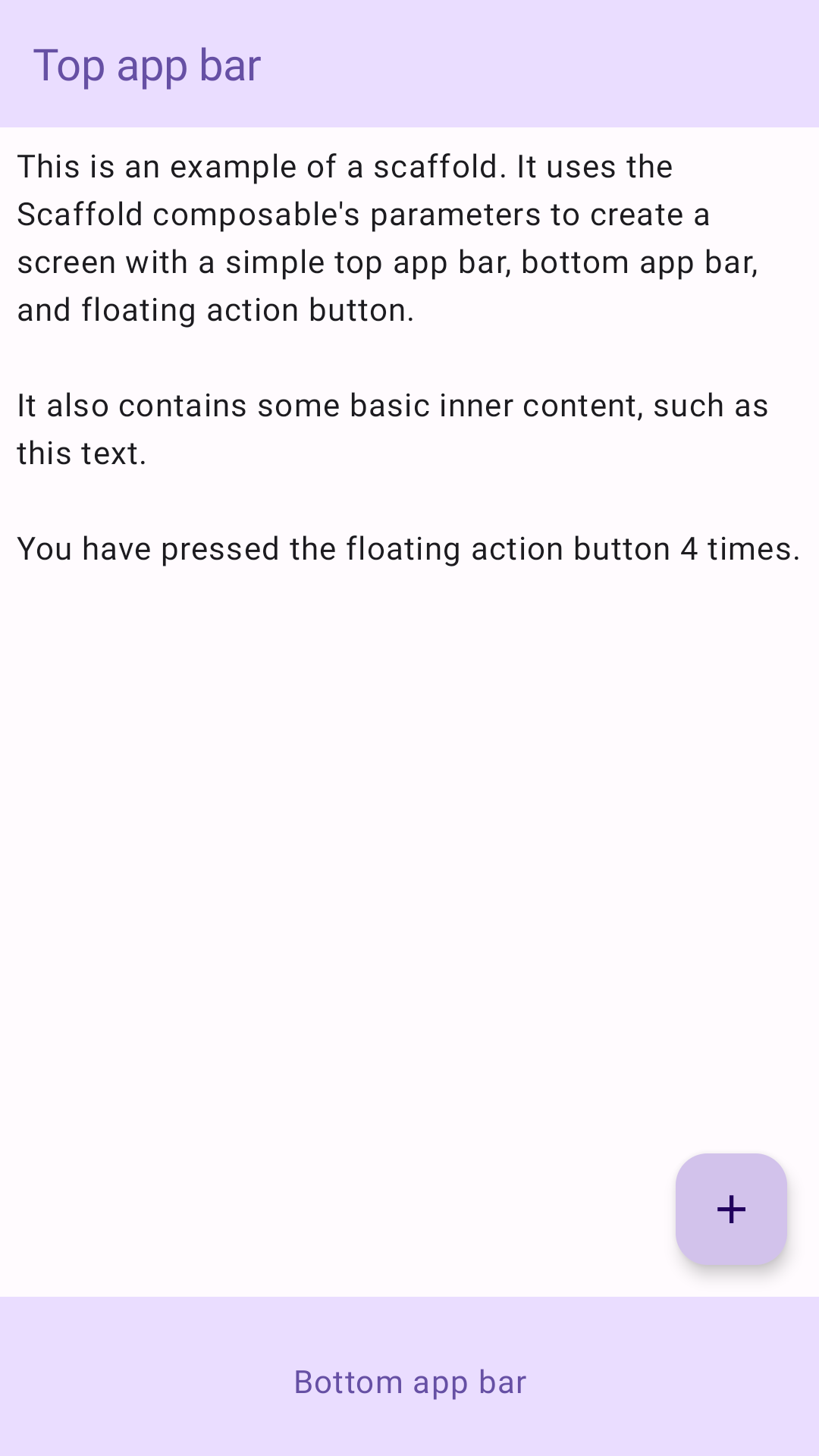
Scaffold コンポーザブルは、マテリアル デザインのガイドラインに沿ってアプリの構造を迅速に組み立てるために使用できる、わかりやすい API を提供します。Scaffold は、パラメータとして複数のコンポーザブルを受け取ります。たとえば、次のようなものがあります。
topBar: 画面上部のアプリバー。bottomBar: 画面下部のアプリバー。floatingActionButton: 画面の右下隅に表示されるボタン。主な操作を表示するために使用できます。
他のコンテナと同様に、Scaffold コンテンツを渡すこともできます。PaddingValues を content ラムダに渡します。このラムダは、コンテンツのルート コンポーザブルに適用してサイズを制限する必要があります。
次の例は、Scaffold の完全な実装を示しています。これには、上部アプリバー、下部アプリバー、フローティング アクション ボタンが含まれています。
@Composable fun ScaffoldExample() { var presses by remember { mutableIntStateOf(0) } Scaffold( topBar = { TopAppBar( colors = topAppBarColors( containerColor = MaterialTheme.colorScheme.primaryContainer, titleContentColor = MaterialTheme.colorScheme.primary, ), title = { Text("Top app bar") } ) }, bottomBar = { BottomAppBar( containerColor = MaterialTheme.colorScheme.primaryContainer, contentColor = MaterialTheme.colorScheme.primary, ) { Text( modifier = Modifier .fillMaxWidth(), textAlign = TextAlign.Center, text = "Bottom app bar", ) } }, floatingActionButton = { FloatingActionButton(onClick = { presses++ }) { Icon(Icons.Default.Add, contentDescription = "Add") } } ) { innerPadding -> Column( modifier = Modifier .padding(innerPadding), verticalArrangement = Arrangement.spacedBy(16.dp), ) { Text( modifier = Modifier.padding(8.dp), text = """ This is an example of a scaffold. It uses the Scaffold composable's parameters to create a screen with a simple top app bar, bottom app bar, and floating action button. It also contains some basic inner content, such as this text. You have pressed the floating action button $presses times. """.trimIndent(), ) } } }
これを実装すると次のようになります。