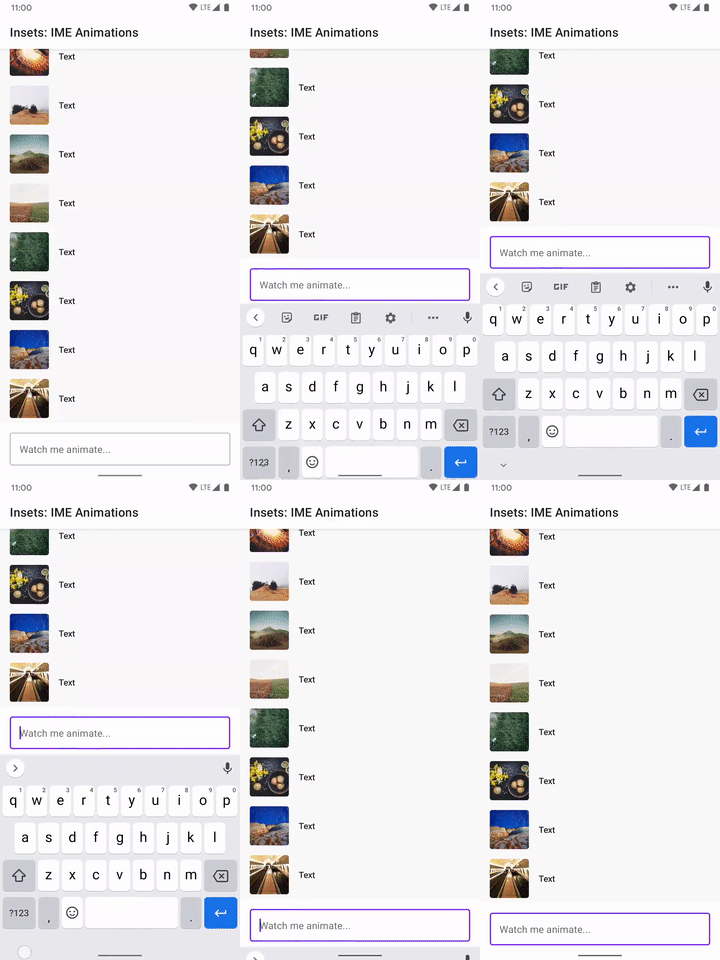
ใช้ภาพเคลื่อนไหวของ IME บนแป้นพิมพ์
จัดทุกอย่างให้เป็นระเบียบอยู่เสมอด้วยคอลเล็กชัน
บันทึกและจัดหมวดหมู่เนื้อหาตามค่ากำหนดของคุณ
คุณสามารถใช้ Modifier.imeNestedScroll() กับคอนเทนเนอร์ที่เลื่อนได้เพื่อเปิดและปิด IME โดยอัตโนมัติเมื่อเลื่อนไปที่ด้านล่างของคอนเทนเนอร์
classWindowInsetsExampleActivity:AppCompatActivity(){overridefunonCreate(savedInstanceState:Bundle?){super.onCreate(savedInstanceState)WindowCompat.setDecorFitsSystemWindows(window,false)setContent{MaterialTheme{MyScreen()}}}}@OptIn(ExperimentalLayoutApi::class)@ComposablefunMyScreen(){Box{LazyColumn(modifier=Modifier.fillMaxSize()// fill the entire window.imePadding()// padding for the bottom for the IME.imeNestedScroll(),// scroll IME at the bottomcontent={})FloatingActionButton(modifier=Modifier.align(Alignment.BottomEnd).padding(16.dp)// normal 16dp of padding for FABs.navigationBarsPadding()// padding for navigation bar.imePadding(),// padding for when IME appearsonClick={}){Icon(imageVector=Icons.Filled.Add,contentDescription="Add")}}}