

일부 콘텐츠는 상태 표시줄이나 탐색 메뉴에 표시기가 없는 전체 화면에서 가장 잘 경험할 수 있습니다. 예를 들면 동영상, 게임, 이미지 갤러리, 도서, 프레젠테이션 슬라이드가 있습니다. 이를 몰입형 모드라고 합니다. 이 페이지에서는 전체 화면 콘텐츠를 통해 사용자의 참여도를 높이는 방법을 보여줍니다.
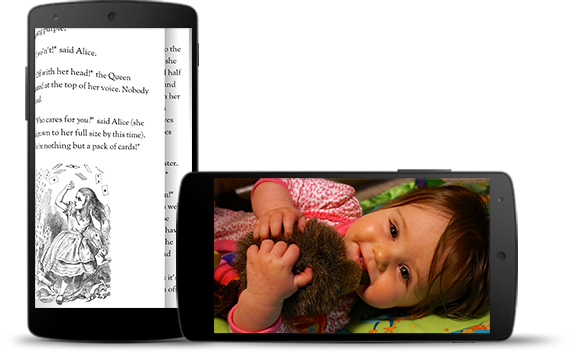
몰입형 모드는 사용자가 게임 중에 실수로 종료하는 것을 방지하고 이미지, 동영상, 도서를 즐길 수 있는 몰입형 환경을 제공합니다. 하지만 사용자가 알림을 확인하거나 즉석 검색을 수행하거나 다른 작업을 수행하기 위해 앱을 얼마나 자주 시작하고 종료하는지 유의하세요. 몰입형 모드를 사용하면 사용자가 시스템 탐색에 쉽게 액세스할 수 없으므로, 사용자 환경의 이점이 단순히 추가 화면 공간을 사용하는 것 이상인 경우에만 몰입형 모드를 사용하세요.
WindowInsetsControllerCompat.hide()를 사용하여 시스템 표시줄을 숨기고 WindowInsetsControllerCompat.show()를 사용하여 다시 표시합니다.
다음 스니펫은 시스템 표시줄을 숨기고 표시하도록 버튼을 구성하는 예를 보여줍니다.
Kotlin
override fun onCreate(savedInstanceState: Bundle?) {
    ...

    val windowInsetsController =
        WindowCompat.getInsetsController(window, window.decorView)
    // Configure the behavior of the hidden system bars.
    windowInsetsController.systemBarsBehavior =
        WindowInsetsControllerCompat.BEHAVIOR_SHOW_TRANSIENT_BARS_BY_SWIPE

    // Add a listener to update the behavior of the toggle fullscreen button when
    // the system bars are hidden or revealed.
    ViewCompat.setOnApplyWindowInsetsListener(window.decorView) { view, windowInsets ->
        // You can hide the caption bar even when the other system bars are visible.
        // To account for this, explicitly check the visibility of navigationBars()
        // and statusBars() rather than checking the visibility of systemBars().
        if (windowInsets.isVisible(WindowInsetsCompat.Type.navigationBars())
            || windowInsets.isVisible(WindowInsetsCompat.Type.statusBars())) {
            binding.toggleFullscreenButton.setOnClickListener {
                // Hide both the status bar and the navigation bar.
                windowInsetsController.hide(WindowInsetsCompat.Type.systemBars())
            }
        } else {
            binding.toggleFullscreenButton.setOnClickListener {
                // Show both the status bar and the navigation bar.
                windowInsetsController.show(WindowInsetsCompat.Type.systemBars())
            }
        }
        ViewCompat.onApplyWindowInsets(view, windowInsets)
    }
}
자바
@Override
protected void onCreate(Bundle savedInstanceState) {
    ...

    WindowInsetsControllerCompat windowInsetsController =
            WindowCompat.getInsetsController(getWindow(), getWindow().getDecorView());
    // Configure the behavior of the hidden system bars.
    windowInsetsController.setSystemBarsBehavior(
            WindowInsetsControllerCompat.BEHAVIOR_SHOW_TRANSIENT_BARS_BY_SWIPE
    );

    // Add a listener to update the behavior of the toggle fullscreen button when
    // the system bars are hidden or revealed.
    ViewCompat.setOnApplyWindowInsetsListener(
        getWindow().getDecorView(),
        (view, windowInsets) -> {
        // You can hide the caption bar even when the other system bars are visible.
        // To account for this, explicitly check the visibility of navigationBars()
        // and statusBars() rather than checking the visibility of systemBars().
        if (windowInsets.isVisible(WindowInsetsCompat.Type.navigationBars())
                || windowInsets.isVisible(WindowInsetsCompat.Type.statusBars())) {
            binding.toggleFullscreenButton.setOnClickListener(v -> {
                // Hide both the status bar and the navigation bar.
                windowInsetsController.hide(WindowInsetsCompat.Type.systemBars());
            });
        } else {
            binding.toggleFullscreenButton.setOnClickListener(v -> {
                // Show both the status bar and the navigation bar.
                windowInsetsController.show(WindowInsetsCompat.Type.systemBars());
            });
        }
        return ViewCompat.onApplyWindowInsets(view, windowInsets);
    });
}
원하는 경우 숨길 시스템 표시줄 유형을 지정하고 사용자가 시스템 표시줄과 상호작용할 때의 동작을 결정할 수 있습니다.
숨길 시스템 표시줄 지정
숨길 시스템 표시줄 유형을 지정하려면 다음 매개변수 중 하나를 WindowInsetsControllerCompat.hide()에 전달합니다.
WindowInsetsCompat.Type.systemBars()를 사용하여 두 시스템 표시줄을 모두 숨깁니다.WindowInsetsCompat.Type.statusBars()를 사용하여 상태 표시줄만 숨깁니다.WindowInsetsCompat.Type.navigationBars()를 사용하여 탐색 메뉴만 숨깁니다.
숨겨진 시스템 표시줄의 동작 지정
WindowInsetsControllerCompat.setSystemBarsBehavior()를 사용하여 사용자가 숨겨진 시스템 표시줄과 상호작용할 때 시스템 표시줄이 어떻게 동작하는지 지정합니다.
WindowInsetsControllerCompat.BEHAVIOR_SHOW_BARS_BY_TOUCH를 사용하여 해당 디스플레이의 모든 사용자 상호작용에서 숨겨진 시스템 표시줄을 표시합니다.WindowInsetsControllerCompat.BEHAVIOR_SHOW_BARS_BY_SWIPE를 사용하여 시스템 표시줄이 숨겨진 화면 가장자리에서 스와이프하는 등의 시스템 동작에서 숨겨진 시스템 표시줄을 표시합니다.WindowInsetsControllerCompat.BEHAVIOR_SHOW_TRANSIENT_BARS_BY_SWIPE를 사용하여 시스템 표시줄이 숨겨진 화면 가장자리에서 스와이프하는 등의 시스템 동작으로 숨겨진 시스템 표시줄을 일시적으로 표시합니다. 이러한 일시적인 시스템 표시줄은 앱 콘텐츠를 오버레이하며 어느 정도 투명할 수 있고 짧은 제한 시간 후에 자동으로 숨겨집니다.