

เนื้อหาบางอย่างจะมอบประสบการณ์การใช้งานที่ดีที่สุดในโหมดเต็มหน้าจอโดยไม่มีตัวบ่งชี้ใดๆ บนแถบสถานะหรือแถบนำทาง ตัวอย่างเช่น วิดีโอ เกม แกลเลอรีรูปภาพ หนังสือ และสไลด์งานนำเสนอ ซึ่งเรียกว่าโหมดใหญ่พิเศษ หน้านี้แสดงวิธีดึงดูดผู้ใช้ให้มีส่วนร่วมกับเนื้อหาแบบเต็มหน้าจอมากขึ้น
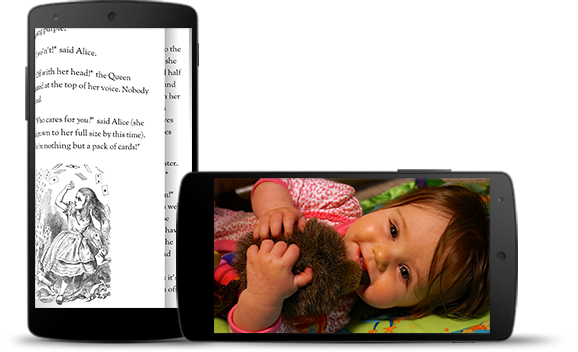
โหมดใหญ่พิเศษช่วยให้ผู้ใช้ไม่เผลอออกจากเกมโดยไม่ตั้งใจ และมอบประสบการณ์ที่สมจริงในการเพลิดเพลินกับรูปภาพ วิดีโอ และหนังสือ อย่างไรก็ตาม โปรดคำนึงถึงความถี่ที่ผู้ใช้เข้าและออกจากแอปเพื่อตรวจสอบการแจ้งเตือน ทำการค้นหาแบบกะทันหัน หรือดำเนินการอื่นๆ เนื่องจากโหมดใหญ่พิเศษทำให้ผู้ใช้เข้าถึงการไปยังส่วนต่างๆ ของระบบได้ยากขึ้น จึงควรใช้โหมดใหญ่พิเศษเฉพาะเมื่อประโยชน์ต่อประสบการณ์ของผู้ใช้มีมากกว่าการใช้พื้นที่หน้าจอเพิ่มเติมเท่านั้น
ใช้ WindowInsetsControllerCompat.hide() เพื่อซ่อนแถบระบบ และ WindowInsetsControllerCompat.show() เพื่อแสดงแถบระบบอีกครั้ง
ข้อมูลโค้ดต่อไปนี้แสดงตัวอย่างการกำหนดค่าปุ่มเพื่อซ่อนและแสดงแถบระบบ
Kotlin
override fun onCreate(savedInstanceState: Bundle?) {
    ...

    val windowInsetsController =
        WindowCompat.getInsetsController(window, window.decorView)
    // Configure the behavior of the hidden system bars.
    windowInsetsController.systemBarsBehavior =
        WindowInsetsControllerCompat.BEHAVIOR_SHOW_TRANSIENT_BARS_BY_SWIPE

    // Add a listener to update the behavior of the toggle fullscreen button when
    // the system bars are hidden or revealed.
    ViewCompat.setOnApplyWindowInsetsListener(window.decorView) { view, windowInsets ->
        // You can hide the caption bar even when the other system bars are visible.
        // To account for this, explicitly check the visibility of navigationBars()
        // and statusBars() rather than checking the visibility of systemBars().
        if (windowInsets.isVisible(WindowInsetsCompat.Type.navigationBars())
            || windowInsets.isVisible(WindowInsetsCompat.Type.statusBars())) {
            binding.toggleFullscreenButton.setOnClickListener {
                // Hide both the status bar and the navigation bar.
                windowInsetsController.hide(WindowInsetsCompat.Type.systemBars())
            }
        } else {
            binding.toggleFullscreenButton.setOnClickListener {
                // Show both the status bar and the navigation bar.
                windowInsetsController.show(WindowInsetsCompat.Type.systemBars())
            }
        }
        ViewCompat.onApplyWindowInsets(view, windowInsets)
    }
}
Java
@Override
protected void onCreate(Bundle savedInstanceState) {
    ...

    WindowInsetsControllerCompat windowInsetsController =
            WindowCompat.getInsetsController(getWindow(), getWindow().getDecorView());
    // Configure the behavior of the hidden system bars.
    windowInsetsController.setSystemBarsBehavior(
            WindowInsetsControllerCompat.BEHAVIOR_SHOW_TRANSIENT_BARS_BY_SWIPE
    );

    // Add a listener to update the behavior of the toggle fullscreen button when
    // the system bars are hidden or revealed.
    ViewCompat.setOnApplyWindowInsetsListener(
        getWindow().getDecorView(),
        (view, windowInsets) -> {
        // You can hide the caption bar even when the other system bars are visible.
        // To account for this, explicitly check the visibility of navigationBars()
        // and statusBars() rather than checking the visibility of systemBars().
        if (windowInsets.isVisible(WindowInsetsCompat.Type.navigationBars())
                || windowInsets.isVisible(WindowInsetsCompat.Type.statusBars())) {
            binding.toggleFullscreenButton.setOnClickListener(v -> {
                // Hide both the status bar and the navigation bar.
                windowInsetsController.hide(WindowInsetsCompat.Type.systemBars());
            });
        } else {
            binding.toggleFullscreenButton.setOnClickListener(v -> {
                // Show both the status bar and the navigation bar.
                windowInsetsController.show(WindowInsetsCompat.Type.systemBars());
            });
        }
        return ViewCompat.onApplyWindowInsets(view, windowInsets);
    });
}
คุณสามารถระบุประเภทของแถบระบบที่จะซ่อนและกำหนดลักษณะการทำงานเมื่อผู้ใช้โต้ตอบกับแถบดังกล่าวได้ (ไม่บังคับ)
ระบุแถบระบบที่จะซ่อน
หากต้องการระบุประเภทแถบระบบที่จะซ่อน ให้ส่งพารามิเตอร์อย่างใดอย่างหนึ่งต่อไปนี้ไปยัง WindowInsetsControllerCompat.hide()
ใช้
WindowInsetsCompat.Type.systemBars()เพื่อซ่อนแถบระบบทั้ง 2 แถบใช้
WindowInsetsCompat.Type.statusBars()เพื่อซ่อนเฉพาะแถบสถานะใช้
WindowInsetsCompat.Type.navigationBars()เพื่อซ่อนเฉพาะแถบนำทาง
ระบุลักษณะการทำงานของแถบระบบที่ซ่อนอยู่
ใช้ WindowInsetsControllerCompat.setSystemBarsBehavior() เพื่อระบุลักษณะการทำงานของแถบระบบที่ซ่อนอยู่เมื่อผู้ใช้โต้ตอบกับแถบดังกล่าว
ใช้
WindowInsetsControllerCompat.BEHAVIOR_SHOW_BARS_BY_TOUCHเพื่อแสดงแถบระบบที่ซ่อนอยู่เมื่อผู้ใช้โต้ตอบใดๆ บนจอแสดงผลที่เกี่ยวข้องใช้
WindowInsetsControllerCompat.BEHAVIOR_SHOW_BARS_BY_SWIPEเพื่อแสดงแถบระบบที่ซ่อนอยู่ในการใช้ท่าทางสัมผัสของระบบ เช่น การปัดจากขอบหน้าจอที่ซ่อนแถบไว้ใช้
WindowInsetsControllerCompat.BEHAVIOR_SHOW_TRANSIENT_BARS_BY_SWIPEเพื่อแสดงแถบระบบที่ซ่อนอยู่ชั่วคราวด้วยท่าทางสัมผัสของระบบ เช่น การปัดจากขอบหน้าจอที่ซ่อนแถบไว้ แถบระบบชั่วคราวเหล่านี้จะวางซ้อนเนื้อหาของแอป อาจมีความโปร่งใสในระดับหนึ่ง และจะซ่อนโดยอัตโนมัติหลังจากหมดเวลาสั้นๆ