

コンテンツによっては、ステータスバーやナビゲーション バーにインジケーターを表示せず、全画面表示で表示するのが最適な場合があります。たとえば、動画、ゲーム、画像ギャラリー、書籍、プレゼンテーション スライドなどです。これは没入モードと呼ばれます。このページでは、全画面表示のコンテンツでユーザーのエンゲージメントをさらに高める方法について説明します。
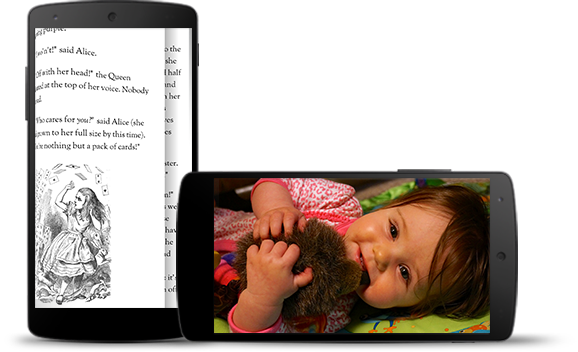
没入モードは、ゲーム中にユーザーが誤って終了するのを防ぎ、画像、動画、書籍を楽しむための没入型エクスペリエンスを提供します。ただし、ユーザーが通知の確認、即席の検索、その他の操作を行うために、アプリを頻繁に切り替える可能性があることに注意してください。没入モードでは、ユーザーがシステム ナビゲーションに簡単にアクセスできなくなるため、没入モードを使用するのは、ユーザー エクスペリエンスのメリットが、単に画面スペースを広く使えるというメリットを上回る場合に限ってください。
WindowInsetsControllerCompat.hide() を使用してシステムバーを非表示にし、WindowInsetsControllerCompat.show() を使用してシステムバーを再表示します。
次のスニペットは、システムバーを非表示または表示にするボタンを構成する例を示しています。
Kotlin
override fun onCreate(savedInstanceState: Bundle?) {
    ...

    val windowInsetsController =
        WindowCompat.getInsetsController(window, window.decorView)
    // Configure the behavior of the hidden system bars.
    windowInsetsController.systemBarsBehavior =
        WindowInsetsControllerCompat.BEHAVIOR_SHOW_TRANSIENT_BARS_BY_SWIPE

    // Add a listener to update the behavior of the toggle fullscreen button when
    // the system bars are hidden or revealed.
    ViewCompat.setOnApplyWindowInsetsListener(window.decorView) { view, windowInsets ->
        // You can hide the caption bar even when the other system bars are visible.
        // To account for this, explicitly check the visibility of navigationBars()
        // and statusBars() rather than checking the visibility of systemBars().
        if (windowInsets.isVisible(WindowInsetsCompat.Type.navigationBars())
            || windowInsets.isVisible(WindowInsetsCompat.Type.statusBars())) {
            binding.toggleFullscreenButton.setOnClickListener {
                // Hide both the status bar and the navigation bar.
                windowInsetsController.hide(WindowInsetsCompat.Type.systemBars())
            }
        } else {
            binding.toggleFullscreenButton.setOnClickListener {
                // Show both the status bar and the navigation bar.
                windowInsetsController.show(WindowInsetsCompat.Type.systemBars())
            }
        }
        ViewCompat.onApplyWindowInsets(view, windowInsets)
    }
}
Java
@Override
protected void onCreate(Bundle savedInstanceState) {
    ...

    WindowInsetsControllerCompat windowInsetsController =
            WindowCompat.getInsetsController(getWindow(), getWindow().getDecorView());
    // Configure the behavior of the hidden system bars.
    windowInsetsController.setSystemBarsBehavior(
            WindowInsetsControllerCompat.BEHAVIOR_SHOW_TRANSIENT_BARS_BY_SWIPE
    );

    // Add a listener to update the behavior of the toggle fullscreen button when
    // the system bars are hidden or revealed.
    ViewCompat.setOnApplyWindowInsetsListener(
        getWindow().getDecorView(),
        (view, windowInsets) -> {
        // You can hide the caption bar even when the other system bars are visible.
        // To account for this, explicitly check the visibility of navigationBars()
        // and statusBars() rather than checking the visibility of systemBars().
        if (windowInsets.isVisible(WindowInsetsCompat.Type.navigationBars())
                || windowInsets.isVisible(WindowInsetsCompat.Type.statusBars())) {
            binding.toggleFullscreenButton.setOnClickListener(v -> {
                // Hide both the status bar and the navigation bar.
                windowInsetsController.hide(WindowInsetsCompat.Type.systemBars());
            });
        } else {
            binding.toggleFullscreenButton.setOnClickListener(v -> {
                // Show both the status bar and the navigation bar.
                windowInsetsController.show(WindowInsetsCompat.Type.systemBars());
            });
        }
        return ViewCompat.onApplyWindowInsets(view, windowInsets);
    });
}
必要に応じて、非表示にするシステムバーのタイプを指定し、ユーザーが操作したときの動作を決定できます。
非表示にするシステムバーを指定する
非表示にするシステムバーのタイプを指定するには、次のいずれかのパラメータを WindowInsetsControllerCompat.hide() に渡します。
WindowInsetsCompat.Type.systemBars()を使用して、両方のシステムバーを非表示にします。WindowInsetsCompat.Type.statusBars()を使用して、ステータスバーのみを非表示にします。WindowInsetsCompat.Type.navigationBars()を使用して、ナビゲーション バーのみを非表示にします。
非表示のシステムバーの動作を指定する
WindowInsetsControllerCompat.setSystemBarsBehavior() を使用して、ユーザーが非表示のシステムバーを操作したときの動作を指定します。
WindowInsetsControllerCompat.BEHAVIOR_SHOW_BARS_BY_TOUCHを使用すると、対応するディスプレイでユーザーが何らかの操作を行ったときに、非表示のシステムバーが表示されます。WindowInsetsControllerCompat.BEHAVIOR_SHOW_BARS_BY_SWIPEを使用すると、バーが非表示になっている画面の端からスワイプするなど、システム ジェスチャーで非表示のシステムバーを表示できます。WindowInsetsControllerCompat.BEHAVIOR_SHOW_TRANSIENT_BARS_BY_SWIPEを使用すると、バーが非表示になっている画面の端からスワイプするなどのシステム ジェスチャーによって、非表示のシステムバーを一時的に表示できます。これらの一時的なシステムバーは、アプリのコンテンツに重ねて表示され、ある程度の透明度を持つ場合があり、短いタイムアウト後に自動的に非表示になります。