
手錶通知與手機通知使用相同的 API,兩者的結構也相同。
通知在手錶上有兩種顯示方式:
- 由行動應用程式建立通知,然後由系統自動橋接到手錶。
- 穿戴式應用程式建立通知。
這兩種情況都可使用 NotificationCompat.Builder 類別建立通知。您使用 builder 類別建構通知時,系統可以妥善處理顯示通知作業。舉例來說,當您從行動應用程式發出通知時,每個通知都會以卡片形式顯示在通知串中。
請查看下列範例,瞭解通知的顯示方式。
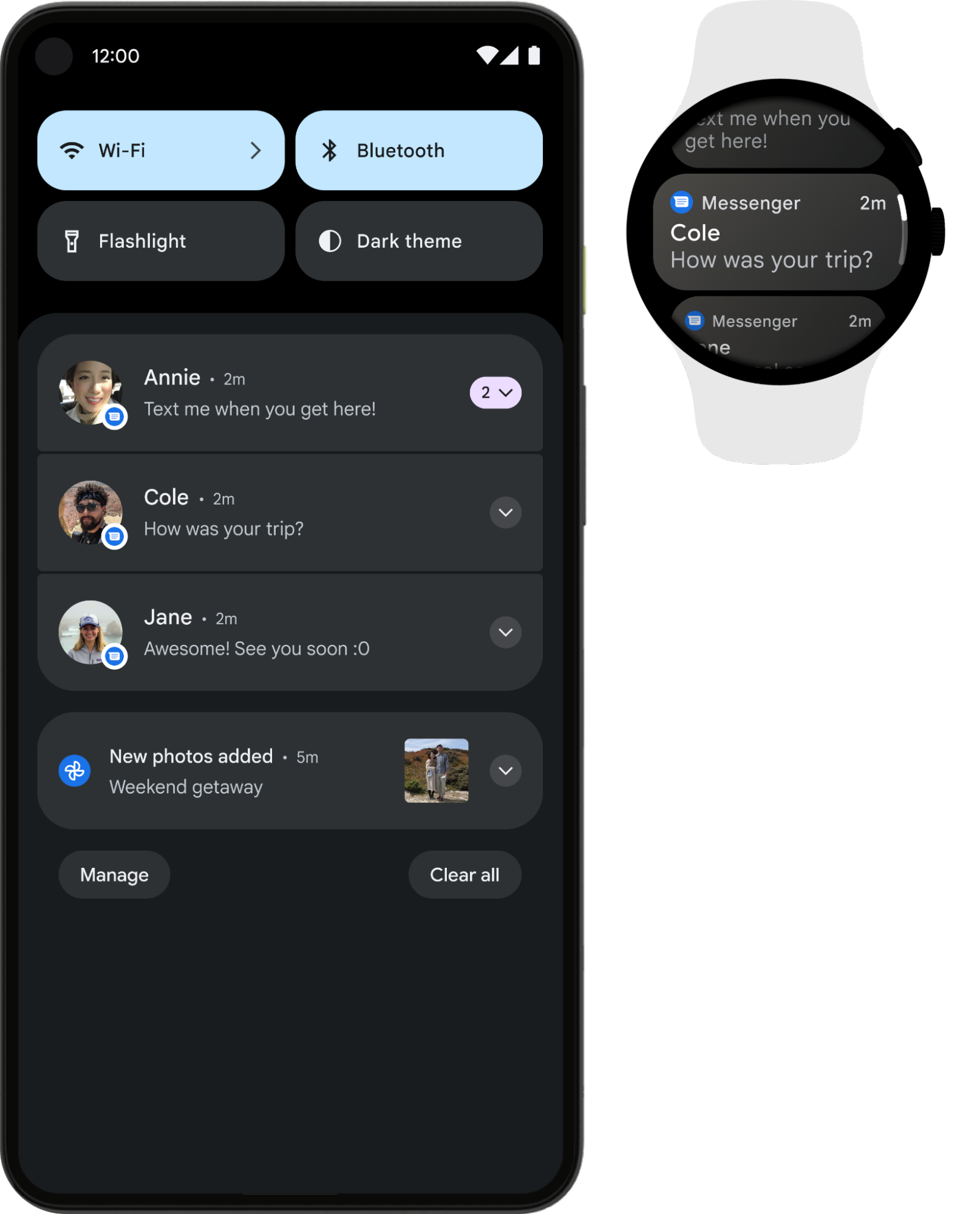
圖 1. 手機和手錶顯示相同的通知。
為求最佳結果,請使用 NotificationCompat.Style 子類別。
注意:
使用 RemoteViews
可移除自訂版面配置的通知,穿戴式裝置則只會顯示文字和圖示。
建議讓穿戴式裝置使用的通知
建議將可展開式通知做為所有通知的基礎,因為它是與穿戴式裝置使用者互動的好方法。通知列會顯示呈現收合狀態的通知,使用者可一目瞭然。當使用者輕觸通知,通知會展開並顯示更多內容和動作,使用者可以捲動查看,享有沈浸式體驗。
可展開式通知的建立方式和您在行動裝置上使用任何 NotificationCompat.Style 子類別建立通知的方式相同。舉例來說,一般使用 NotificationCompat.MessagingStyle 的通知看起來會像這樣:
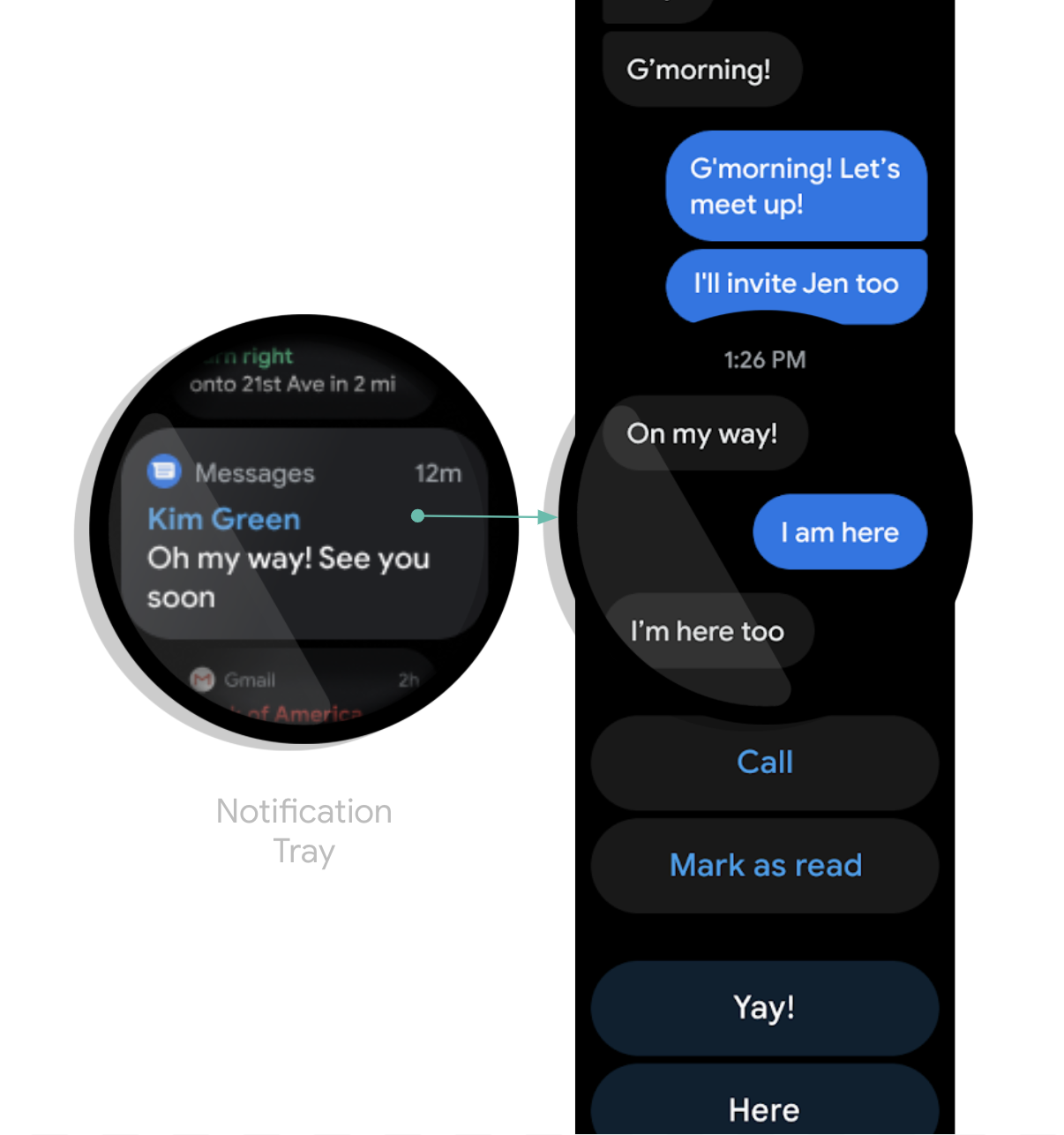
圖 2. Wear OS 上的 MessagingStyle 通知範例。
您可以看到通知在展開狀態時,底部顯示了多種動作。
提示:如果您的通知內有「回覆」動作 (例如訊息應用程式的通知),您可以加強通知的行為。舉例來說,您可以啟用語音輸入功能,直接從穿戴式裝置回覆,或是利用 setChoices() 輸入預先定義的文字回覆內容。詳情請參閱「新增回覆按鈕」。
避免重複通知
根據預設,系統會將通知從配對手機應用程式橋接到任何配對的手錶。如果您並未安裝任何穿戴式應用程式,建議採用這種做法。
不過,如果您建構了獨立的手錶應用程式,並有配對手機應用程式,那麼應用程式便會建立重複通知。
Wear OS 可以利用橋接 API 防止重複通知。如果應用程式在搭載 Wear OS 5 以上版本的裝置上執行,這點就格外重要,因為在行動裝置上可關閉的部分通知,在 Wear OS 裝置上無法關閉。詳情請參閱「通知的橋接設定選項」。
為通知新增穿戴式裝置特有的功能
如要為通知新增穿戴式裝置專屬功能,可以使用
NotificationCompat.WearableExtender 類別指定選項。如要使用這個 API,請按照下列步驟操作:
注意:如果您使用架構的 NotificationManager,則 NotificationCompat.WearableExtender 的部分功能將無法使用,因此請務必使用 NotificationCompat。
這個範例說明如何在通知中設定 Wear 專屬動作,以及如何設定
關閉 ID。使用者關閉通知時,系統會關閉手錶和配對手機上使用相同關閉 ID 的通知。如要擷取關閉 ID,請使用
getDismissalId()。
// This intent will be fired as a result of the user clicking the "Open on watch" action. // However, it executes on the phone, not on the watch. Typically, the Activity should then use // RemoteActivityHelper to then launch the correct activity on the watch. val intent = Intent(context, LaunchOnWearActivity::class.java) val wearPendingIntent = PendingIntent.getActivity( context, wearRequestCode, intent, PendingIntent.FLAG_UPDATE_CURRENT or PendingIntent.FLAG_IMMUTABLE ) val openOnWatchAction = NotificationCompat.Action.Builder( R.drawable.watch, "Open on watch", wearPendingIntent ) .build() val wearableExtender = NotificationCompat.WearableExtender() // This action will only be shown on the watch, not on the phone. // Actions added to the Notification builder directly will not be shown on the watch, // because one or more actions are defined in the WearableExtender. .addAction(openOnWatchAction) // This synchronizes dismissals between watch and phone. .setDismissalId(chatId) val notification = NotificationCompat.Builder(context, channelId) // ... set other fields ... .extend(wearableExtender) .build()
從穿戴式裝置啟動手機應用程式
如果使用橋接通知,任何通知都會自動包含啟動手機應用程式的按鈕。不過,如果您使用在手錶上建立的本機通知,請按照下列步驟建立按鈕,在手機上啟動應用程式:
- 建立擴充
ConfirmationActivity的新Activity。 - 使用新
Activity中的RemoteActivityHelper啟動電話應用程式。 - 建構
Intent以從通知啟動Activity時,請將EXTRA_ANIMATION_TYPE額外內容設為OPEN_ON_PHONE_ANIMATION。
注意:您無法使用 BroadcastReceiver 做為通知動作的目標。