

Dispositivi XR applicabili
Queste indicazioni ti aiutano a creare esperienze per questi tipi di
dispositivi XR.

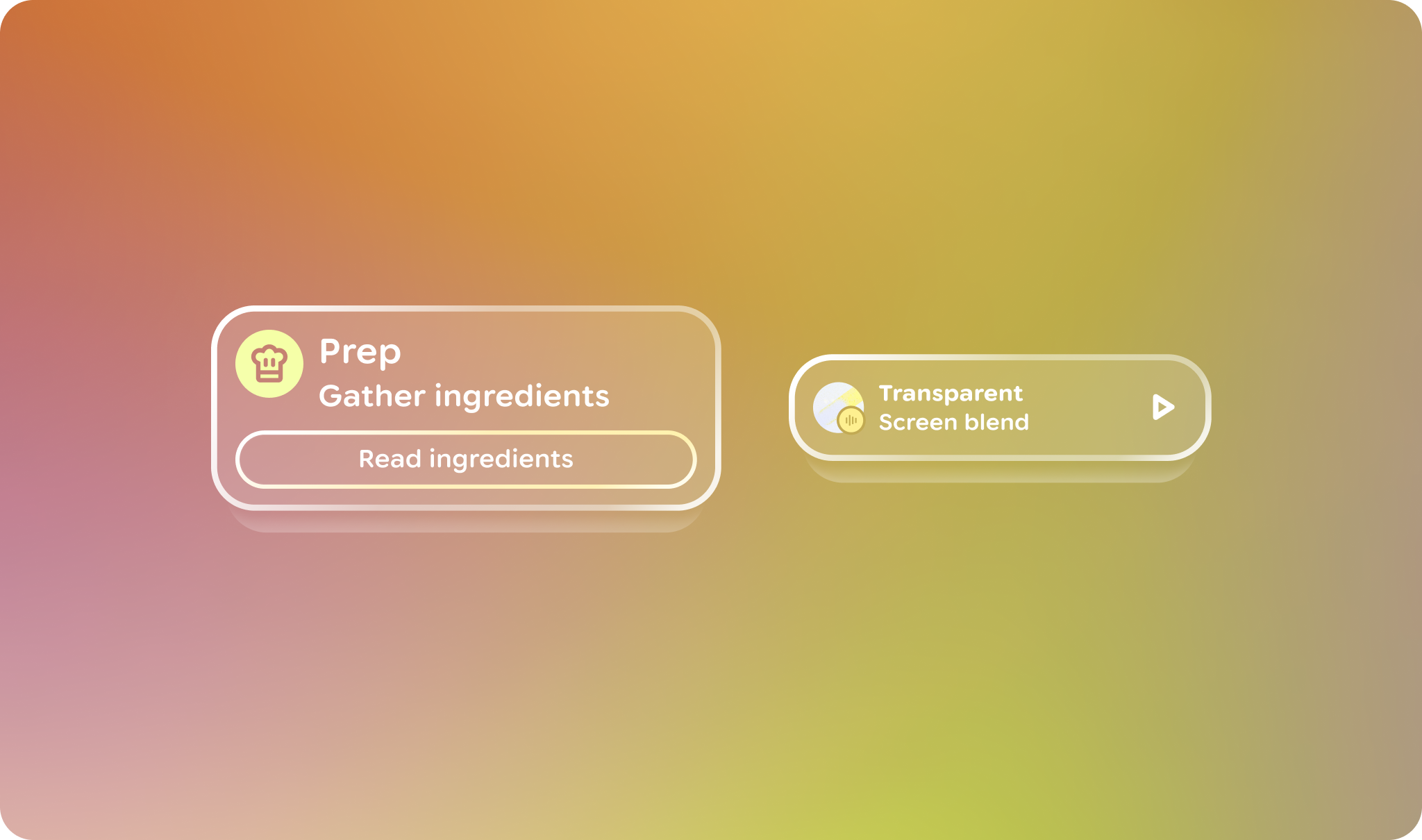
In Jetpack Compose Glimmer, VerticalStack è un layout a scorrimento verticale lazy che dispone gli elementi in una sequenza tridimensionale visivamente sovrapposta. L'elemento principale viene visualizzato in primo piano, mentre gli elementi successivi vengono posizionati dietro.
Comportamenti di scorrimento e posizionamento
Poiché gli stack mantengono gli elementi disposti in un layout compatto e sovrapposto, hanno alcuni comportamenti diversi da altri tipi di componenti sequenziali, come gli elenchi:
- Quando un utente scorre verticalmente, l'elemento in primo piano attivo esce dalla visualizzazione, consentendo all'elemento immediatamente sottostante di scorrere nella posizione di primo piano principale.
- Gli elementi vengono sempre animati con un'animazione di snap utilizzando un'animazione con effetto molla specializzata nella posizione di primo piano al termine del gesto di un utente.
- Gli elementi sono posizionati lungo l'asse z, con gli elementi più in basso nell'elenco posizionati dietro l'elemento principale.
Gestione del focus
VerticalStack utilizza un sistema di focus specializzato per garantire che l'elemento in primo piano corrente sia sempre il target principale per l'interazione dell'utente:
- Focus iniziale e rientro: il focus iniziale e il rientro del focus vanno all' elemento superiore corrente dello stack.
- Notifica di autofocus: quando gli elementi cambiano, lo stack richiede il focus per l'elemento superiore.
- Monitoraggio del focus: ogni elemento utilizza
onFocusChangedper notificare aStackStateil proprio stato di focus individuale.
Esempio: creare uno stack verticale
Il seguente codice crea uno stack verticale con alcuni elementi card:
@Composable fun VerticalStackSample() { VerticalStack { item { Card { Text("Top Card") } } item { Card { Text("Second Card") } } item { Card { Text("Third Card") } } } }