

2 台のデバイス間で接続を作成するには、サーバーサイドとクライアントサイドの両方のメカニズムを実装する必要があります。1 台のデバイスがサーバー ソケットを開き、もう 1 台のデバイスがサーバー デバイスの MAC アドレスを使用して接続を開始する必要があるためです。サーバー デバイスとクライアント デバイスは、それぞれ異なる方法で必要な BluetoothSocket を取得します。サーバーは、受信接続が受け入れられるとソケット情報を受信します。クライアントは、サーバーへの RFCOMM チャネルを開くときにソケット情報を提供します。
サーバーとクライアントは、それぞれが同じ RFCOMM チャネルで接続された BluetoothSocket を持っている場合に、相互に接続されているとみなされます。この時点で、各デバイスは入出力ストリームを取得し、データ転送を開始できます。これについては、Bluetooth データの転送に関するセクションで説明します。このセクションでは、2 つのデバイス間の接続を開始する方法について説明します。
Bluetooth デバイスを検出する前に、適切な Bluetooth 権限があること、および Bluetooth 用にアプリがセットアップされていることを確認してください。
接続手法
実装手法の 1 つは、各デバイスをサーバーとして自動的に準備し、各デバイスでサーバー ソケットを開いて接続をリッスンすることです。この場合、どちらのデバイスも相手との接続を開始してクライアントになることができます。または、1 台のデバイスが明示的に接続をホストし、オンデマンドでサーバー ソケットを開き、もう 1 台のデバイスが接続を開始することもできます。
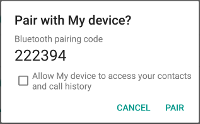
サーバーとして接続する
2 台のデバイスを接続する場合、一方のデバイスは、開いている BluetoothServerSocket を保持することで、サーバーとして機能する必要があります。サーバー ソケットの目的は、受信接続リクエストをリッスンし、リクエストが承認された後に接続された BluetoothSocket を提供することです。BluetoothServerSocket から BluetoothSocket を取得したら、デバイスでさらに接続を受け入れる場合を除き、BluetoothServerSocket を破棄できます(破棄する必要があります)。
サーバー ソケットをセットアップして接続を受け入れるには、次の手順を行います。
listenUsingRfcommWithServiceRecord(String, UUID)を呼び出してBluetoothServerSocketを取得します。この文字列は、サービスの識別可能な名前です。システムは、この名前をデバイス上の新しいサービス ディスカバリ プロトコル(SDP)データベース エントリに自動的に書き込みます。名前は任意で、アプリ名でもかまいません。Universally Unique Identifier(UUID)も SDP エントリに含まれ、クライアント デバイスとの接続契約の基礎となります。つまり、クライアントがこのデバイスに接続しようとすると、接続先のサービスを一意に識別する UUID が送信されます。接続を承認するには、これらの UUID が一致している必要があります。
UUID は、情報を一意に識別するために使用される文字列 ID の標準化された 128 ビット形式です。UUID が繰り返される可能性は実質的にゼロであるため、UUID はシステムまたはネットワーク内で一意である必要がある情報を識別するために使用されます。これは、一元化された認証局を使用せずに、独立して生成されます。この場合は、アプリの Bluetooth サービスを一意に識別するために使用されます。アプリで使用する UUID を取得するには、ウェブ上の多くのランダムな
UUIDジェネレータのいずれかを使用して、fromString(String)で UUID を初期化します。accept()を呼び出して、接続リクエストのリッスンを開始します。これはブロッキング呼び出しです。接続が受け入れられたか、例外が発生したときに、このメソッドは戻ります。接続が承認されるのは、このリスニング サーバー ソケットに登録されている UUID と一致する UUID を含む接続リクエストをリモート デバイスが送信した場合のみです。成功すると、
accept()は接続されたBluetoothSocketを返します。追加の接続を受け入れる場合を除き、
close()を呼び出します。このメソッド呼び出しは、サーバー ソケットとそのすべてのリソースを解放しますが、
accept()によって返された接続済みのBluetoothSocketは閉じません。TCP/IP とは異なり、RFCOMM ではチャネルごとに一度に 1 つのクライアントしか接続できないため、ほとんどの場合、接続されたソケットを受け入れた直後にBluetoothServerSocketでclose()を呼び出すのが合理的です。
accept() 呼び出しはブロッキング呼び出しであるため、メイン アクティビティの UI スレッドでは実行しないでください。別のスレッドで実行することで、アプリは他のユーザー インタラクションに引き続き応答できます。通常は、BluetoothServerSocket または BluetoothSocket が関与するすべての処理を、アプリが管理する新しいスレッドで行うのが合理的です。accept() などのブロックされた呼び出しを中止するには、別のスレッドから BluetoothServerSocket または BluetoothSocket で close() を呼び出します。BluetoothServerSocket または BluetoothSocket のすべてのメソッドはスレッドセーフです。
例
以下は、受信接続を受け入れるサーバー コンポーネントの簡略化されたスレッドです。
Kotlin
private inner class AcceptThread : Thread() {

   private val mmServerSocket: BluetoothServerSocket? by lazy(LazyThreadSafetyMode.NONE) {
       bluetoothAdapter?.listenUsingInsecureRfcommWithServiceRecord(NAME, MY_UUID)
   }

   override fun run() {
       // Keep listening until exception occurs or a socket is returned.
       var shouldLoop = true
       while (shouldLoop) {
           val socket: BluetoothSocket? = try {
               mmServerSocket?.accept()
           } catch (e: IOException) {
               Log.e(TAG, "Socket's accept() method failed", e)
               shouldLoop = false
               null
           }
           socket?.also {
               manageMyConnectedSocket(it)
               mmServerSocket?.close()
               shouldLoop = false
           }
       }
   }

   // Closes the connect socket and causes the thread to finish.
   fun cancel() {
       try {
           mmServerSocket?.close()
       } catch (e: IOException) {
           Log.e(TAG, "Could not close the connect socket", e)
       }
   }
}
Java
private class AcceptThread extends Thread {
   private final BluetoothServerSocket mmServerSocket;

   public AcceptThread() {
       // Use a temporary object that is later assigned to mmServerSocket
       // because mmServerSocket is final.
       BluetoothServerSocket tmp = null;
       try {
           // MY_UUID is the app's UUID string, also used by the client code.
           tmp = bluetoothAdapter.listenUsingRfcommWithServiceRecord(NAME, MY_UUID);
       } catch (IOException e) {
           Log.e(TAG, "Socket's listen() method failed", e);
       }
       mmServerSocket = tmp;
   }

   public void run() {
       BluetoothSocket socket = null;
       // Keep listening until exception occurs or a socket is returned.
       while (true) {
           try {
               socket = mmServerSocket.accept();
           } catch (IOException e) {
               Log.e(TAG, "Socket's accept() method failed", e);
               break;
           }

           if (socket != null) {
               // A connection was accepted. Perform work associated with
               // the connection in a separate thread.
               manageMyConnectedSocket(socket);
               mmServerSocket.close();
               break;
           }
       }
   }

   // Closes the connect socket and causes the thread to finish.
   public void cancel() {
       try {
           mmServerSocket.close();
       } catch (IOException e) {
           Log.e(TAG, "Could not close the connect socket", e);
       }
   }
}
この例では、必要な受信接続は 1 つだけであるため、接続が受け入れられて BluetoothSocket が取得されるとすぐに、アプリは取得した BluetoothSocket を別のスレッドに渡し、BluetoothServerSocket を閉じてループから抜けます。
accept() が BluetoothSocket を返した時点で、ソケットはすでに接続されています。したがって、クライアントサイドから行うように connect() を呼び出すべきではありません。
アプリ固有の manageMyConnectedSocket() メソッドは、データ転送用のスレッドを開始するように設計されています。これについては、Bluetooth データの転送に関するトピックで説明しています。
通常は、受信接続のリッスンが完了したらすぐに BluetoothServerSocket を閉じる必要があります。この例では、BluetoothSocket が取得されるとすぐに close() が呼び出されます。また、サーバー ソケットでのリッスンを停止する必要がある場合に、プライベート BluetoothSocket を閉じることができるパブリック メソッドをスレッドに用意することもできます。
クライアントとして接続する
開いているサーバー ソケットで接続を受け入れているリモート デバイスとの接続を開始するには、まず、リモート デバイスを表す BluetoothDevice オブジェクトを取得する必要があります。BluetoothDevice を作成する方法については、Bluetooth デバイスを検索するをご覧ください。次に、BluetoothDevice を使用して BluetoothSocket を取得し、接続を開始する必要があります。
基本的な手順は次のとおりです。
BluetoothDeviceを使用して、createRfcommSocketToServiceRecord(UUID)を呼び出してBluetoothSocketを取得します。このメソッドは、クライアントが
BluetoothDeviceに接続できるようにするBluetoothSocketオブジェクトを初期化します。ここで渡される UUID は、サーバー デバイスがlistenUsingRfcommWithServiceRecord(String, UUID)を呼び出してBluetoothServerSocketを開いたときに使用した UUID と一致する必要があります。一致する UUID を使用するには、UUID 文字列をアプリにハードコードし、サーバーコードとクライアント コードの両方から参照します。connect()を呼び出して接続を開始します。このメソッドはブロッキング呼び出しです。クライアントがこのメソッドを呼び出すと、システムは SDP ルックアップを実行して、一致する UUID を持つリモート デバイスを検索します。ルックアップが成功し、リモート デバイスが接続を受け入れると、接続中に使用する RFCOMM チャネルが共有され、
connect()メソッドが返されます。接続に失敗した場合、またはconnect()メソッドがタイムアウトした場合(約 12 秒後)、メソッドはIOExceptionをスローします。
connect() はブロッキング呼び出しであるため、この接続手順は常に、メイン アクティビティ(UI)スレッドとは別のスレッドで実行する必要があります。
例
以下は、Bluetooth 接続を開始するクライアント スレッドの基本的な例です。
Kotlin
private inner class ConnectThread(device: BluetoothDevice) : Thread() {

   private val mmSocket: BluetoothSocket? by lazy(LazyThreadSafetyMode.NONE) {
       device.createRfcommSocketToServiceRecord(MY_UUID)
   }

   public override fun run() {
       // Cancel discovery because it otherwise slows down the connection.
       bluetoothAdapter?.cancelDiscovery()

       mmSocket?.let { socket ->
           // Connect to the remote device through the socket. This call blocks
           // until it succeeds or throws an exception.
           socket.connect()

           // The connection attempt succeeded. Perform work associated with
           // the connection in a separate thread.
           manageMyConnectedSocket(socket)
       }
   }

   // Closes the client socket and causes the thread to finish.
   fun cancel() {
       try {
           mmSocket?.close()
       } catch (e: IOException) {
           Log.e(TAG, "Could not close the client socket", e)
       }
   }
}
Java
private class ConnectThread extends Thread {
   private final BluetoothSocket mmSocket;
   private final BluetoothDevice mmDevice;

   public ConnectThread(BluetoothDevice device) {
       // Use a temporary object that is later assigned to mmSocket
       // because mmSocket is final.
       BluetoothSocket tmp = null;
       mmDevice = device;

       try {
           // Get a BluetoothSocket to connect with the given BluetoothDevice.
           // MY_UUID is the app's UUID string, also used in the server code.
           tmp = device.createRfcommSocketToServiceRecord(MY_UUID);
       } catch (IOException e) {
           Log.e(TAG, "Socket's create() method failed", e);
       }
       mmSocket = tmp;
   }

   public void run() {
       // Cancel discovery because it otherwise slows down the connection.
       bluetoothAdapter.cancelDiscovery();

       try {
           // Connect to the remote device through the socket. This call blocks
           // until it succeeds or throws an exception.
           mmSocket.connect();
       } catch (IOException connectException) {
           // Unable to connect; close the socket and return.
           try {
               mmSocket.close();
           } catch (IOException closeException) {
               Log.e(TAG, "Could not close the client socket", closeException);
           }
           return;
       }

       // The connection attempt succeeded. Perform work associated with
       // the connection in a separate thread.
       manageMyConnectedSocket(mmSocket);
   }

   // Closes the client socket and causes the thread to finish.
   public void cancel() {
       try {
           mmSocket.close();
       } catch (IOException e) {
           Log.e(TAG, "Could not close the client socket", e);
       }
   }
}
このスニペットでは、接続が試行される前に cancelDiscovery() が呼び出されています。特に、デバイスの検出が現在進行中かどうかにかかわらず cancelDiscovery() が成功するため、connect() の前に必ず cancelDiscovery() を呼び出す必要があります。アプリでデバイス検出が進行中かどうかを判断する必要がある場合は、isDiscovering() を使用して確認できます。
アプリ固有の manageMyConnectedSocket() メソッドは、データ転送用のスレッドを開始するように設計されています。これについては、Bluetooth データの転送のセクションで説明します。
BluetoothSocket が終了したら、必ず close() を呼び出してください。これにより、接続されたソケットが直ちに閉じられ、関連するすべての内部リソースが解放されます。