


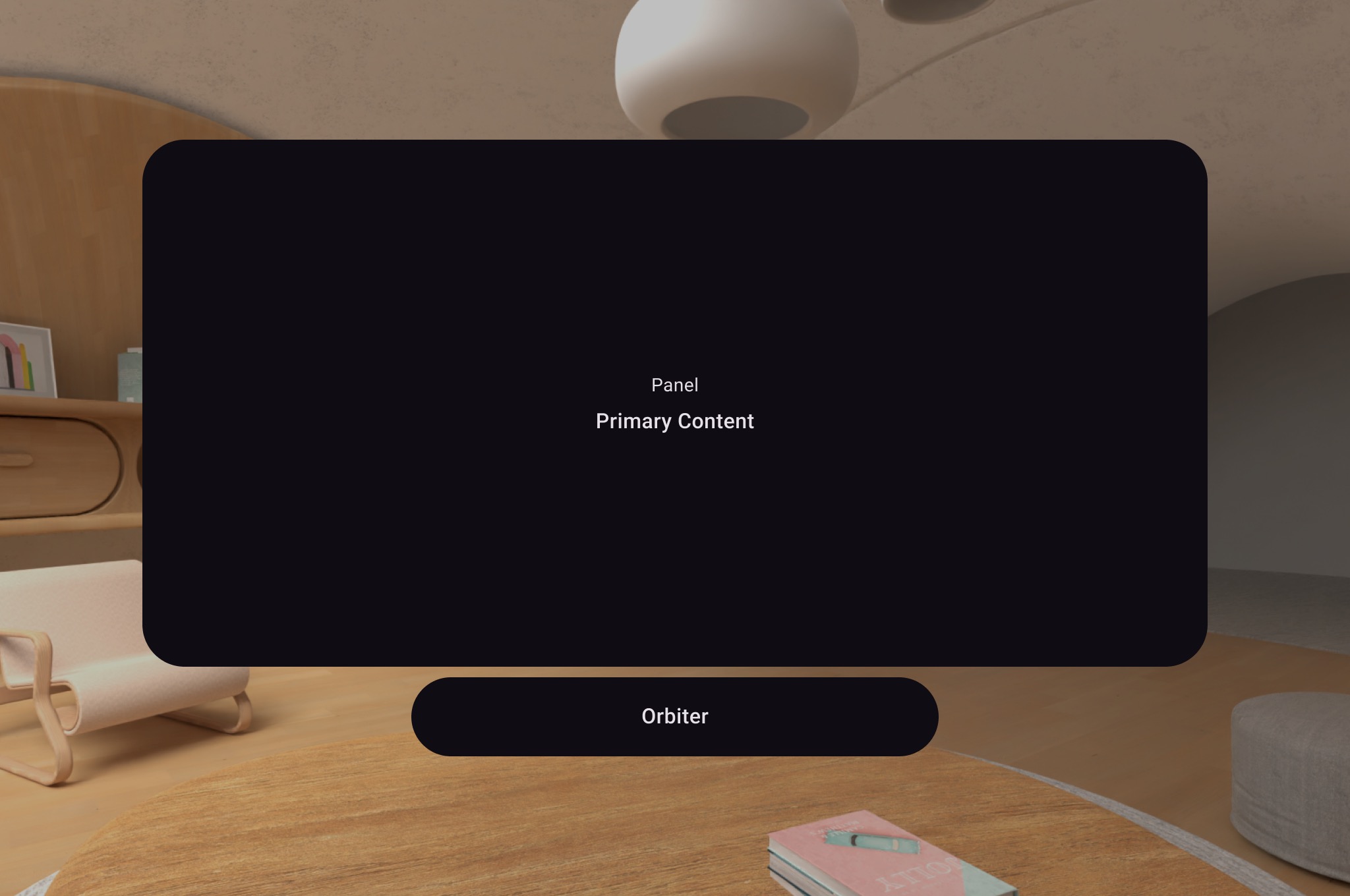
An Orbiter is a spatialized component that you can attach to a
corresponding spatial panel or spatial layout component like a
SpatialColumn, SpatialRow, or SpatialBox. An orbiter
typically contains navigation and contextual action items related to the entity
it's anchored to. For example, if you've created a spatial panel to display
video content, you could add video playback controls inside an orbiter.
Create an orbiter
As shown in the following example, call an orbiter inside the 2D layout in a
SpatialPanel to wrap user controls like navigation. Doing so extracts
them from your 2D layout and attaches them to the spatial panel according to
your configuration.
Subspace { SpatialPanel( SubspaceModifier .height(824.dp) .width(1400.dp) .resizable() .movable(), ) { SpatialPanelContent() OrbiterExample() } }
@Composable fun OrbiterExample() { Orbiter( position = OrbiterPosition.BottomCenter( verticalEdgeAlignment = OrbiterPosition.EdgeAlignment.Outside, offset = DpVolumeOffset(y = 96.dp) ), ) { Surface(Modifier.clip(CircleShape)) { Row( Modifier .background(color = Color.Black) .height(100.dp) .width(600.dp), horizontalArrangement = Arrangement.Center, verticalAlignment = Alignment.CenterVertically ) { Text( text = "Orbiter", color = Color.White, fontSize = 50.sp ) } } } }
Key points about the code
- Because orbiters are spatial UI components, the code can be reused in 2D or 3D layouts. In a 2D layout, your app renders only the content inside the orbiter and ignores the orbiter itself.
- Check out our design guidance for more information on how to use and design orbiters.
Anchor orbiters to spatial panels and layouts
You can anchor an orbiter to a SpatialPanel and spatial layout components
declared in Compose. This involves declaring an orbiter in a spatial layout of
UI elements such as SpatialRow, SpatialColumn, or
SpatialBox. The orbiter anchors to the parent that is nearest to where
you've declared it.
The orbiter's behavior is determined by where you declare it:
- In a 2D layout wrapped in a
SpatialPanel(as shown in a preceding code snippet), the orbiter anchors to thatSpatialPanel. - In a
Subspace, the orbiter anchors to the nearest parent entity, which is the spatial layout the orbiter is declared in.
The following example shows how to anchor an orbiter to a spatial row:
Subspace { SpatialRow { Orbiter( position = OrbiterPosition.TopCenter( verticalEdgeAlignment = OrbiterPosition.EdgeAlignment.Outside, offset = DpVolumeOffset(y = 8.dp) ), shape = SpatialRoundedCornerShape(size = CornerSize(50)) ) { Text( "Hello World!", style = MaterialTheme.typography.titleMedium, modifier = Modifier .background(Color.White) .padding(16.dp) ) } SpatialPanel( SubspaceModifier .height(824.dp) .width(1400.dp) ) { Box( modifier = Modifier .background(Color.Red) ) } SpatialPanel( SubspaceModifier .height(824.dp) .width(1400.dp) ) { Box( modifier = Modifier .background(Color.Blue) ) } } }
Key points about the code
- When you declare an orbiter outside of a 2D layout, the orbiter anchors to
its nearest parent entity. In this case, the orbiter anchors to the top of
the
SpatialRowit's declared in. - Spatial layouts such as
SpatialRow,SpatialColumn,SpatialBoxall have contentless entities associated with them. Therefore, an orbiter declared in a spatial layout anchors to that layout.