 Google 會運用 AI 技術將內容翻譯成你偏好的語言,但可能會出錯。
Android Studio Quail 2 (2026 年 7 月)
透過集合功能整理內容
你可以依據偏好儲存及分類內容。
以下是 Android Studio Quail 2 的新功能。
平行對話
您可以在代理程式模式中並行執行多項對話,在 IDE 中更有效率地處理多項工作。舉例來說,您可以在一場對話中啟動生成測試等耗時的工作,同時在另一場對話中規劃新功能,並在第三場對話中草擬文件。
 工具視窗中有多個進行中的對話串。
Android Studio Profiler 中的 LeakCanary
Android Studio Quail 2 直接在 Android Studio Profiler 中整合 LeakCanary,做為專屬工作。
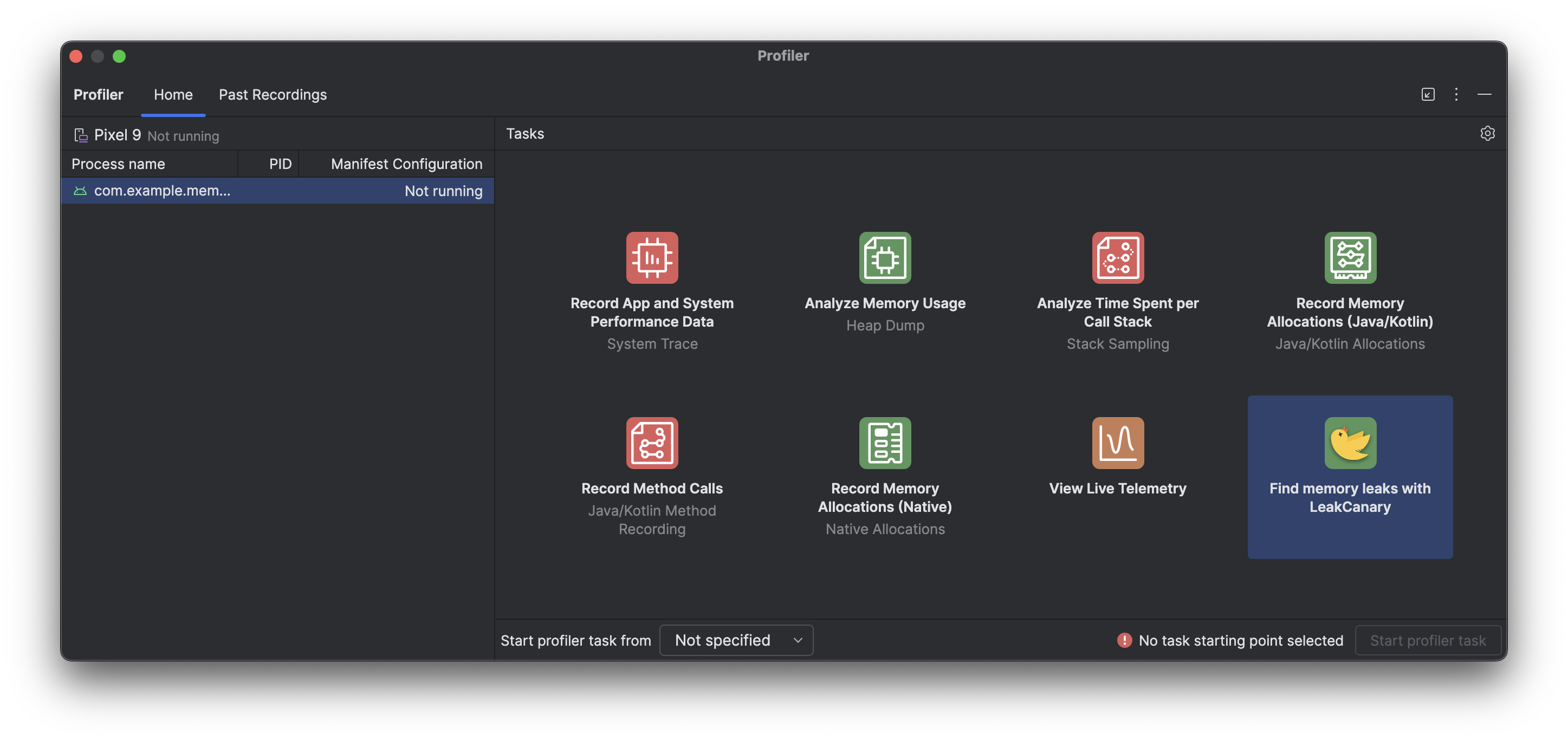 Android Studio Profiler 中的新工作,可使用 LeakCanary 分析記憶體流失情形
Android Studio 中的 LeakCanary 分析器工作會主動將記憶體流失分析作業從裝置移至開發機器,因此與裝置端記憶體流失分析相比,記憶體流失分析階段的效能大幅提升。
此外,記憶體流失分析現在已整合至 IDE 中,並與原始碼完全整合,提供「跳至來源」等功能和其他實用的程式碼連結,大幅減少調查及修正記憶體流失問題所需的時間和阻力。你也可以複製整個洩漏分析,以便使用 Gemini 進一步處理。這項功能可大幅提升開發階段的工作效率,並改善工作流程。
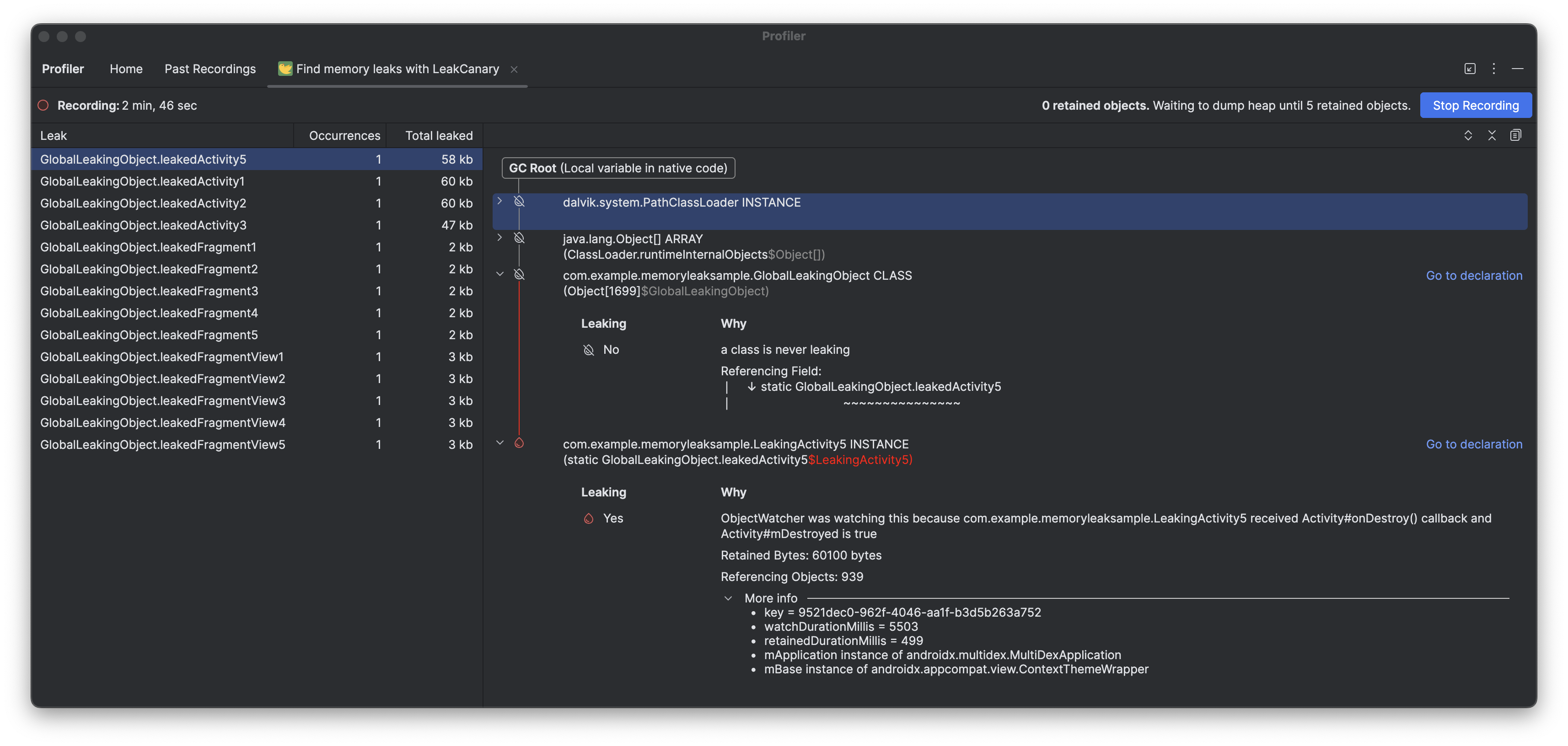 LeakCanary 記憶體流失分析,並提供「前往宣告」選項,方便您進行偵錯
這個頁面中的內容和程式碼範例均受《內容授權》中的授權所規範。Java 與 OpenJDK 是 Oracle 和/或其關係企業的商標或註冊商標。
上次更新時間:2026-07-30 (世界標準時間)。
[[["容易理解","easyToUnderstand","thumb-up"],["確實解決了我的問題","solvedMyProblem","thumb-up"],["其他","otherUp","thumb-up"]],[["缺少我需要的資訊","missingTheInformationINeed","thumb-down"],["過於複雜/步驟過多","tooComplicatedTooManySteps","thumb-down"],["過時","outOfDate","thumb-down"],["翻譯問題","translationIssue","thumb-down"],["示例/程式碼問題","samplesCodeIssue","thumb-down"],["其他","otherDown","thumb-down"]],["上次更新時間:2026-07-30 (世界標準時間)。"],[],[]]
