


在 Jetpack Compose Glimmer 中,TitleChip 组件是一个非互动式
组件,可为关联内容(例如
Card 或 VerticalList)提供简要背景信息或标签。
使用标题条状标签来显示简明信息,例如短商品名、类别名称或状态指示器。通常,您应将标题芯片放在其描述的内容上方,以建立清晰的结构关系。
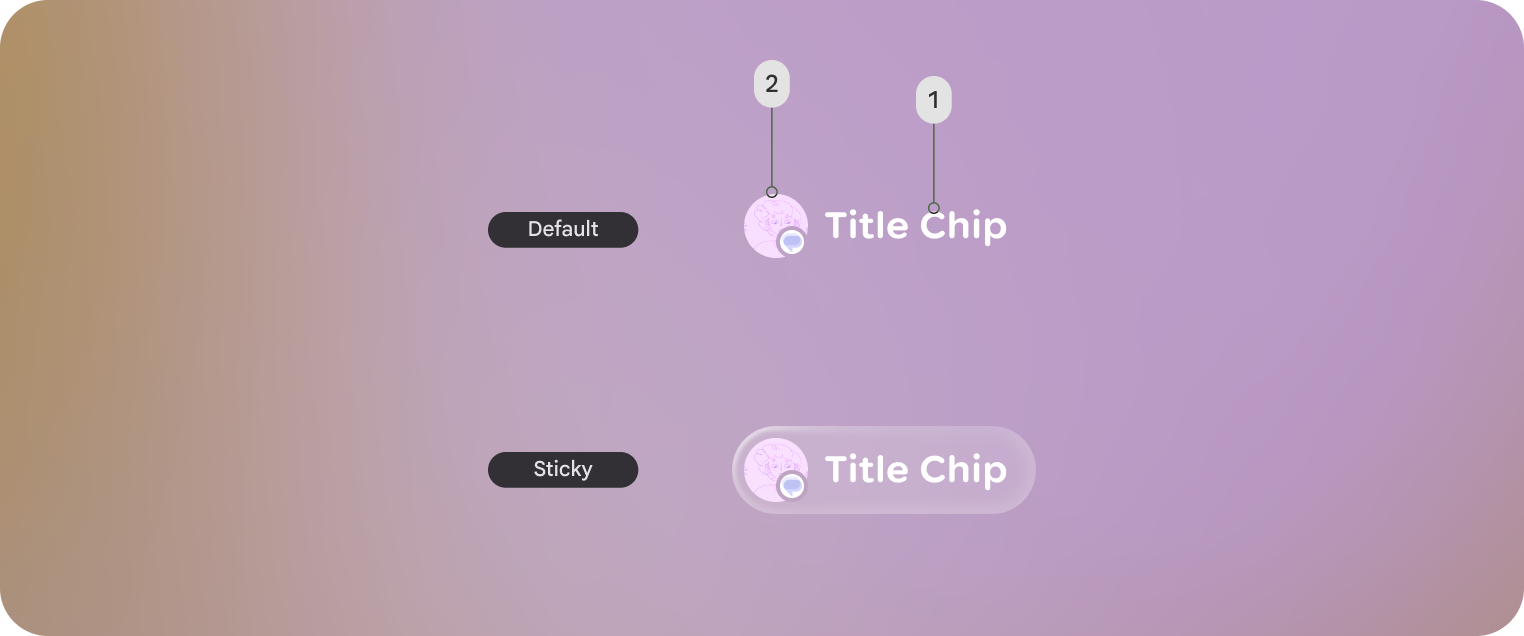
基本示例:创建短标题芯片
以下代码用于创建基本标题芯片:
@Composable fun BasicTitleChipSample() { TitleChip { Text("Messages") } }
基本示例:创建带图标的标题芯片
以下代码用于创建带图标的标题芯片:
@Composable fun TitleChipWithIconSample() { TitleChip { Icon(FavoriteIcon, contentDescription = "Favorite") Text("Favorites") } }
示例:创建带卡的标题芯片
如需将标题芯片与其他组件搭配使用,请将标题芯片
TitleChipDefaults.associatedContentSpacing放在
可组合项中的其他组件上方。以下代码用于创建带卡的标题芯片:
@Composable fun TitleChipWithCardSample() { Column(horizontalAlignment = Alignment.CenterHorizontally) { TitleChip { Text("Title Chip") } Spacer(Modifier.height(TitleChipDefaults.associatedContentSpacing)) Card( title = { Text("Title") }, subtitle = { Text("Subtitle") }, leadingIcon = { Icon(FavoriteIcon, "Localized description") }, ) { Text("Card Content") } } }
代码要点
- 标题芯片在水平方向上居中,这是放在卡片上方的标题芯片的常用对齐方式。
Spacer具有固定高度,可在两个组件之间提供适当的垂直 间距。这是使用TitleChipDefaults.associatedContentSpacing定义的。- 使用可选的
leadingIcon在文本内容之前添加额外的视觉背景信息。 - 标题芯片会自动为其文本使用
caption样式。 - 标题芯片不是互动式的。如果您需要可点击的标签,请使用
Button或其他互动式组件。