
Starting with Wear OS 7, Live Updates can be displayed on Wear OS devices either as locally generated notifications or as bridged notifications.
The API for creating Live Updates is the same as for Live Updates on the phone. This guide covers additional considerations when working with Live Updates and Wear OS.
For full guidance on working with the Live Updates API see the existing guidance.
Bridged Live Updates
Live Updates may bridge from the phone, however note that:
- This is not guaranteed: OEMs can set their own configuration for bridging Live Updates.
- Frequent updates may cause data to be hidden in order to conserve battery.
See the guidance on constructing Live Updates for battery efficiency.
Local Live Updates
Create local Live Update notifications in exactly the same way shown in the Live Updates API guidance.
Battery considerations
Whether posting locally or creating notifications that bridge from the phone, seek a balance between the frequency of the updates and the usefulness of the data.
Specifically, to show time counting up or down, or the countdown to a specific time (e.g. ETA), use the when guidance as opposed to regularly updating the Live Update from your app.
MetricStyleis not supported on Wear. The notification will be shown but without metrics.
Appearance on Wear OS
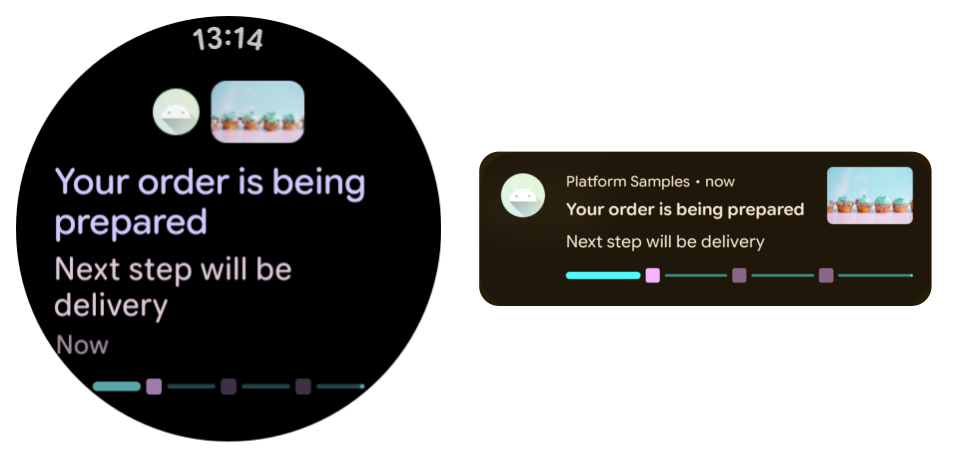
The following is an example of a Live Update bridged to Wear OS, shown alongside the same Live Update on the phone.
Status Chips
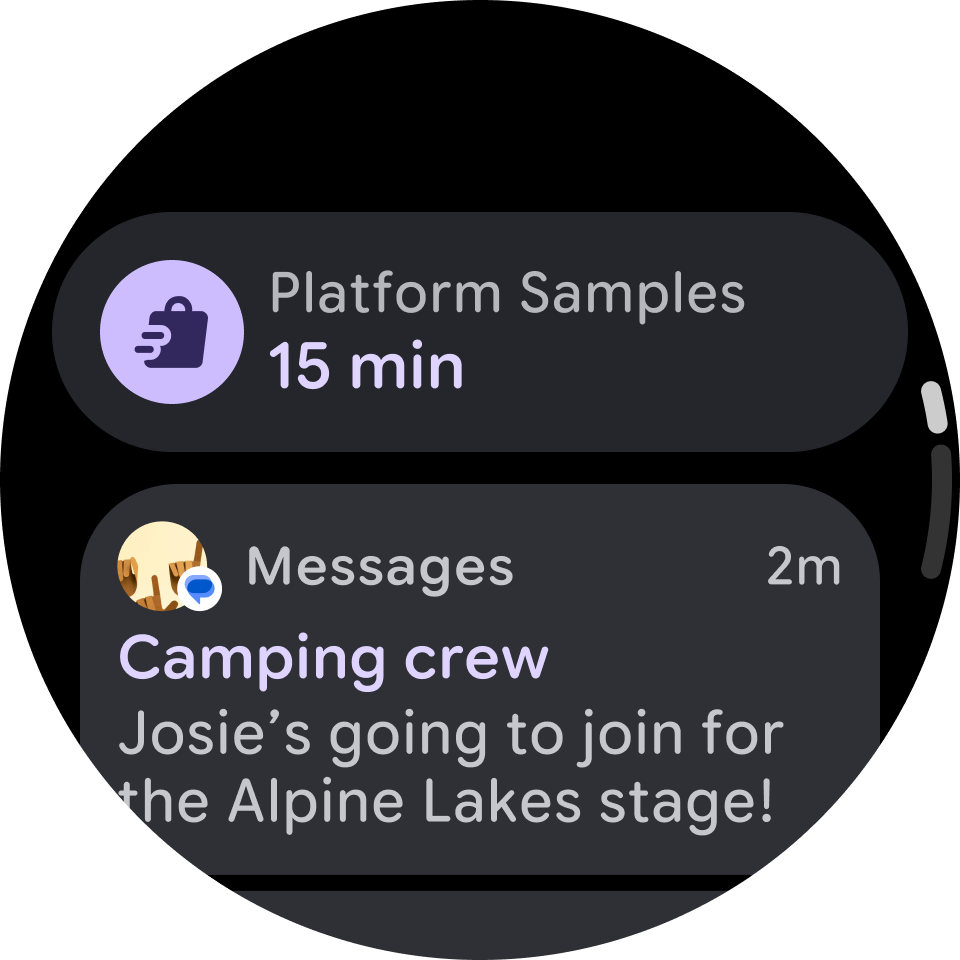
In particular on Wear OS, note the value of Status Chips. These may show on the watch face or in the notification tray, depending on the device, and can convey critical information or real-time ETAs / timers.
Recommended for you
- Note: link text is displayed when JavaScript is off
- Create a notification {:#notification}
- Engage Wear OS users in new ways with the Ongoing Activity API
- Create an expandable notification {:#expandable-notification}