

Bạn có thể sử dụng quy trình xác minh thông tin xác thực kỹ thuật số trong các ứng dụng Android để xác thực và uỷ quyền danh tính của người dùng (chẳng hạn như giấy tờ tuỳ thân do chính phủ cấp), các thuộc tính về người dùng đó (chẳng hạn như giấy phép lái xe, bằng cấp học thuật, hoặc các thuộc tính như tuổi hoặc địa chỉ) hoặc các trường hợp khác cần cấp và xác minh thông tin xác thực để xác nhận tính xác thực của một thực thể.
Verifier API được hỗ trợ trên Android 9 (cấp độ API 28) trở lên.
Triển khai
Để xác minh thông tin xác thực kỹ thuật số trong dự án Android, hãy làm như sau:
- Thêm phần phụ thuộc vào tập lệnh bản dựng của ứng dụng và khởi chạy một lớp
CredentialManager. - Tạo một yêu cầu về thông tin xác thực kỹ thuật số và dùng yêu cầu đó để khởi chạy một
DigitalCredentialOption, sau đó tạoGetCredentialRequest. - Chạy quy trình
getCredentialbằng yêu cầu đã tạo để nhận đượcGetCredentialResponsethành công hoặc xử lý mọi trường hợp ngoại lệ có thể xảy ra. Sau khi truy xuất thành công, hãy xác thực phản hồi.
Thêm phần phụ thuộc và khởi chạy
Thêm các phần phụ thuộc sau vào tập lệnh bản dựng Gradle:
dependencies {
    implementation("androidx.credentials:credentials:1.6.0-beta01")
    implementation("androidx.credentials:credentials-play-services-auth:1.6.0-beta01")
}
Tiếp theo, hãy khởi chạy một thực thể của lớp CredentialManager.
val credentialManager = CredentialManager.create(context)
Tạo yêu cầu về thông tin xác thực kỹ thuật số
Tạo một yêu cầu về thông tin xác thực kỹ thuật số và dùng yêu cầu đó để khởi chạy một
DigitalCredentialOption.
// The request in the JSON format to conform with
// the JSON-ified Credential Manager - Verifier API request definition.
val requestJson = generateRequestFromServer()
val digitalCredentialOption =
    GetDigitalCredentialOption(requestJson = requestJson)

// Use the option from the previous step to build the `GetCredentialRequest`.
val getCredRequest = GetCredentialRequest(
    listOf(digitalCredentialOption)
)
Ví dụ sau đây minh hoạ một yêu cầu OpenId4Vp1. Để biết thông tin chi tiết về các trường trong yêu cầu này, hãy xem tài liệu về OpenID.
{
  "requests": [
    {
      "protocol": "openid4vp-v1-unsigned",
      "data": {
        "response_type": "vp_token",
        "response_mode": "dc_api",
        "nonce": "OD8eP8BYfr0zyhgq4QCVEGN3m7C1Ht_No9H5fG5KJFk",
        "dcql_query": {
          "credentials": [
            {
              "id": "cred1",
              "format": "mso_mdoc",
              "meta": {
                "doctype_value": "org.iso.18013.5.1.mDL"
              },
              "claims": [
                {
                  "path": [
                    "org.iso.18013.5.1",
                    "family_name"
                  ]
                },
                {
                  "path": [
                    "org.iso.18013.5.1",
                    "given_name"
                  ]
                },
                {
                  "path": [
                    "org.iso.18013.5.1",
                    "age_over_21"
                  ]
                }
              ]
            }
          ]
        }
      }
    }
  ]
}
Lấy thông tin đăng nhập
Chạy quy trình getCredential bằng yêu cầu đã tạo. Bạn sẽ nhận được
GetCredentialResponse thành công hoặc GetCredentialException nếu
yêu cầu không thành công.
Quy trình getCredential kích hoạt hộp thoại hệ thống Android để hiển thị các lựa chọn thông tin xác thực có sẵn của người dùng và thu thập lựa chọn của họ. Tiếp theo, ứng dụng ví chứa lựa chọn thông tin xác thực đã chọn sẽ hiển thị giao diện người dùng để thu thập sự đồng ý và thực hiện các Việc cần làm để tạo phản hồi thông tin xác thực kỹ thuật số.
coroutineScope.launch {
    try {
        val result = credentialManager.getCredential(
            context = activityContext,
            request = getCredRequest
        )
        verifyResult(result)
    } catch (e : GetCredentialException) {
        handleFailure(e)
    }
}

// Handle the successfully returned credential.
fun verifyResult(result: GetCredentialResponse) {
    val credential = result.credential
    when (credential) {
        is DigitalCredential -> {
            val responseJson = credential.credentialJson
            validateResponseOnServer(responseJson)
        }
        else -> {
            // Catch any unrecognized credential type here.
            Log.e(TAG, "Unexpected type of credential ${credential.type}")
        }
    }
}

// Handle failure.
fun handleFailure(e: GetCredentialException) {
  when (e) {
        is GetCredentialCancellationException -> {
            // The user intentionally canceled the operation and chose not
            // to share the credential.
        }
        is GetCredentialInterruptedException -> {
            // Retry-able error. Consider retrying the call.
        }
        is NoCredentialException -> {
            // No credential was available.
        }
        else -> Log.w(TAG, "Unexpected exception type ${e::class.java}")
    }
}
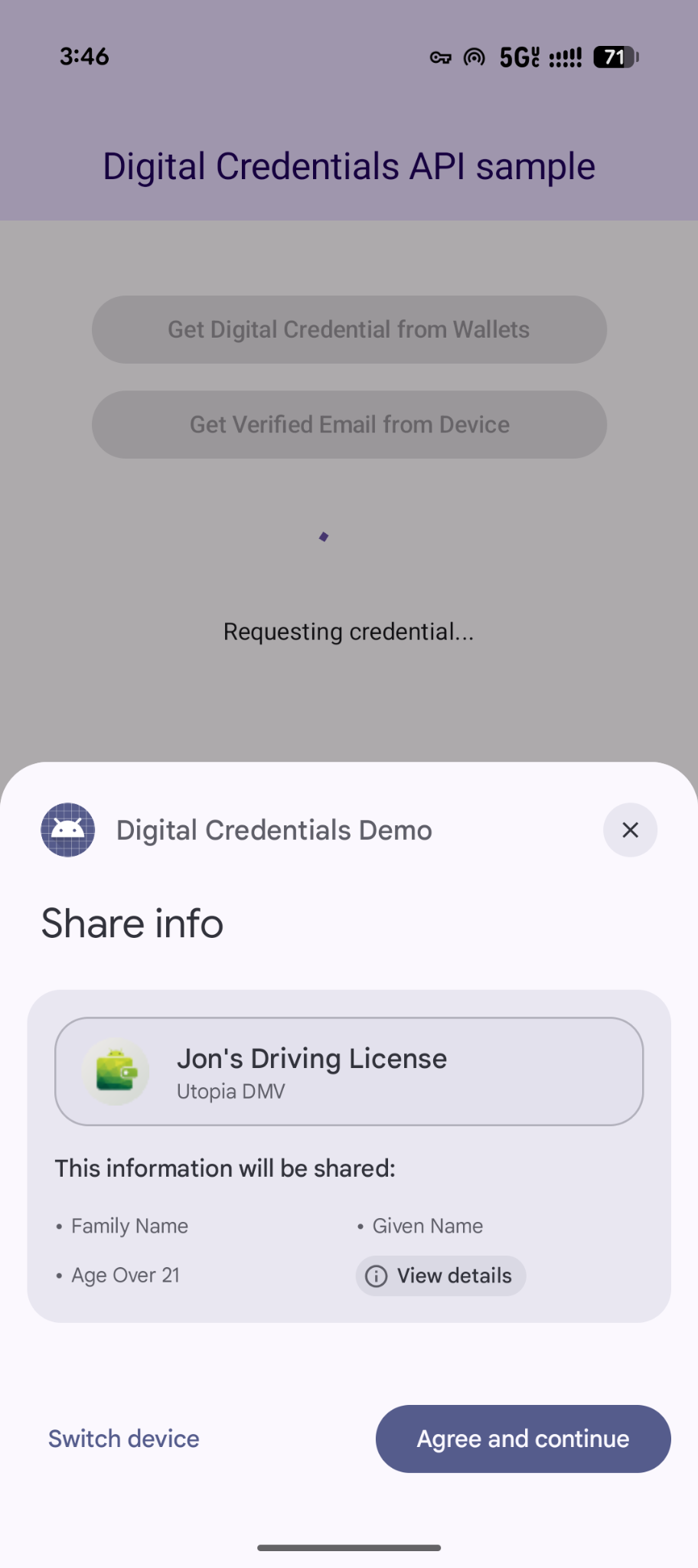
Yêu cầu linh hoạt về nhiều thông tin xác thực
Digital Credentials API cũng hỗ trợ yêu cầu nhiều loại thông tin xác thực cùng một lúc bằng OpenID4VP:
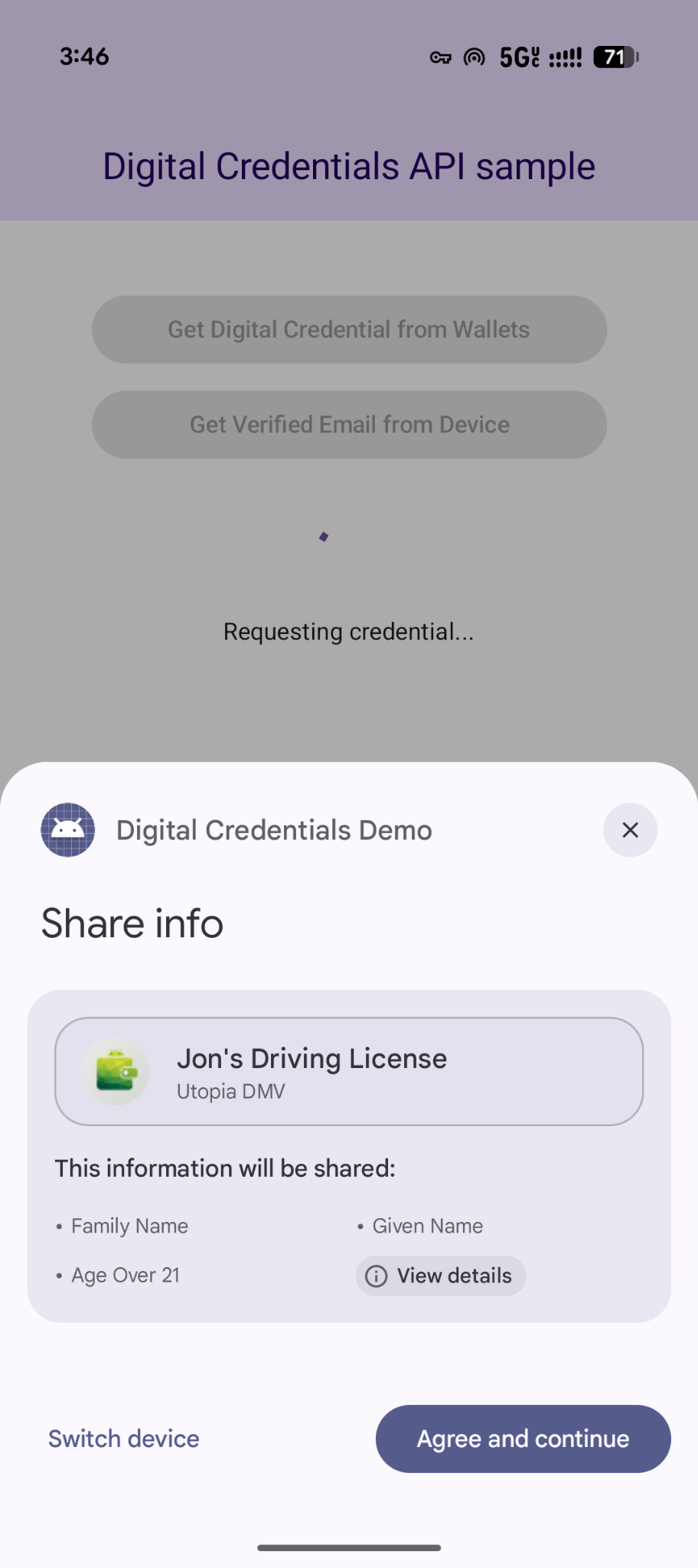
- Yêu cầu đồng thời: Yêu cầu nhiều thông tin xác thực trong một giao dịch của người dùng. Ví dụ: một ứng dụng du lịch có thể yêu cầu thẻ lên máy bay và giấy tờ tuỳ thân do chính phủ cấp cùng một lúc, cho phép người dùng xem xét và đồng ý với cả hai chỉ bằng một lần nhấn.
- Thực hiện linh hoạt: Chấp nhận bất kỳ loại thông tin xác thực hoặc tổ chức phát hành nào. Ví dụ: quy trình xác minh tuổi có thể chấp nhận giấy phép lái xe hoặc hộ chiếu, cho phép người dùng đáp ứng yêu cầu bằng bất kỳ thông tin xác thực nào mà họ đã lưu trữ trong ứng dụng lưu trữ thông tin xác thực.
Sau đây là ví dụ về cách yêu cầu nhiều thông tin xác thực trong một yêu cầu:
{
  "credentials": [
    {
      "id": "gov_id1",
      "format": "mso_mdoc",
      "meta": {
        "doctype_value": "org.iso.18013.5.1.mDL"
      },
      "claims": [
        {
          "path": [
            "org.iso.18013.5.1",
            "age_over_21"
          ]
        }
      ]
    },
    {
      "id": "boarding_pass1",
      "format": "dc+sd-jwt",
      "meta": {
        "vct_values": [
          "https://credentials.example.airline/boarding-pass"
        ]
      },
      "claims": [
        {
          "path": [
            "flight_number"
          ]
        },
        {
          "path": [
            "seat"
          ]
        }
      ]
    }
  ]
}
Xử lý phản hồi
Sau khi đưa ra yêu cầu thông tin xác thực, hãy xử lý GetCredentialResponse được trả về từ CredentialManager.
// Handle the successfully returned credential.
fun verifyResult(result: GetCredentialResponse) {
    val credential = result.credential
    when (credential) {
        is DigitalCredential -> {
            val responseJson = credential.credentialJson
            validateResponseOnServer(responseJson)
        }
        else -> {
            // Catch any unrecognized credential type here.
            Log.e(TAG, "Unexpected type of credential ${credential.type}")
        }
    }
}
Xử lý ngoại lệ
Ứng dụng của bạn phải xử lý các lỗi có thể xảy ra, bao gồm cả trường hợp không có thông tin xác thực trên thiết bị hoặc người dùng huỷ thao tác:
// Handle failure.
fun handleFailure(e: GetCredentialException) {
    when (e) {
        is GetCredentialCancellationException -> {
            // The user intentionally canceled the operation and chose not
            // to share the credential.
        }
        is GetCredentialInterruptedException -> {
            // Retry-able error. Consider retrying the call.
        }
        is NoCredentialException -> {
            // No credential was available.
        }
        is CreateCredentialUnknownException -> {
            // An unknown, usually unexpected, error has occurred. Check the
            // message error for any additional debugging information.
        }
        is CreateCredentialCustomException -> {
            // You have encountered a custom error thrown by the wallet.
            // If you made the API call with a request object that's a
            // subclass of CreateCustomCredentialRequest using a 3rd-party SDK,
            // then you should check for any custom exception type constants
            // within that SDK to match with e.type. Otherwise, drop or log the
            // exception.
        }
        else -> Log.w(TAG, "Unexpected exception type ${e::class.java}")
    }
}