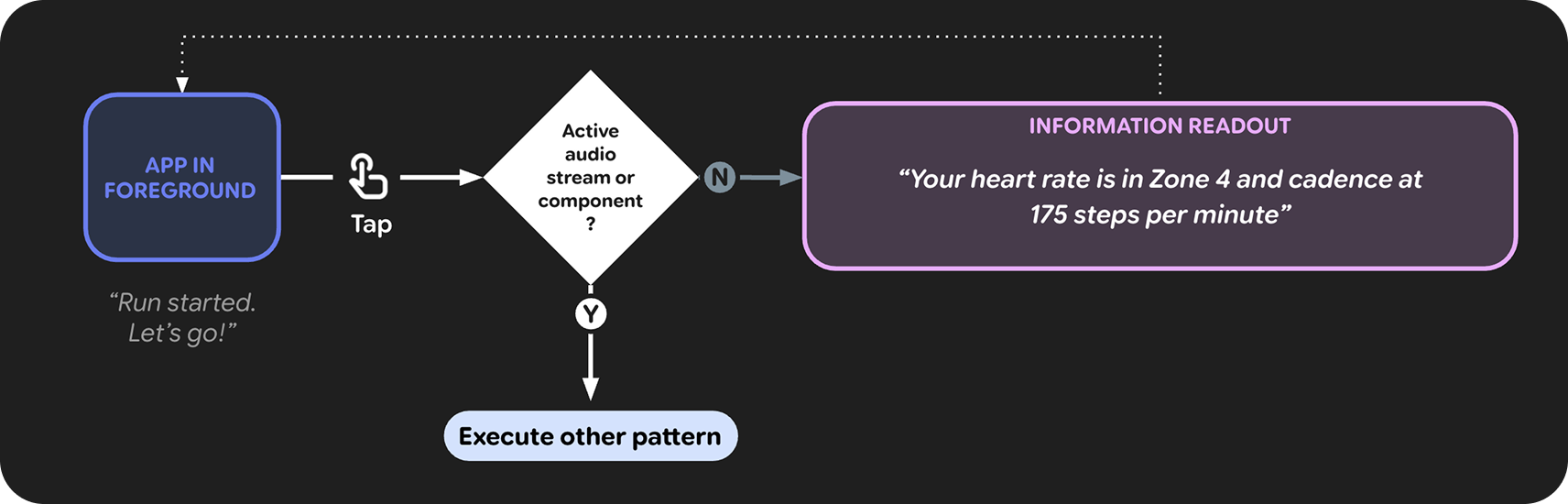
Audio Focus is managed by the system in Android. Audio focus is equivalent to Input on glasses. Apps can request focus to play audio, and duck or pause when another app gains focus. Only one app can hold audio focus at a time.
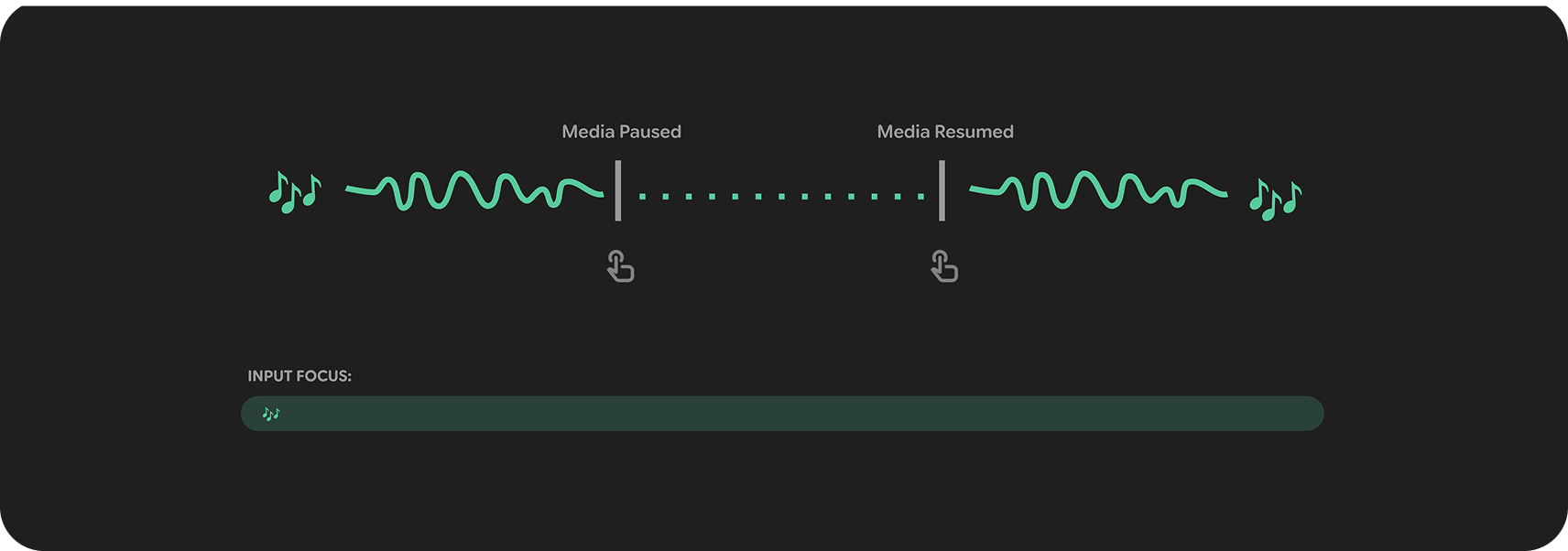
Persistent audio & input focus
These are typical 'foreground' apps that require exclusive audio and input focus. Because they cannot coexist with other audio, they cause all other media to pause. For example: Calls, Live Streaming, Live Translation, or an AI Agent.
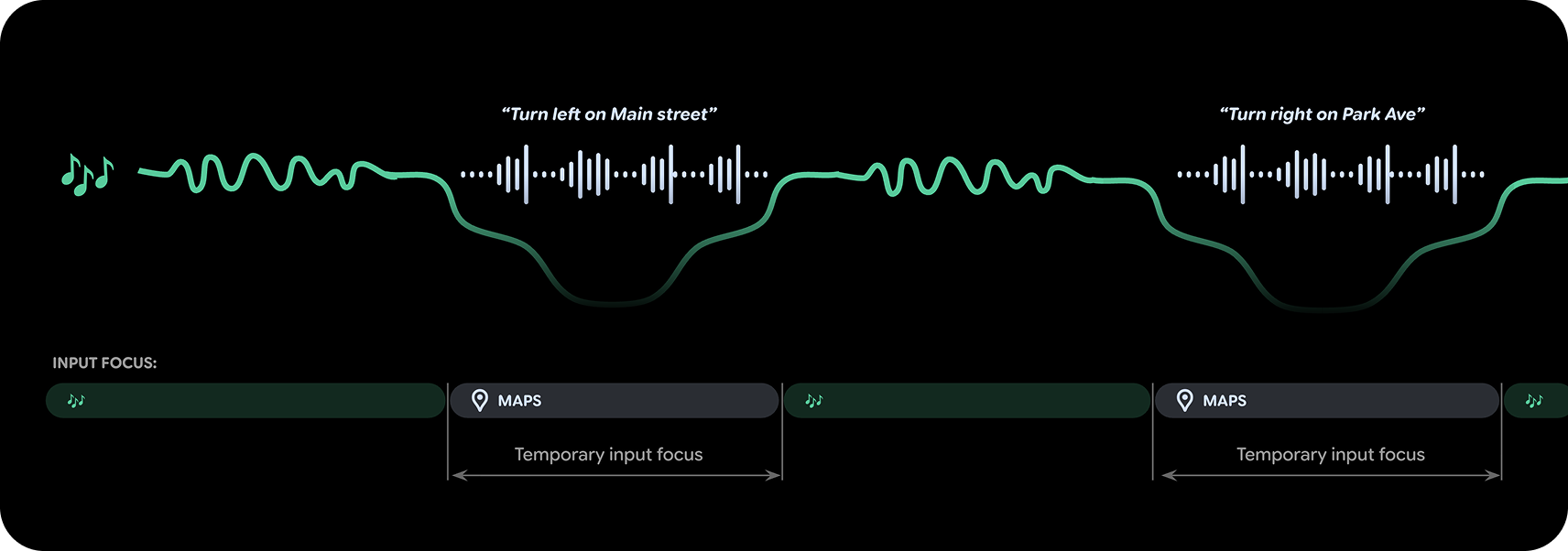
Interruptions: transient focus
These experiences provide audio that is secondary to the user's main activity, offering short, relevant bursts of information. They request transient input focus only when they are active, and cause other media to 'duck' (lower volume) rather than pause. For example: turn by turn navigation or activity tracking.
End your glasses activity
Allows to end the current activity and exit the app. End on swipe immediately is best for continuous audio streams like Calls, Translate, and Gemini. Consider introducing a second confirmation step for longer activities that have destructive results from accidentally ending the activity.
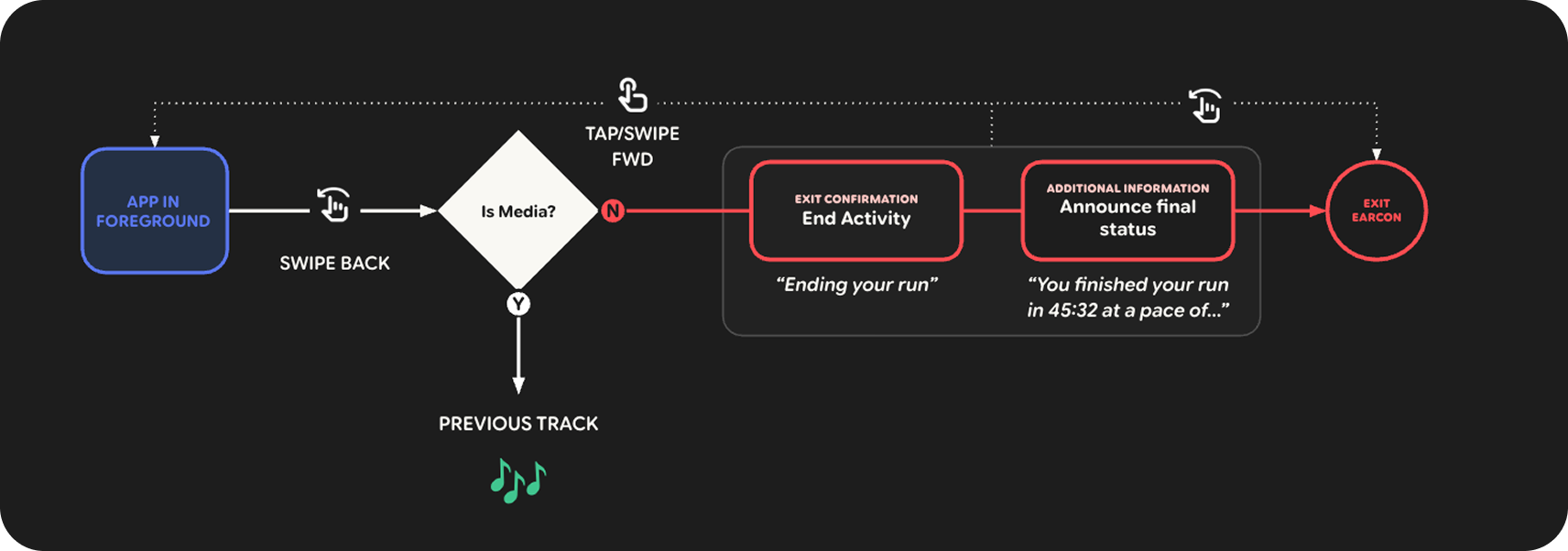
On audio AI Glasses, use swipe back as the method for exiting. For destructive actions like ending a call or stopping a workout consider a secondary confirmation. For example:
- The user swipes back and the app reads out: "End hike? Go back again to confirm".
- The user swipes back again and the app reads out: "Hike ended. You hiked 2.8 miles in 55 minutes".
- The app calls exit activity once it has finished reading out.
On display AI Glasses, you have much more flexibility for how to end your activity. Place a button in your interface to make a clear exit affordance.
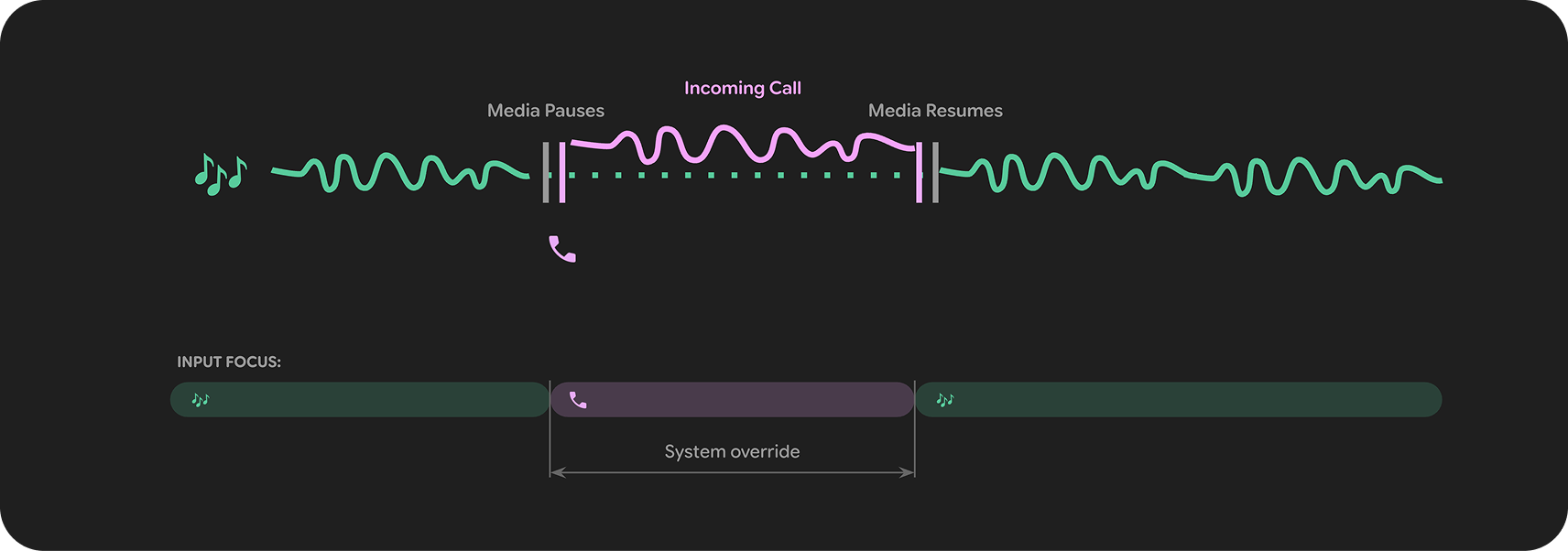
System Overrides
Certain apps like calls and spoken notifications should always override other audio and app focus.
Information readout
In the event where an app has been paused for a while or does not provide frequent audio output, an information readout can be provided. This provides an informative update to the user when tapping on the glasses, without the user having to remember what they were doing last in the app or assume the app stopped.