Rethink variable names
Stay organized with collections
Save and categorize content based on your preferences.
Gemini in Android Studio streamlines your workflow and makes it easier to keep
your code organized with AI-powered refactoring features. You can ask Gemini for
variable name suggestions and quickly update all instances of the variable name
in the current file.
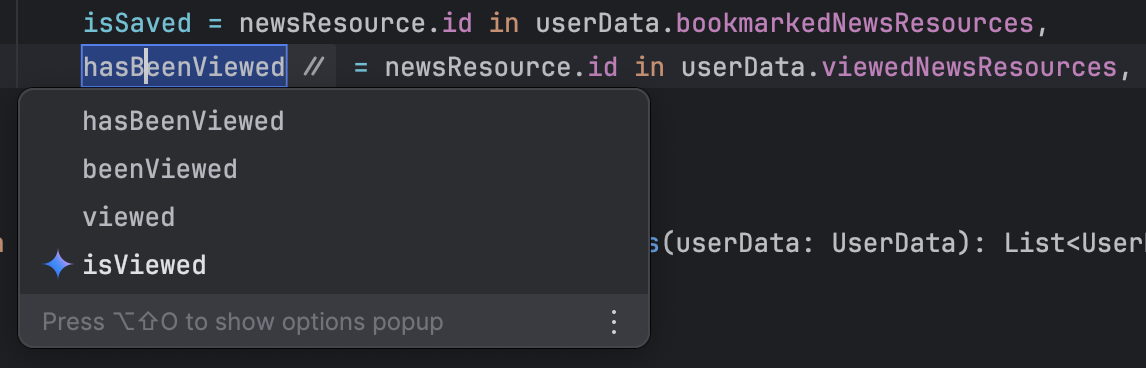
If you want to rename a specific variable, class, or method, highlight the
variable, right-click, and select Rename to get suggestions (it might take a
second for Gemini's suggestions to appear). Gemini suggests appropriate names
based on the code context. Double-click on a suggested name to update all
instances of the variable name.
The code editor's 'Rename' refactoring action displaying name
suggestions.
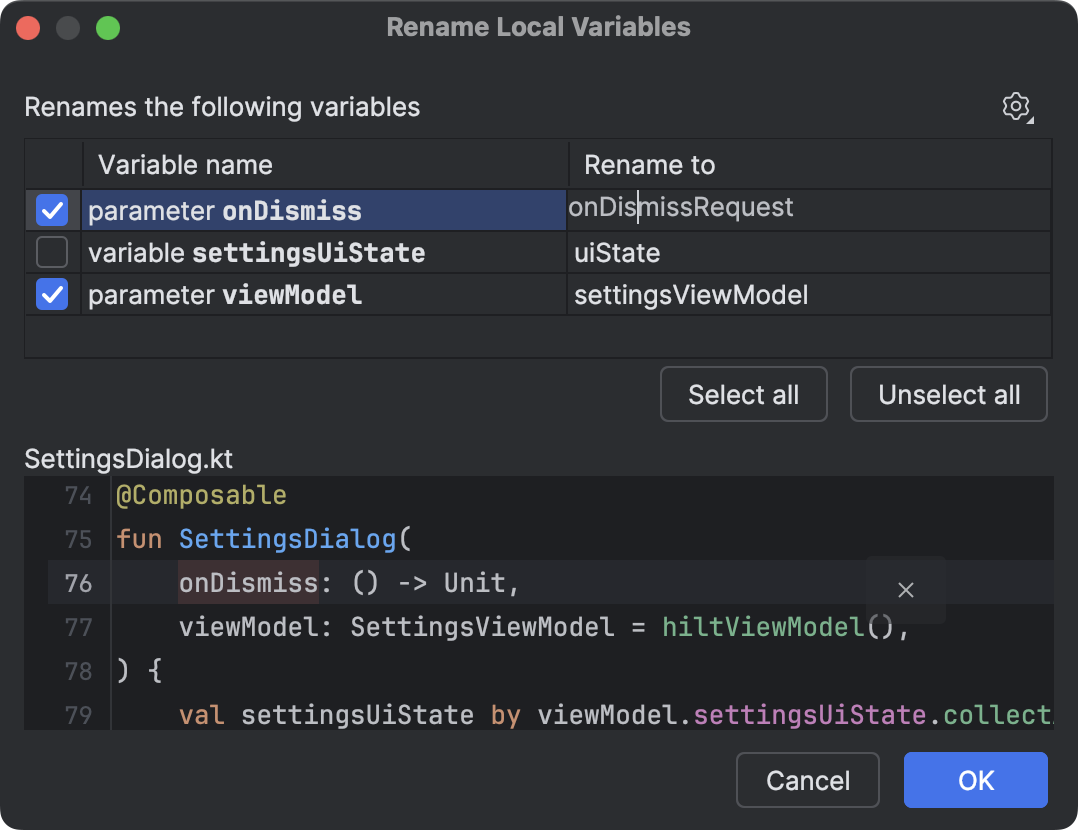
To rethink all the variables in the current function or file, put the cursor in
the function or at the top-level of the file (outside of any function),
respectively. Then right-click and select Gemini > Rethink variable names. A
dialog appears where you can review the suggested names and accept only the ones
you like.
The 'Rename Local Variables' dialog with alternative name
suggestions.
Content and code samples on this page are subject to the licenses described in the Content License. Java and OpenJDK are trademarks or registered trademarks of Oracle and/or its affiliates.
Last updated 2026-08-31 UTC.
[[["Easy to understand","easyToUnderstand","thumb-up"],["Solved my problem","solvedMyProblem","thumb-up"],["Other","otherUp","thumb-up"]],[["Missing the information I need","missingTheInformationINeed","thumb-down"],["Too complicated / too many steps","tooComplicatedTooManySteps","thumb-down"],["Out of date","outOfDate","thumb-down"],["Samples / code issue","samplesCodeIssue","thumb-down"],["Other","otherDown","thumb-down"]],["Last updated 2026-08-31 UTC."],[],[]]