
Upgrading dependencies can be a complex and time-consuming task.
Android apps rely on various external library dependencies for things like networking, image loading, and UI components. These libraries are constantly evolving, with new versions offering bug fixes, performance improvements, and new features.
Gemini in Android Studio automates and simplifies the dependency update process, eliminating tedious work and improving project maintainability.
Android CLI
Download the Android CLI
Try Android CLI to update dependencies
For example, use the
android studio version-lookup command when you
need to upgrade dependencies.android studio version-lookup <artifacts...>
How Gemini in Android Studio helps you
Agent mode reliably automates dependency management to keep your project current, allowing you to focus on building high-quality apps. With a single click, you can seamlessly update all your dependencies and get the benefits of the latest versions.
How the update works
Gemini in Android Studio intelligently handles the update process as follows:
- Identifies and updates dependencies: Automatically identifies dependencies that can be updated and updates them to the latest compatible version.
- Resolves build errors: Iterates through the build process, resolving any build errors that arise from the updates.
- Validates the project: Runs tests to validate that the updated project still functions as expected.
- Generates an update report: After the process is complete, Gemini in Android Studio provides a detailed report of all the changes. You can review these changes at a high level or drill down to individual file-level diffs before accepting them.
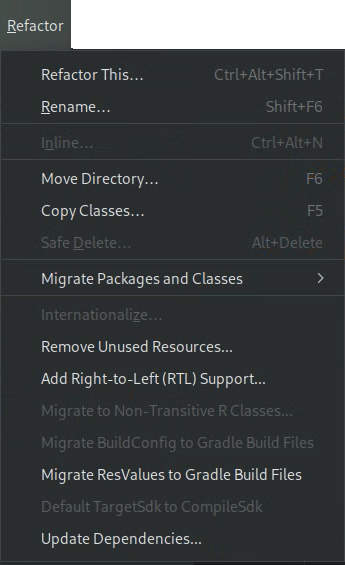
You start the update process from the Refactor menu by selecting Update Dependencies:
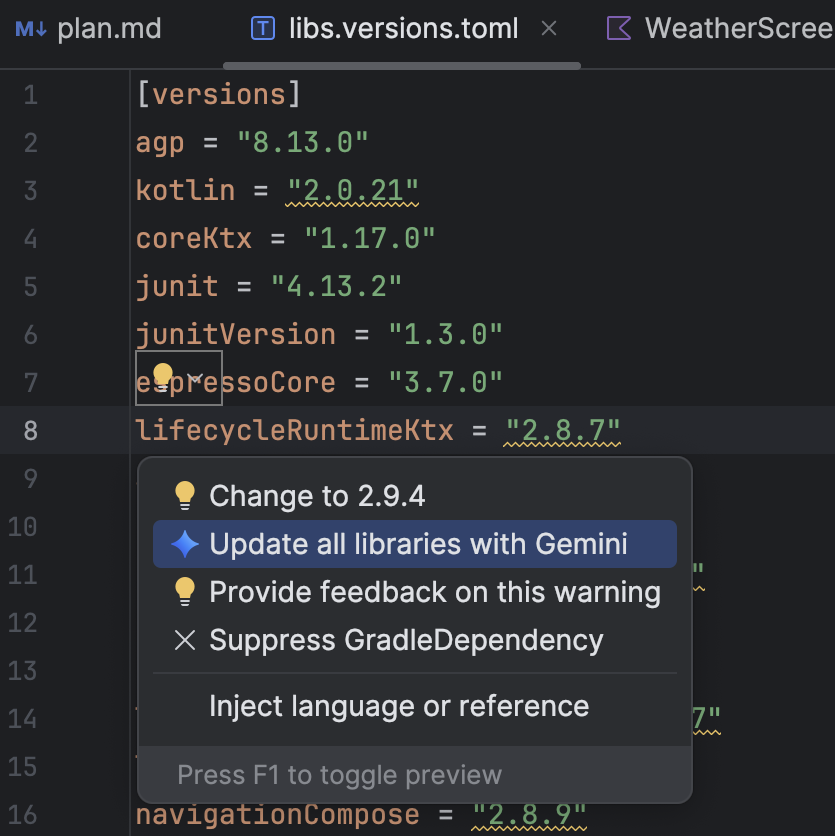
Or, from the libs.versions.toml file, hover over a version that is underlined,
click the Show Context Actions
 menu that appears, and then click Update all libraries with Gemini.
Whichever way you start the process, Gemini in Android Studio provides a high-level overview of its update plan so you can adjust the plan, monitor progress step by step, and review all changes before applying them:
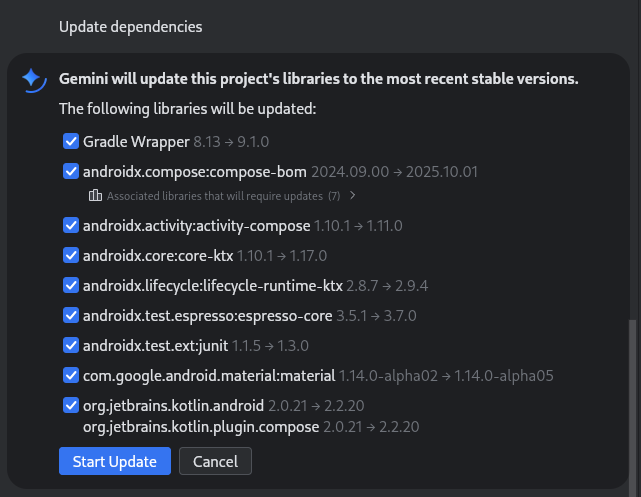
You can review, accept, or roll back changes, or stop the process at any point.