Attach a file to your query
Stay organized with collections
Save and categorize content based on your preferences.
You can attach your project files as context in chat interactions with the
agent. This lets you quickly reference files in your prompts for the agent,
which helps the agent identify the files that your query is about.
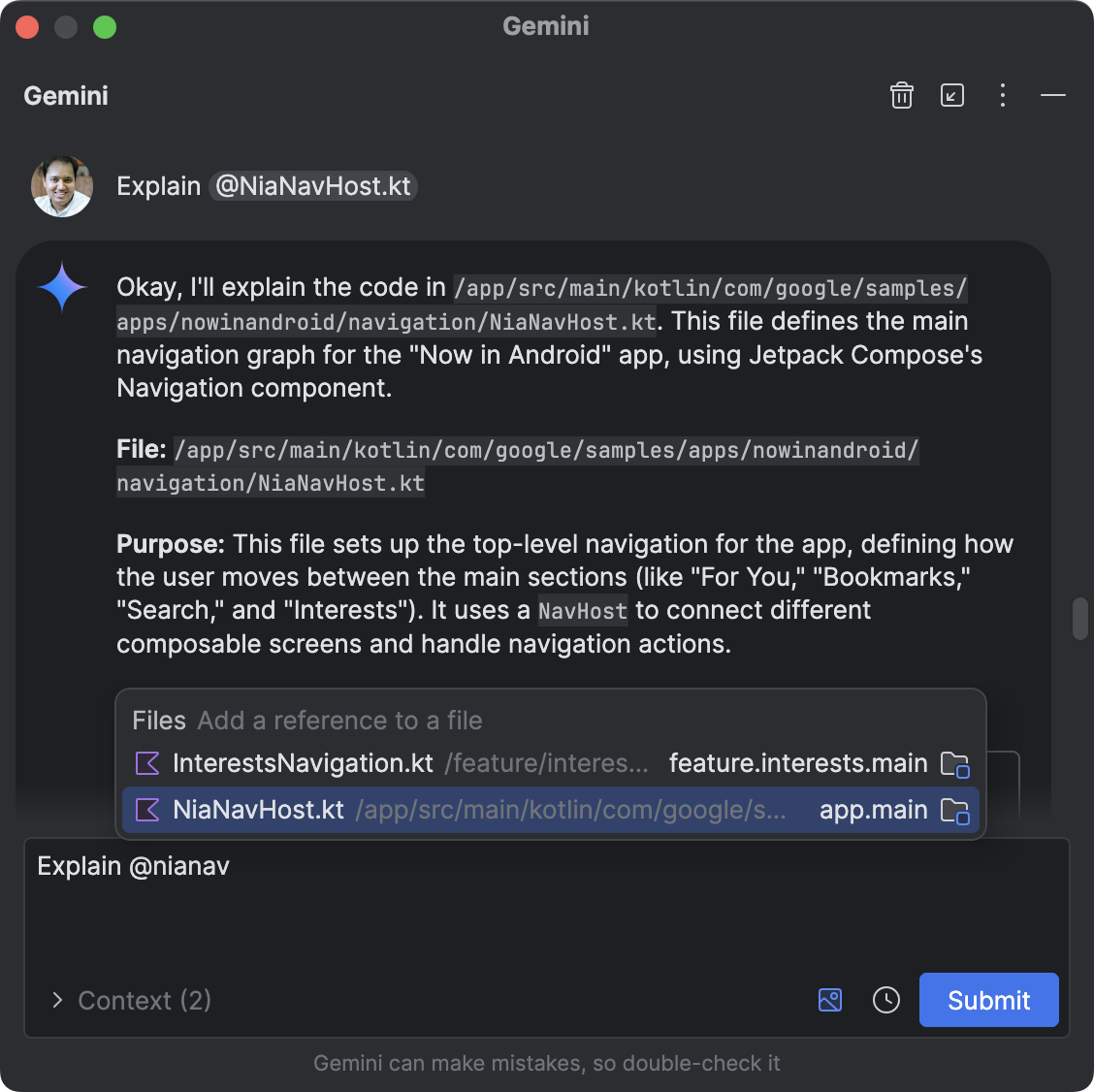
To attach a file to your query, in the chat input, type @ to bring up a
file completion menu. Search for the filename you want and select the file to
attach it. You can attach multiple files in a single query.
@File context in the agent
To un-attach a file, click the "x" that appears next to the attached file.
Content and code samples on this page are subject to the licenses described in the Content License. Java and OpenJDK are trademarks or registered trademarks of Oracle and/or its affiliates.
Last updated 2026-11-05 UTC.
[[["Easy to understand","easyToUnderstand","thumb-up"],["Solved my problem","solvedMyProblem","thumb-up"],["Other","otherUp","thumb-up"]],[["Missing the information I need","missingTheInformationINeed","thumb-down"],["Too complicated / too many steps","tooComplicatedTooManySteps","thumb-down"],["Out of date","outOfDate","thumb-down"],["Samples / code issue","samplesCodeIssue","thumb-down"],["Other","otherDown","thumb-down"]],["Last updated 2026-11-05 UTC."],[],[]]