
Work goes through a series of State changes over its lifetime.
One-time work states
For a one-time work request, your work begins in an ENQUEUED
state.
In the ENQUEUED state, your work is eligible to run as soon as its
Constraints and initial delay timing requirements are met. From there it
moves to a RUNNING state. Depending on the outcome of the work, it can
move to SUCCEEDED, FAILED, or possibly back to ENQUEUED if the
result is retry. At any point in the process, work can be canceled, at
which point it moves to the CANCELLED state.
Figure 1 illustrates the life of one-time work, with the events that can take it to another state.
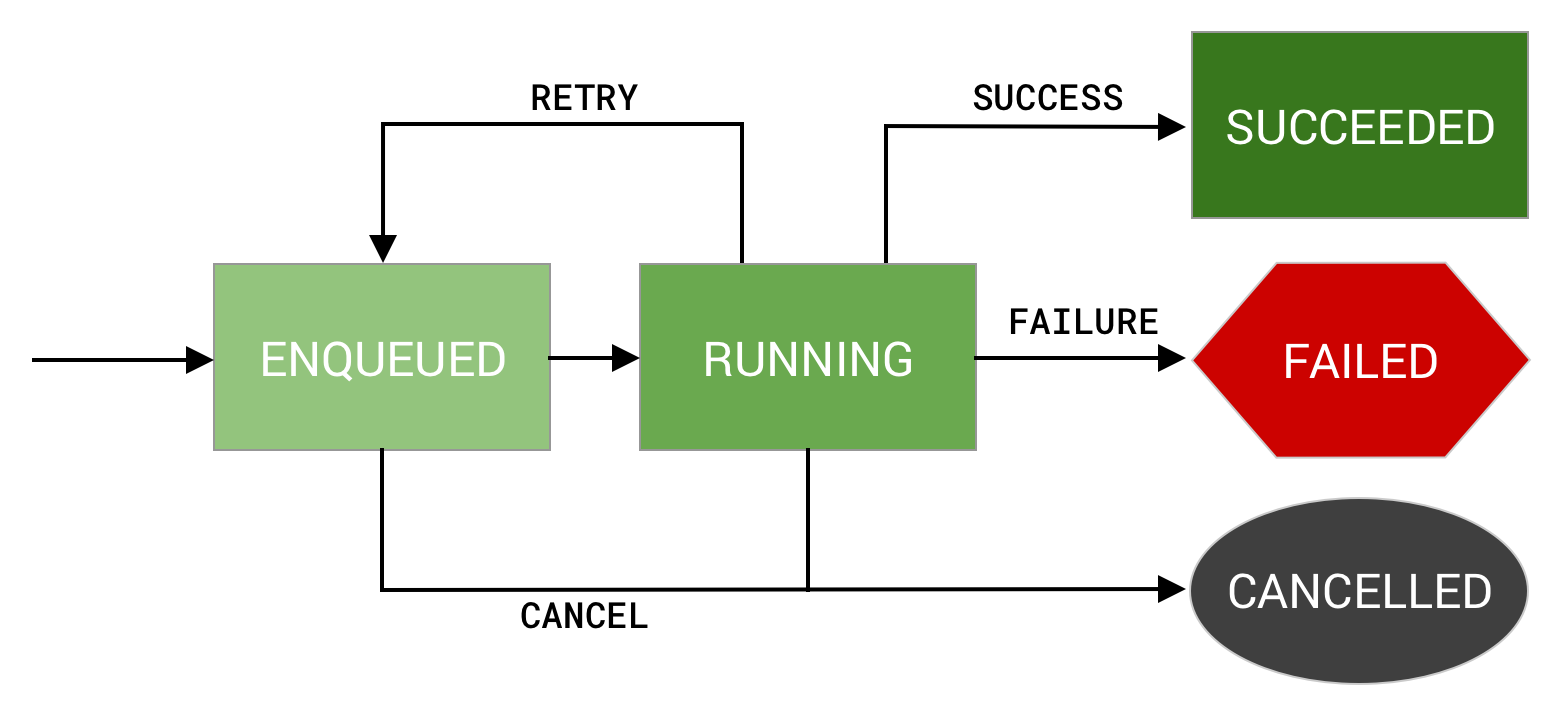
SUCCEEDED, FAILED and CANCELLED all represent a terminal state for this
work. If your work is in any of these states,
WorkInfo.State.isFinished() returns true.
Periodic work states
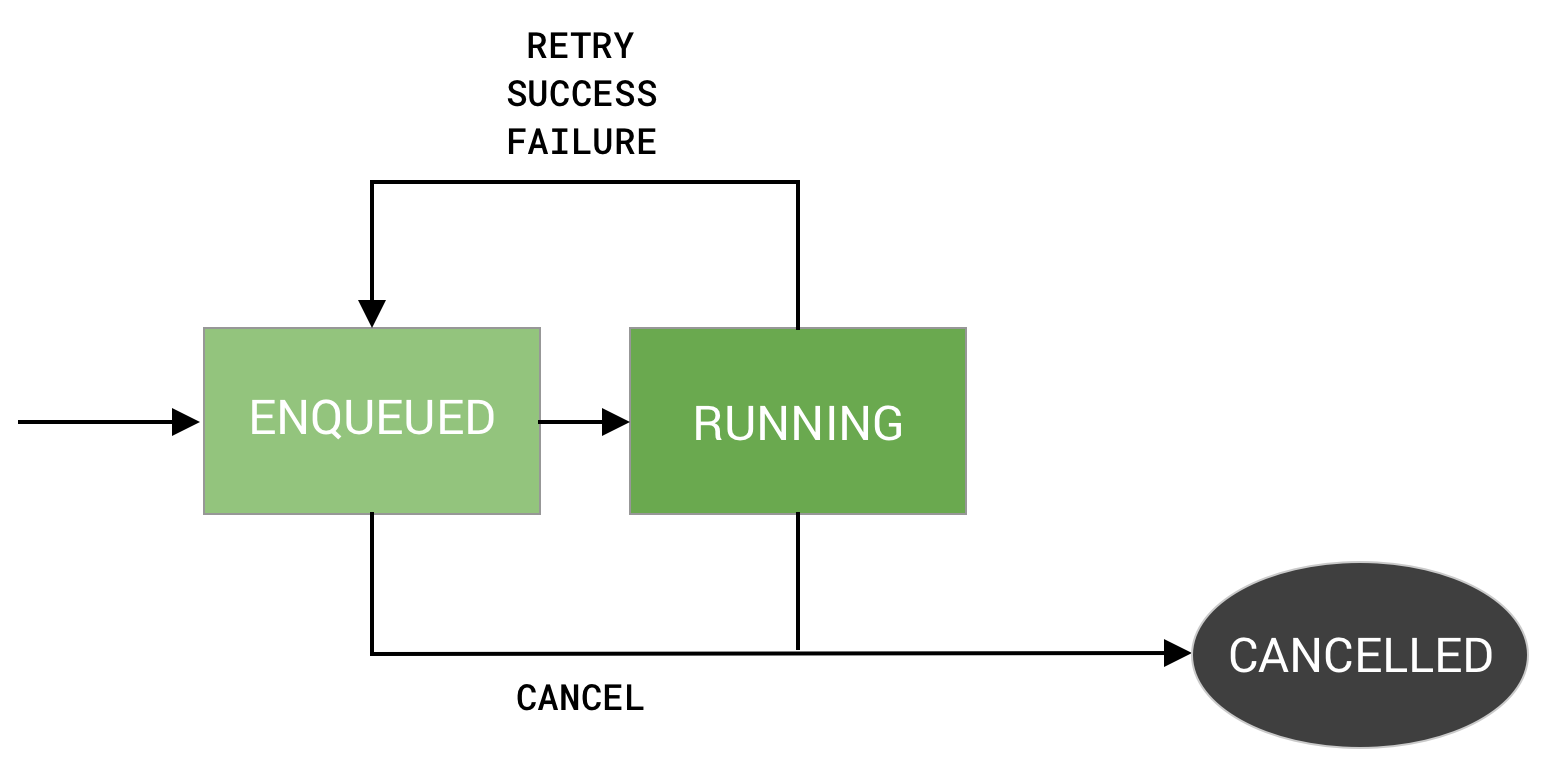
Success and failed states apply only to one-time and chained work. For
periodic work, there is only one terminal state, CANCELLED. This is
because periodic work never ends. After each run, it's rescheduled, regardless
of the result. Figure 2 depicts the condensed state diagram for periodic work.
Blocked state
One final state is BLOCKED. This state applies to work that is orchestrated
in a series, or chain of work. Work chains, and their state diagram, are covered
in Chaining work.
Next steps
In Managing work, you'll learn more about how to manage and monitor the progress of your work.