How SmileID Scaled Identity Verification to 18,000+ Android Device Types with CameraX
4 min read

Identity verification apps for banking and SIM registration require clear, high-resolution face captures to detect spoofing and deepfakes. Capturing frames sharp enough for liveness and anti-spoofing checks, without crashing low-memory devices, is a common challenge for Android camera developers.
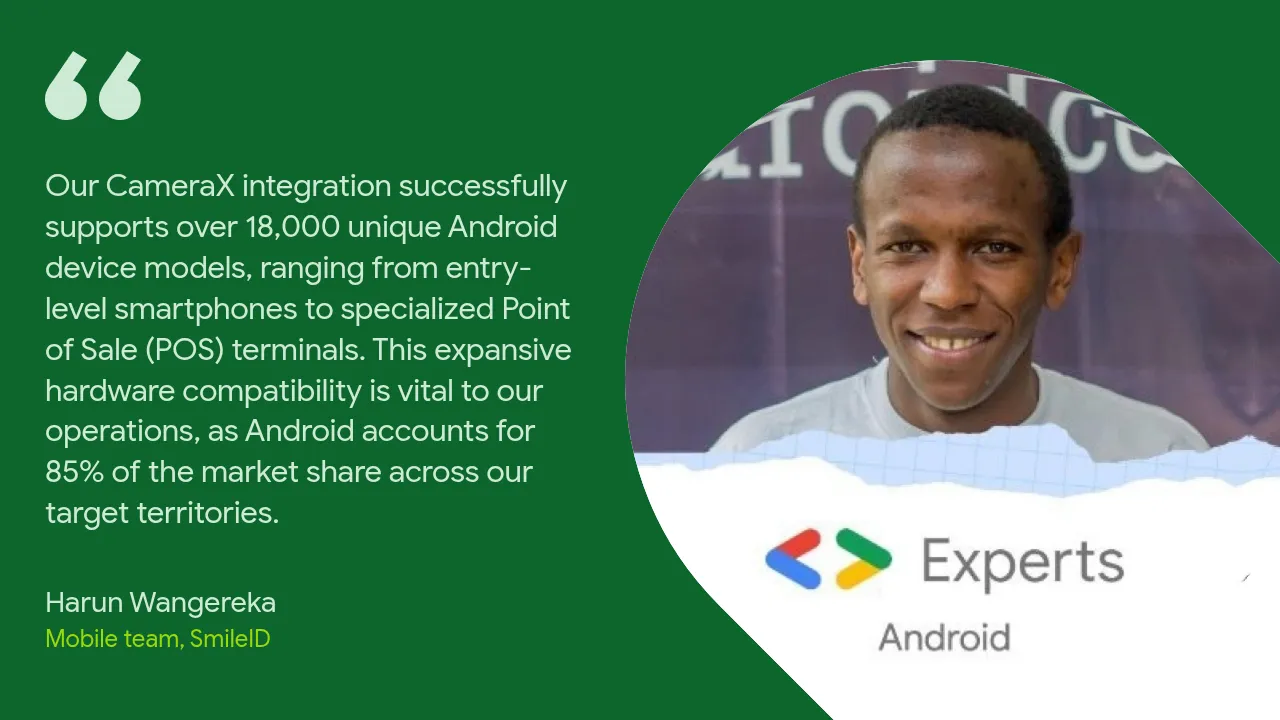
For SmileID, a leading identity verification SDK in Africa, this challenge is doubled by a diverse hardware ecosystem. Android represents 85% of SmileID’s target devices market share, including entry-level smartphones with highly constrained processors, obscure regional models, and ruggedized custom Point of Sale (POS) terminals.
Before adopting CameraX, SmileID faced standard but daunting camera engineering hurdles: stretched preview feeds, rotated sensor orientations, out-of-memory (OOM) crashes, and custom original equipment manufacturer (OEM) bugs. By migrating their core Android SDKs to CameraX, SmileID transformed these challenges into a major business advantage.
According to SmileID, migrating their Android SDKs to CameraX delivered the following results:
| Metric | Impact of CameraX Migration |
|---|---|
| SDK Adoption Growth | 20x by year 2 (up from 2-3x before CameraX) |
| Verification Pass Rates | 20% increase for apps using SmileID's SDKs |
| Capture Resolution | 4x increase in selfie/liveness pixels with zero network overhead |
| Device Model Compatibility | 18,000+ Android device types supported |
| Total Verifications Scaled | 160 million+ identity verifications processed |
The Challenge: Fragmented Hardware & Legacy API Pain
To confirm that a user is who they claim to be, SmileID’s SDK must capture high-resolution selfie frames for on-device liveness checks and cloud-based deepfake detection.
Under legacy Camera1 and low-level Camera2 API implementations, achieving this consistently was difficult for several reasons:
- OEM Customizations & Quirks: Devices from different manufacturers reported physical camera sensor orientations differently, resulting in rotated previews or incorrectly oriented face captures.
- Aspect Ratio Distortions: Requesting a specific frame size on budget devices often caused the camera preview to stretch vertically or horizontally, distorting the user's face and rendering biometric verification useless.
- Out-of-Memory (OOM) Crashes: Processing raw high-resolution images on devices with low RAM (often 1 GB or less) frequently led to fatal memory allocation crashes.
Because of these friction points, SmileID's year-over-year SDK adoption growth was limited to 2-3x, and many verifications had to fall back to uploading static photos over a high-latency REST API instead of running real-time on-device liveness checks.
The Solution: Consistent Pipelines with CameraX
SmileID re-engineered their Mobile SDKs from the ground up using CameraX, which is built specifically to abstract away the complexity of the underlying device ecosystem and provide a consistent, natively lifecycle-aware developer interface.
Using CameraX's core use cases (specifically Preview and ImageAnalysis) SmileID built a robust, dual-purpose camera pipeline:
- Preview: Renders a perfectly proportioned, real-time preview of the camera feed to guide the user.
- ImageAnalysis: Continuously processes frames locally in real-time to execute automated liveness and face-in-frame detection and extract the verified selfie frame.
To capture ultra-sharp details for deepfake detection without causing OOM crashes, SmileID added CameraX’s modern ResolutionSelector API directly to their ImageAnalysis configuration. It lets developers request a target resolution and choose a fallback rule when a device does not support that exact size. For example, the following diagram and sample configuration illustrate how ResolutionSelector evaluates candidate sizes around a 1200x900 target:
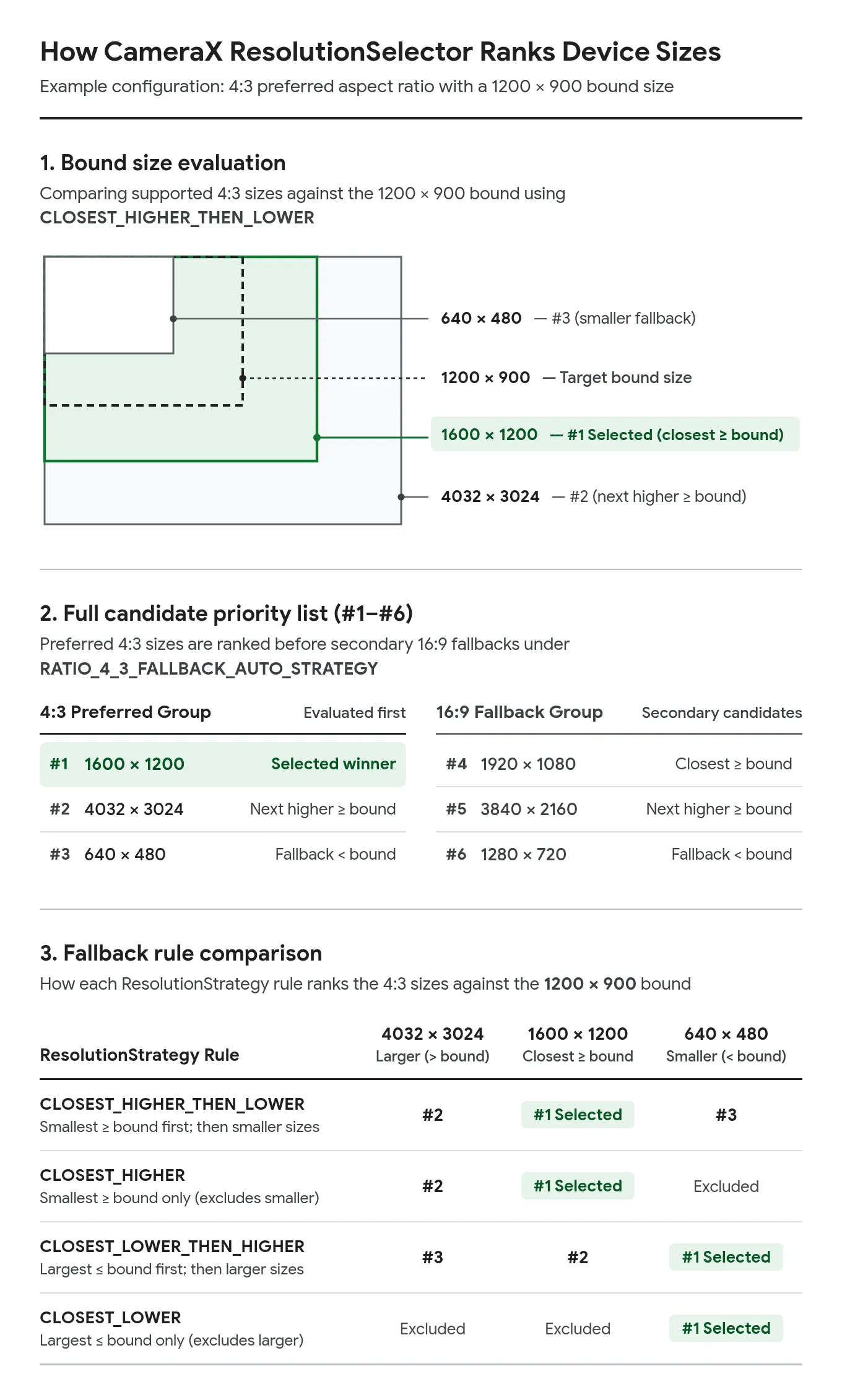
Here is the corresponding sample code showing how you can pair ResolutionSelector with STRATEGY_KEEP_ONLY_LATEST in your own app (use FALLBACK_RULE_CLOSEST_HIGHER_THEN_LOWER to prioritize sharpness, or FALLBACK_RULE_CLOSEST_LOWER_THEN_HIGHER to cap memory usage):
import android.util.Size
import androidx.camera.core.CameraSelector
import androidx.camera.core.ImageAnalysis
import androidx.camera.core.Preview
import androidx.camera.core.resolutionselector.AspectRatioStrategy
import androidx.camera.core.resolutionselector.ResolutionSelector
import androidx.camera.core.resolutionselector.ResolutionStrategy
import androidx.camera.lifecycle.ProcessCameraProvider
import androidx.lifecycle.LifecycleOwner

fun configureCameraX(cameraProvider: ProcessCameraProvider, lifecycleOwner: LifecycleOwner,
                     surfaceProvider: Preview.SurfaceProvider,
                     executor: java.util.concurrent.Executor, analyzer: ImageAnalysis.Analyzer) {
    // 1. Define a resolution strategy requesting high quality (for example, 1200x900px)
    // and selecting the closest higher (or, if unavailable, lower) resolution.
    val resolutionSelector = ResolutionSelector.Builder()
        .setResolutionStrategy(
            ResolutionStrategy(
                Size(1200, 900),
                ResolutionStrategy.FALLBACK_RULE_CLOSEST_HIGHER_THEN_LOWER
            )
        )
        .setAspectRatioStrategy(AspectRatioStrategy.RATIO_4_3_FALLBACK_AUTO_STRATEGY)
        .build()

    // 2. Configure the ImageAnalysis use case with the resolution selector
    // and a backpressure strategy that keeps the UI responsive on slow processors.
    val imageAnalysis = ImageAnalysis.Builder()
        .setResolutionSelector(resolutionSelector)
        // Drops older frames if the device's CPU is still busy analyzing the previous one
        .setBackpressureStrategy(ImageAnalysis.STRATEGY_KEEP_ONLY_LATEST)
        .build()

    // 3. Set up the preview stream and attach the Analyzer and SurfaceProvider
    imageAnalysis.setAnalyzer(executor, analyzer)
    val preview = Preview.Builder().build().also { it.surfaceProvider = surfaceProvider }

    // 4. Bind both use cases concurrently to the lifecycle provider
    try {
        cameraProvider.unbindAll()
        cameraProvider.bindToLifecycle(
            lifecycleOwner,
            CameraSelector.DEFAULT_FRONT_CAMERA,
            preview,
            imageAnalysis
        )
    } catch (exc: Exception) {
        // Handle binding failure safely
    }
}
By requesting high-density pixel frames and processing them locally, SmileID achieved a 4x increase in captured selfie resolution. SmileID also compressed the cropped face region on the device so the network upload size stayed identical to their previous system. This architecture guaranteed sharper data for their machine learning models without increasing cellular data costs for their users.
How CameraX Solves Hardware Differences
Standardizing on CameraX meant SmileID could rely on two layers of compatibility engineering to keep their SDK stable across devices:
1. Google's Camera and Media Test Lab
CameraX's compatibility is backed by continuous, physical hardware verification. In Google's dedicated Camera and Media Test Lab, an automated test suite runs daily across a massive, rotating matrix of over 190 physical Android device models. This includes devices representing different chipsets, OS versions, and hardware capabilities.
To move toward more consistent behavior across popular devices, Google's Camera and Media Test Lab automatically catches library regressions before they can affect your production code.
2. Automatic Workarounds for Device Quirks
Different Android devices have different physical limitations. Some might fail to set custom exposure settings, while others might report inverted image data when using certain aspect ratios. To prevent developers from polluting their codebases with complex conditional blocks based on device manufacturer and model, CameraX maintains internal device quirk classes such as DeviceQuirks and CameraQuirks in camera-camera2 (DeviceQuirksLoader.kt). When CameraX detects a device with a known issue, it automatically injects a tailored workaround. For SmileID, this meant their SDK could work reliably across 18,000+ Android device types without needing device-specific patches in their codebase.
Scaling up to 160 million+ Verifications
By migrating to CameraX, SmileID simplified SDK integration for external app developers.
Eliminating aspect ratio distortions, laggy previews, and sudden OOM crashes drove a 20% increase in verification pass rates for services using their SDKs. For financial institutions and mobile money apps across Africa, a 20% increase in pass rates means hundreds of thousands of legitimate users successfully onboarding instead of churning.
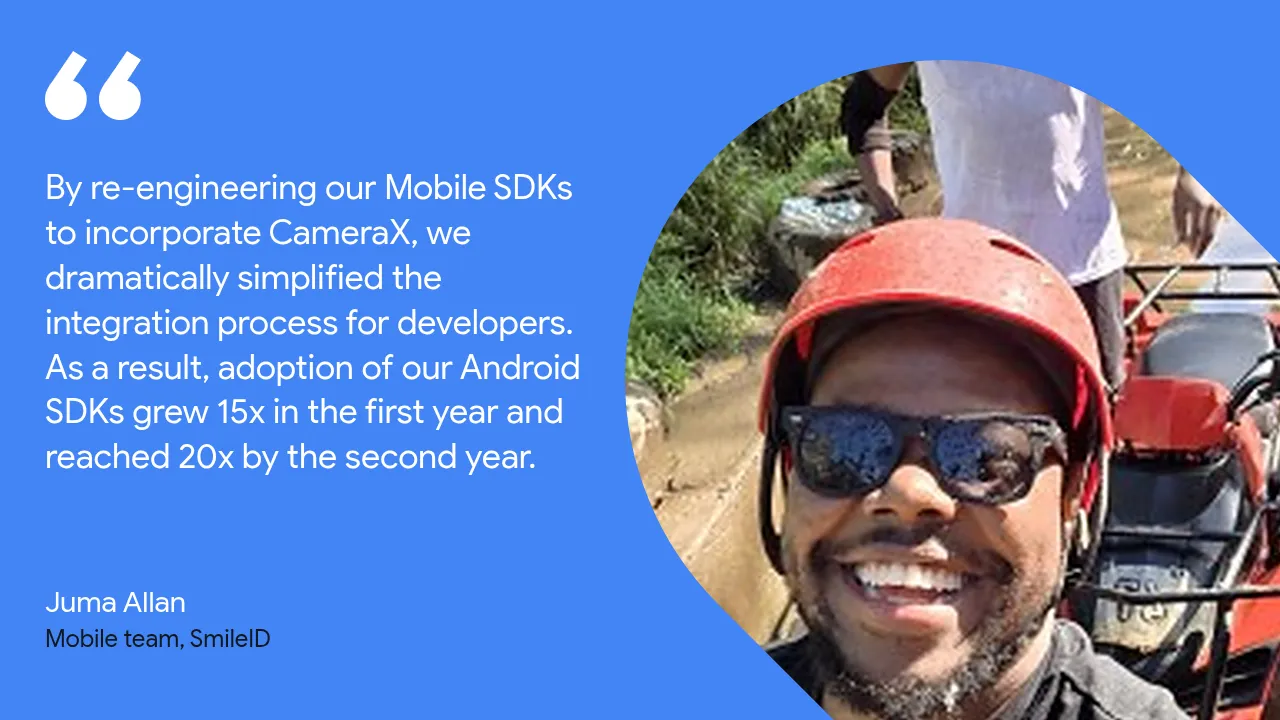
Developers took notice. The ease of integrating the CameraX-based SDK triggered a 15x adoption surge in the first year, climbing to 20x adoption by the second year. To date, SmileID has successfully processed over 160 million identity verifications using CameraX.
Build Your Compatibility Story with the CameraX Skill
Developing for cameras doesn't have to be hard. To help your team adopt the same CameraX patterns SmileID used, Android has launched the CameraX Skill for AI coding agents.
When you use the CameraX Skill in your development environment, AI coding agents such as Gemini apply current CameraX patterns for migration, lifecycle binding, ConcurrentCamera, and MlKitAnalyzer. Whether you are setting up dual-camera feeds, configuring a preview with PreviewView or CameraXViewfinder, or managing real-time machine learning (ML) analysis, the CameraX Skill guides your agent to generate precise, production-ready code.
- Explore the CameraX Skill: Visit the Android Developer Skills Directory or run
android skills add cameraxwith the Android CLI to add the skill to your AI coding tool. - Get Started with CameraX: Jump into the Official CameraX Documentation and make your camera experience run anywhere.
-
 Case Studies
Grab is Southeast Asia's leading superapp, offering deliveries, mobility, and financial services to millions of users across eight countries through a single app.
Ajesh Pai, Nguyen Van Minh, Tracy Agyemang • 5 min read -


 Case Studies
The team built an AI-native UI codebase that is 50% smaller than the original implementation, while achieving a 35% reduction in AI agent execution time, 32% fewer engineer-agent exchanges, and a 33% reduction in token cost.
Pavlo Stavytskyi, Rebecca Franks • 11 min read -
 Case Studies
WhatsApp is the world's largest messaging platform, serving billions of users globally. It is the default communication tool for people across diverse regions, connecting users through private, reliable, and secure messaging.
Niharika Arora, Tracy Agyemang, Mayank Jain • 8 min read
Get the latest Android development insights delivered to your inbox weekly.