
Since Android first announced platform support for foldable devices, consumer adoption of premium foldable Android phones has continued to grow at a rapid pace. Foldable devices in the Android ecosystem evolved from an emerging innovation into premium mainstream hardware, with a range of sizes that match the diverse needs of users. When users invest in these top-tier devices, they expect their favorite apps and games to provide a seamless and smooth transition as they switch between folded and unfolded states, and unlock new experiences possible only on foldable screens.
Building with modern UI toolkits like Jetpack Compose enables app developers to build adaptive layouts that scale gracefully from smartphones to foldables and tablets. By adopting adaptive design standards, you optimize your apps for foldables, while simultaneously elevating app quality across an ecosystem of over 580 million large screen devices in the hands of users today, delivering unique experiences on devices ranging from Amazon's Alexa tablets and Googlebook laptops to Android XR devices like XREAL Aura.
To give users the premium experience they expect and ensure your apps shine across every screen size, Google Play is introducing new adaptive app quality requirements that go into effect April 2027:
- Meet the baseline (Tier 3) adaptive app quality guidelines.
- Publish foldable device screenshots on your Google Play Store listings.
Read on for full details on each requirement, upcoming milestones, and tools available today to get your app ready. If you’re a game developer, see our dedicated large-screen quality requirements tailored specifically to games on Google Play.
Meeting Android’s adaptive app quality guidelines
Starting April 2027, apps on Google Play will need to meet at least Tier 3 of the Android adaptive app quality guidelines for foldables. Apps that do not meet this quality bar will no longer be able to publish or update on Google Play, and may have reduced visibility on the store. While our April 2027 enforcement establishes Tier 3 adaptive quality as the mandatory baseline for foldables, Google Play’s quality framework will progressively expand to incorporate Tier 2 and Tier 1 standards across foldables, tablets, Googlebooks, and Android XR. Developers should build their apps now for these higher tiers to maintain compliance and unlock premier store badging, editorial spotlighting, and enhanced merchandising across Google Play as the platform bar elevates.
Here is a quick refresher on Android's adaptive app quality tiers:
- Tier 3: Adaptive ready — Apps must fill the available display area without letterboxing or compatibility modes. Apps must preserve state (scroll position, text input, media playback) during rotation, folding/unfolding, and resizing, while supporting multi-window environments.
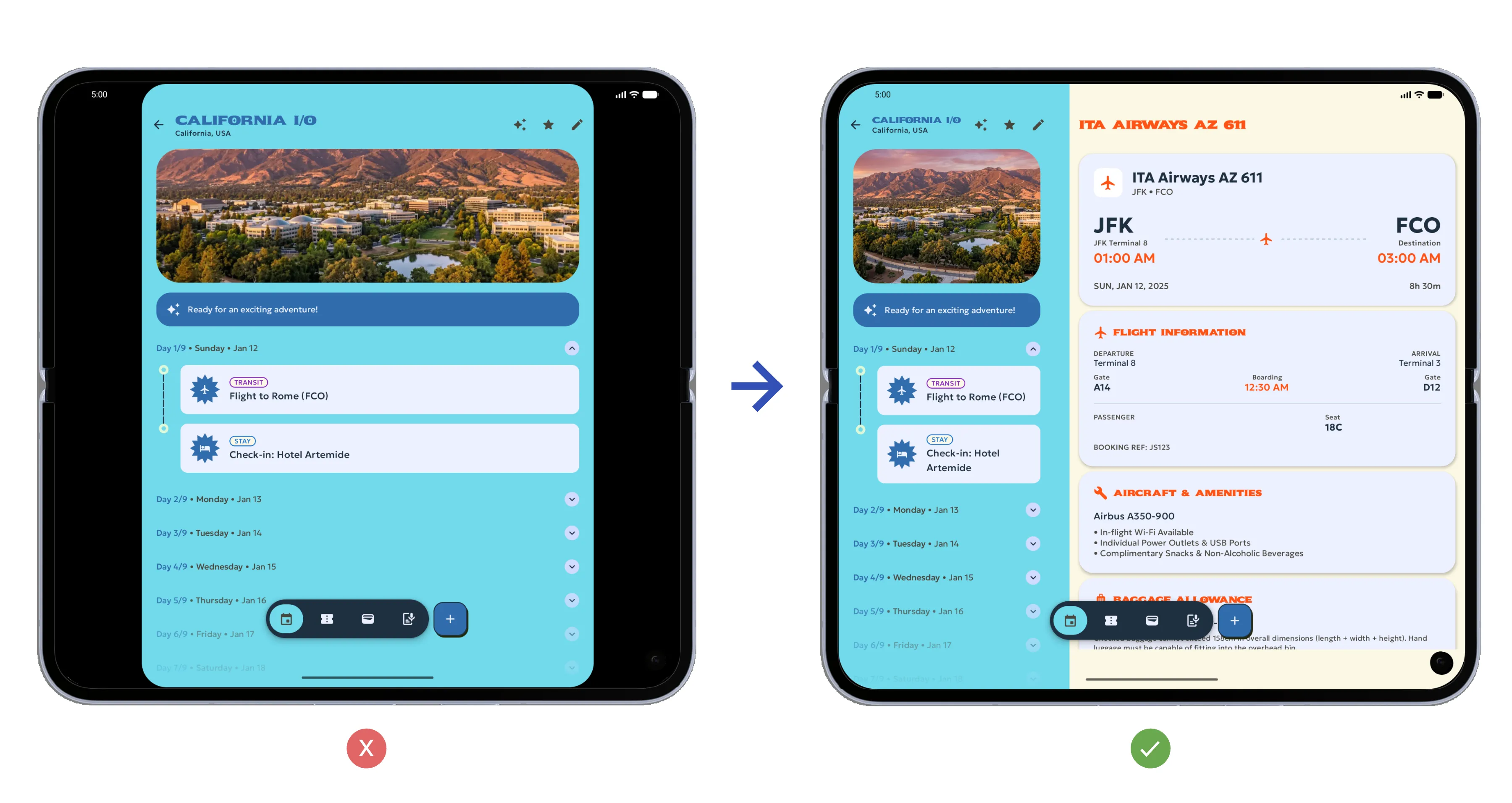
- Tier 2: Adaptive optimized — Evaluates responsive multi-pane layouts, avoiding stretched UI elements, as well as basic support for external keyboard, mouse, trackpad, and stylus input across foldables, tablets, and other large screen devices.
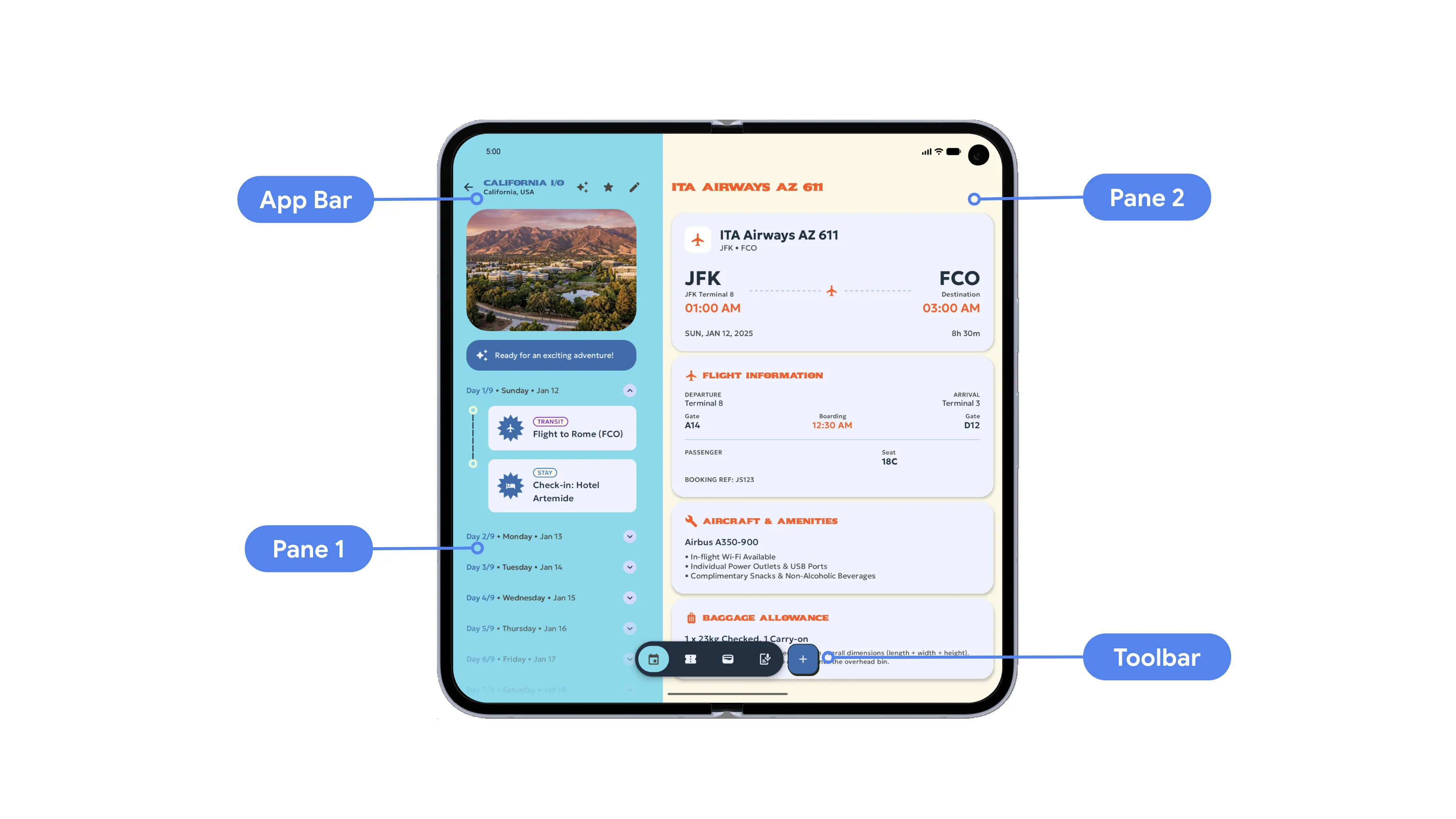
- Tier 1: Adaptive differentiated — Evaluates tabletop and book postures, camera continuity, interactive picture-in-picture, and multi-instance support for media, video, reading, and multitasking apps.
Publishing foldable screenshots on Play Store listings
Starting today, you can upload screenshots for foldable devices on Play Console to showcase the adaptive support for your app. Beginning in April 2027, you will be required to provide 3 foldable screenshots in addition to the standard 2 phone screenshots. Providing foldable screenshots by April 2027 will become a standard submission requirement when publishing new apps or updating your store listing.
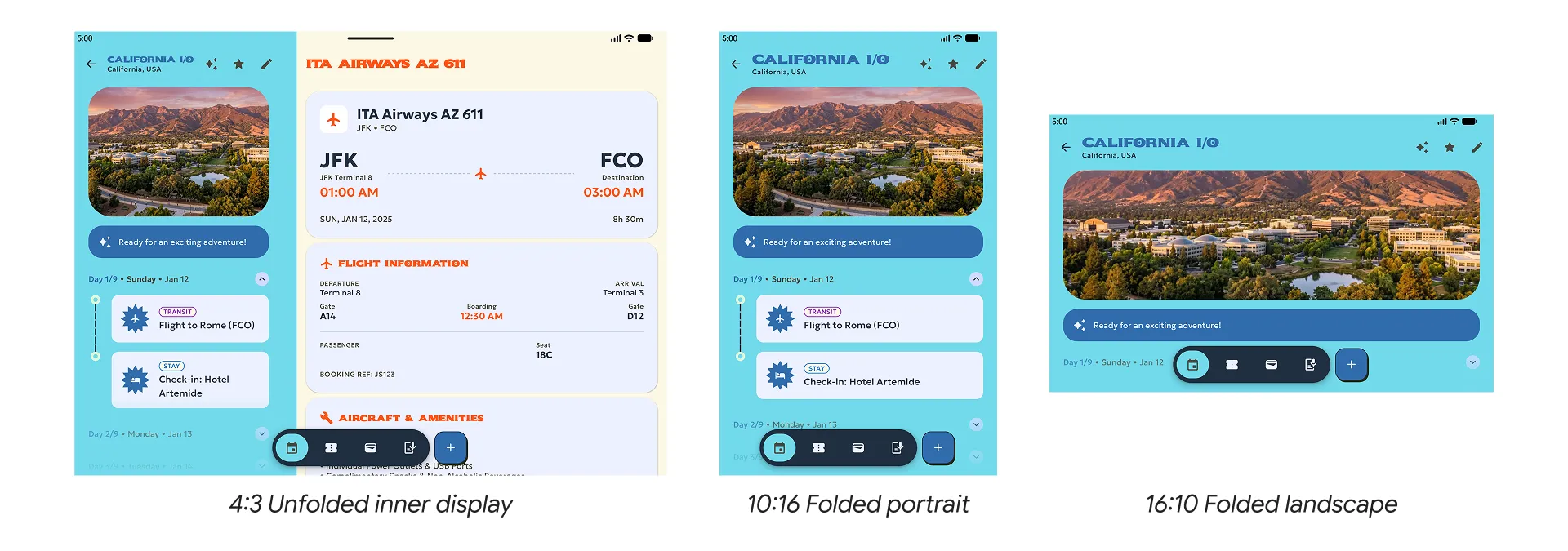
Play Console allows you to upload dedicated foldable screenshots, showcasing both unfolded inner displays and folded outer screens. Screenshots can come from physical Android devices or by using the Android Emulator. Supporting the formats shown below accounts for the full range of standard phone and foldable devices across the Android ecosystem:
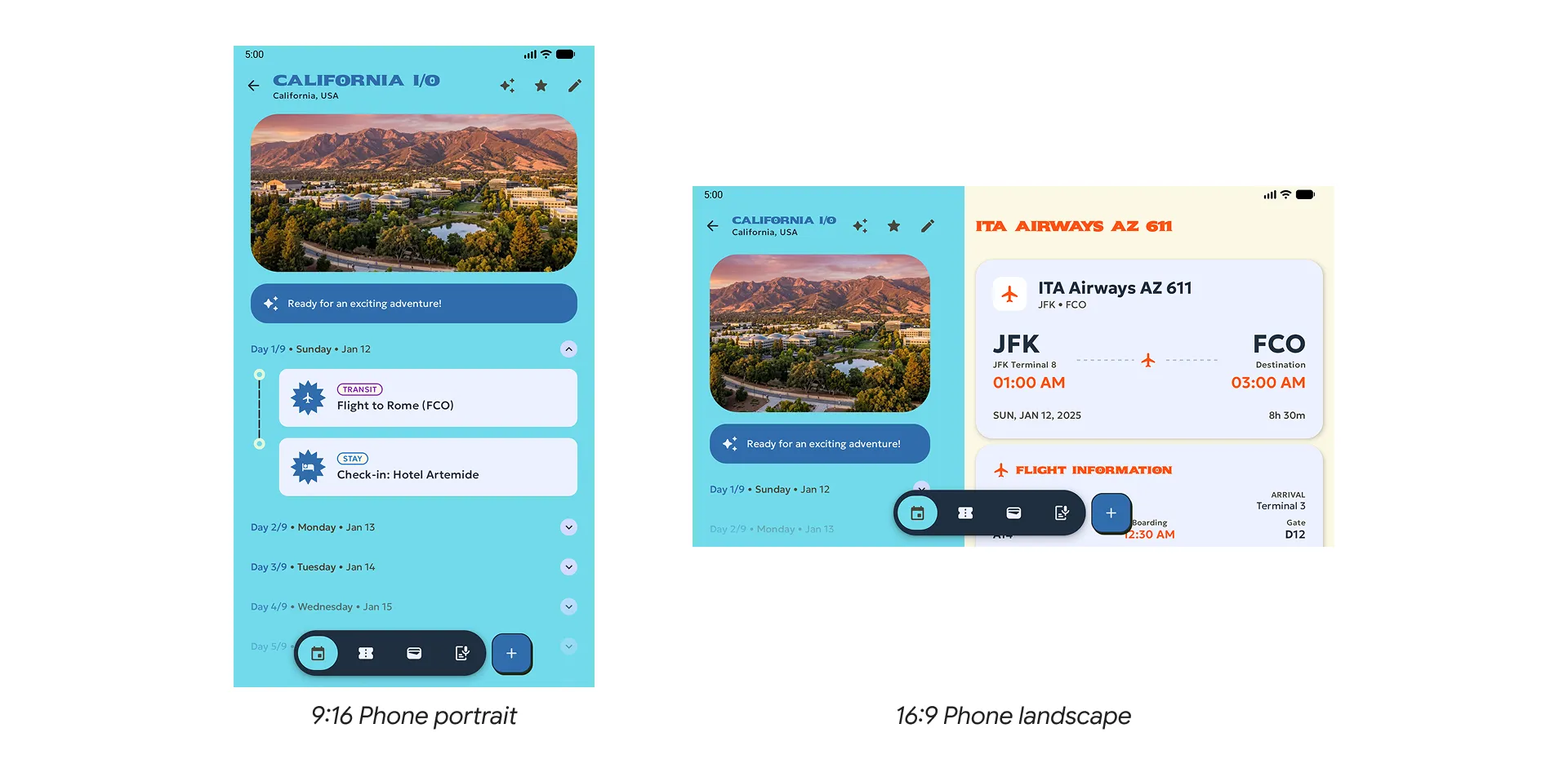
- Standard phone landscape screenshot — Showcase the adaptive support built into your app with the option to now include a landscape screenshot (16:9) in addition to the existing requirement of portrait screenshots (9:16). Devices in this category include the Samsung Galaxy S26 and Google Pixel 11 Pro.
Use Android CLI and Android Emulator to capture
Play Console ready screenshots.
- Foldable devices with 1:1 inner display — Include at least one screenshot for an unfolded inner screen with an aspect ratio of 1:1. Devices in this category include the Samsung Galaxy Z Fold8 Ultra and Google Pixel 11 Pro Fold.
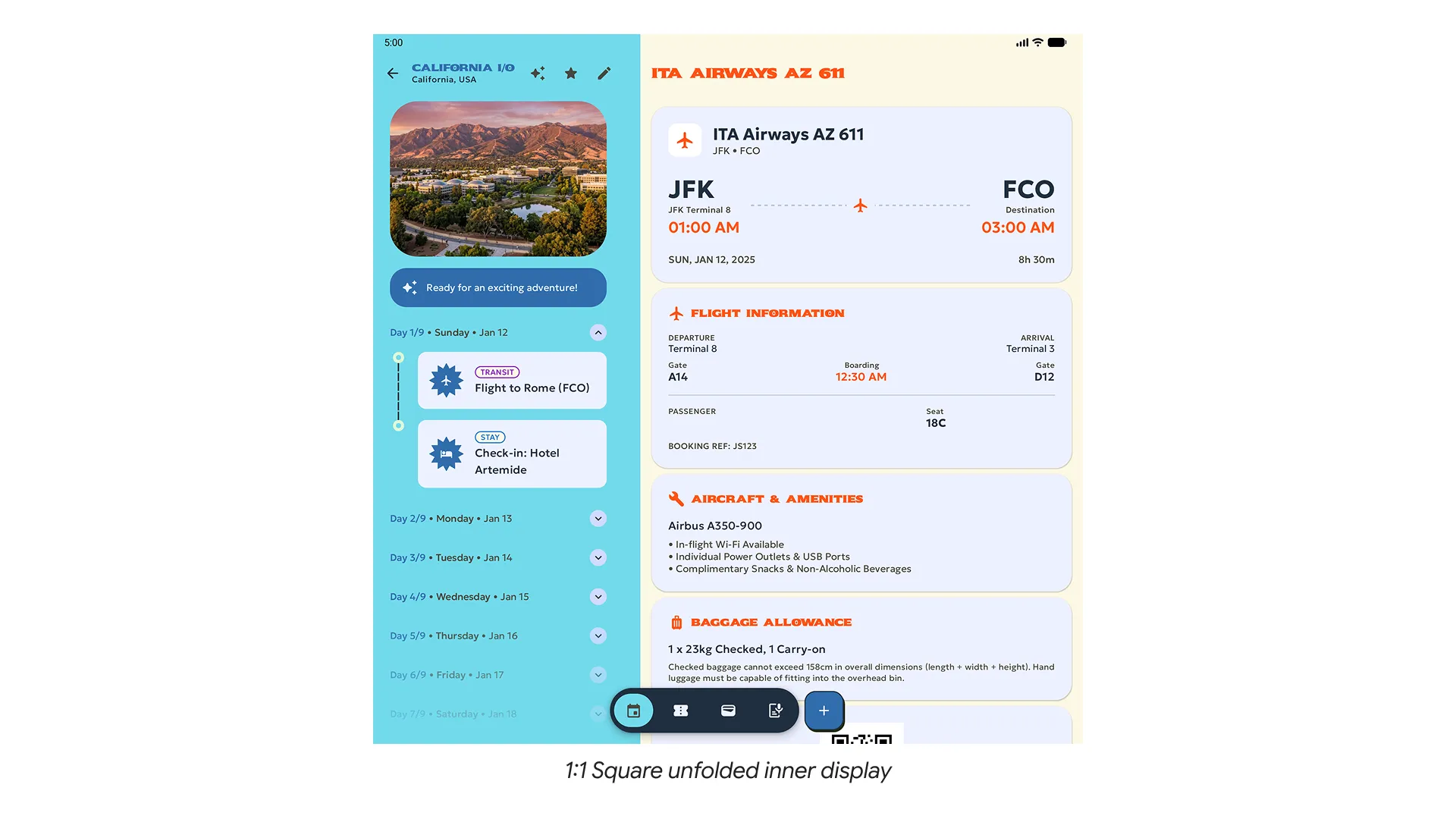
- Foldable devices with 4:3 inner display — Provide at least one screenshot with an unfolded inner screen aspect ratio of 4:3 and at least one portrait screenshot with a folded outer screen aspect ratio of 10:16. You can optionally add a 16:10 landscape as well. Devices in this category include the Samsung Galaxy Z Fold8.
Upcoming key milestones
In addition to updated screenshot requirements and adaptive design standards, Google Play will require apps to target API level 37 (Android 17), removing developer opt-outs for orientation and resizability restrictions on large screens, ensuring apps adapt seamlessly to any screen.
Plan your roadmap around the upcoming milestones is key to keeping your app optimized and compliant:
- November 2026 (Live today)
- Developers can begin publishing foldable screenshots through Google Play Console. These screenshots will appear in Play Store listings over the next few weeks.
- Apps that meet Tier 2 and Tier 1 support for adaptive quality can apply for badging and enhanced merchandising on Google Play.
- April 2027
- New apps and updates are required to include dedicated foldable screenshots at submission.
- Baseline Tier 3 adaptive quality support takes effect for standard applications.
- Existing un-updated apps will remain downloadable.
- August 2027
- New and updated apps are required to target API level 37 (Android 17).
Next steps to prepare your app
To help you prepare, we’ve broken down the immediate next steps and resources available to get your app ready.
- Review design guidelines — Review the UI Design Guidelines, Figma UI Templates, and the Adaptive app quality guidelines.
- Optimize your app — Use the Jetpack Compose adaptive skill in Android Studio or Android CLI with your AI agent of choice to optimize your app.
- Test on Android device or Android Emulator — Use physical devices, physical devices hosted on Android Device Streaming, or virtual Android Emulator devices to test 1:1 and 4:3 foldable device types, verifying adaptive layouts and continuity during folding, unfolding, and rotation.
- Upload screenshot assets — To get ahead of the April 2027 deadline, you have the option of capturing and uploading your adaptive screens starting today. You can upload them on Play Console by going to Grow > Store presence > Store listings. Note, screenshots taken from the foldable (1:1 inner display) and foldable (4:3 inner display) Android Emulators are fully compliant with the new screenshot requirements for Play Console, but you are welcome to customize per the Google Play guidelines.
Meeting these adaptive app quality requirements is a crucial step toward building a more versatile, reliable experience across form factors in the Android ecosystem. We appreciate your partnership and everything you do to delight hundreds of millions of users across phones, foldables, and large screens.
Helpful resources & references
Design
Develop
-

 Product News
To give these experiences to players and ensure your games shine across every screen size, Google Play is introducing new large screen quality requirements for games
Aurash Mahbod • 4 min read -
 Product News
With the introduction of the Pixel 11 Pro Fold, Pixel Watch 5, and the entire Pixel family, users are moving seamlessly across diverse screen sizes, unique postures, and intelligent experiences.
-

 Product News
With the release of Android 17, we are transitioning into an adaptive first development standard. Your users no longer rely on a single form factor; they transition between phones, foldables, tablets, laptops, automotive displays, and immersive XR environments throughout their day.
Fahd Imtiaz • 3 min read
Get the latest Android development insights delivered to your inbox weekly.