
Overview
Rust is a modern systems programming language focused on performance and safety, particularly memory safety. Rust is increasingly important in the Android ecosystem as a safer alternative to C or C++ for developing critical system components, offering improved security and stability.
This page guides you through setting up Android Studio for Platform (ASfP) to support Rust development within your Android Open Source Project (AOSP) projects.
Prerequisites
- ASfP installed: Verify you have ASfP installed and running.
- Platform checkout: You need a working AOSP platform checkout on your machine.
Enable Rust support
Here's the step-by-step process to get Rust support working in your ASfP project:
Enable Rust
- When creating a new project in the setup wizard, select the checkbox for Rust:

Rust checkbox in new project setup wizard. - For existing projects, open your
.asfp-projectconfiguration file and addrusttoother_languages:
    other_languages:
      -   cpp
      -   rust
    ```

<figure>
      <img src="/studio/platform/images/1-modify_asfp_project_languages.png" alt="Modifying the .asfp-project file to add rust to other_languages" class="screenshot">
      <figcaption>Adding Rust support in the <code>.asfp-project</code> file.</figcaption>
    </figure>
Sync your project
Trigger a project sync so the IDE generates and indexes your Rust crates: select ASfP > Sync > Sync Project.
Verify your configuration
After you complete these steps, verify the following results:
rust-project.jsonappears in your project view under the source.imlfile. This file is generated by Soong during analysis and symlinked to the repository root, which is necessary for the Language Server Protocol (LSP) to provide language services. Don't edit this file directly; instead, resync to let Soong handle it.Verify that
rustis present underother_languagesin your.asfp-projectconfiguration.
Ensure that rust-project.jsonhas been generated.Your IDE enables the following Rust-specific features.
Key Rust IDE features
- Built-in LLDB debugging and variable visualizers: Debug running Rust
device services from Run > Attach to Android Process. You can also
launch
rust_testorrust_test_hosttargets directly fromAndroid.bpgutter icons using ASfP's built-in LLDB debugger (lldb-dap), with automatic pretty-printers forString,Vec,HashMap, andOption. For more information, see Debug Rust code. Code completion: Get intelligent suggestions for Rust code, including items from other modules.

Code completion suggesting items from a different Rust module. Navigation: Jump to definitions and find usages of Rust symbols across your project.

Navigating to the definition of a Rust symbol. 
Finding all usages of a Rust symbol. Tooltips: Hold the pointer over symbols to see type information and documentation.
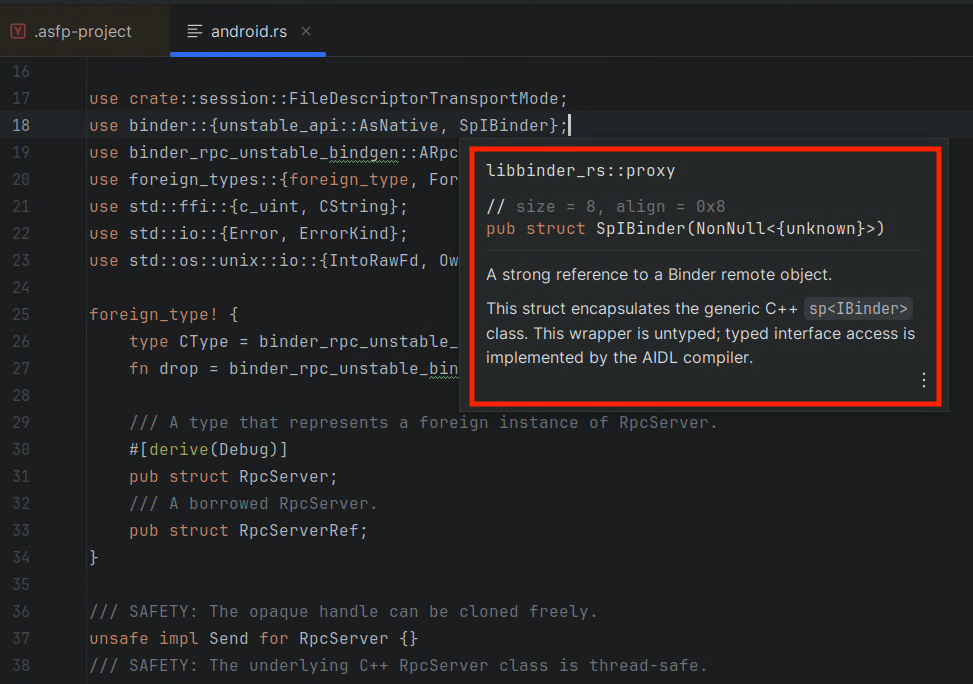
Tooltip showing type information for a Rust symbol from another module. Inlay hints: View type information and other contextual hints directly in the editor.

Inlay hints showing type information within the code. Structure view: Navigate the structure of your Rust files using the Structure tool window (View > Tool Windows > Structure).

The structure tool window showing the outline of a Rust file. Refactoring: Safely rename symbols and update all usages.

Renaming a Rust symbol and updating all its references. Real-time analysis: Get instant feedback on errors and warnings in your Rust code.
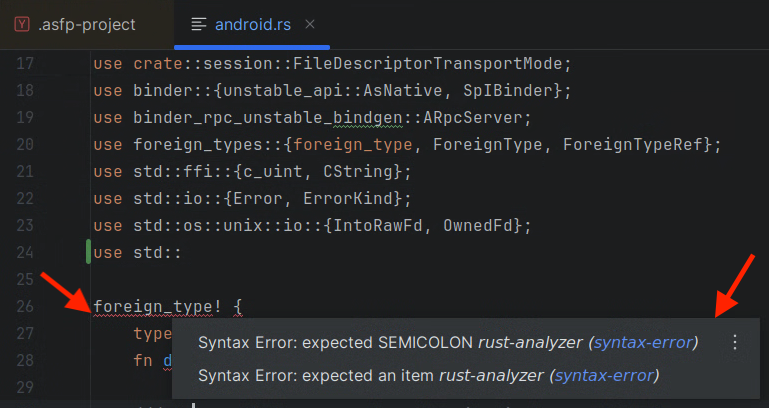
IDE showing real-time errors and warnings in Rust code.