

Android 16 mang đến cho nhà phát triển các tính năng và API mới tuyệt vời. Các phần sau đây tóm tắt những tính năng này để giúp bạn làm quen với các API liên quan.
Để biết danh sách chi tiết về các API mới, đã được sửa đổi, cũng như đã bị xoá, hãy đọc báo cáo điểm khác biệt về API. Để biết thông tin chi tiết về các API mới, hãy truy cập vào tài liệu tham khảo về API cho Android (các API mới được trình bày nổi bật).Bạn cũng nên xem xét những khía cạnh mà các thay đổi của nền tảng có thể ảnh hưởng đến ứng dụng của bạn. Để biết thêm thông tin, hãy xem các trang sau:
- Các thay đổi về hành vi ảnh hưởng đến ứng dụng khi ứng dụng nhắm đến Android 16
- Các thay đổi về hành vi ảnh hưởng đến tất cả ứng dụng bất kể
targetSdkVersion.
Chức năng cốt lõi
Android có các API mới giúp mở rộng các chức năng cốt lõi của hệ thống Android.
Hai bản phát hành API Android vào năm 2025
- This preview is for the next major release of Android with a planned launch in Q2 of 2025. This release is similar to all of our API releases in the past, where we can have planned behavior changes that are often tied to a targetSdkVersion.
- We're planning the major release a quarter earlier (Q2 rather than Q3 in prior years) to better align with the schedule of device launches across our ecosystem, so more devices can get the major release of Android sooner. With the major release coming in Q2, you'll need to do your annual compatibility testing a few months earlier than in previous years to make sure your apps are ready.
- We plan to have another release in Q4 of 2025 which also will include new developer APIs. The Q2 major release will be the only release in 2025 to include planned behavior changes that could affect apps.
In addition to new developer APIs, the Q4 minor release will pick up feature updates, optimizations, and bug fixes; it will not include any app-impacting behavior changes.

We'll continue to have quarterly Android releases. The Q1 and Q3 updates in-between the API releases will provide incremental updates to help ensure continuous quality. We're actively working with our device partners to bring the Q2 release to as many devices as possible.
Using new APIs with major and minor releases
Guarding a code block with a check for API level is done today using
the SDK_INT constant with
VERSION_CODES. This will continue
to be supported for major Android releases.
if (SDK_INT >= VERSION_CODES.BAKLAVA) {
  // Use APIs introduced in Android 16
}
The new SDK_INT_FULL
constant can be used for API checks against both major and minor versions with
the new VERSION_CODES_FULL
enumeration.
if (SDK_INT_FULL >= VERSION_CODES_FULL.[MAJOR or MINOR RELEASE]) {
  // Use APIs introduced in a major or minor release
}
You can also use the
Build.getMinorSdkVersion()
method to get just the minor SDK version.
val minorSdkVersion = Build.getMinorSdkVersion(VERSION_CODES_FULL.BAKLAVA)
These APIs have not yet been finalized and are subject to change, so please send us feedback if you have any concerns.
Trải nghiệm người dùng và giao diện người dùng hệ thống
Android 16 mang đến cho nhà phát triển ứng dụng và người dùng nhiều quyền kiểm soát và tính linh hoạt hơn khi định cấu hình thiết bị cho phù hợp với nhu cầu của họ.
Thông báo tập trung vào tiến trình
Android 16 ra mắt thông báo tập trung vào tiến trình để giúp người dùng theo dõi liền mạch hành trình từ đầu đến cuối do người dùng khởi tạo.
Notification.ProgressStyle là một kiểu thông báo mới cho phép bạn tạo thông báo tập trung vào tiến trình. Các trường hợp sử dụng chính bao gồm đi chung xe, giao hàng và chỉ đường. Trong lớp Notification.ProgressStyle, bạn có thể biểu thị các trạng thái và mốc quan trọng trong hành trình của người dùng bằng cách sử dụng điểm và phân đoạn.
Để tìm hiểu thêm, hãy xem trang tài liệu về Thông báo tập trung vào tiến trình.


Thông tin cập nhật về tính năng xem trước thao tác quay lại
Android 16 adds new APIs to help you enable predictive back system animations in
gesture navigation such as the back-to-home animation. Registering the
onBackInvokedCallback with the new
PRIORITY_SYSTEM_NAVIGATION_OBSERVER allows your app to
receive the regular onBackInvoked call whenever the
system handles a back navigation without impacting the normal back navigation
flow.
Android 16 additionally adds the
finishAndRemoveTaskCallback() and
moveTaskToBackCallback. By registering these callbacks
with the OnBackInvokedDispatcher, the system can trigger
specific behaviors and play corresponding ahead-of-time animations when the back
gesture is invoked.
Phản hồi xúc giác phong phú hơn
Android đã hiển thị quyền kiểm soát đối với bộ truyền động xúc giác kể từ khi ra mắt.
Android 11 đã hỗ trợ thêm các hiệu ứng xúc giác phức tạp hơn mà các bộ truyền động nâng cao hơn có thể hỗ trợ thông qua VibrationEffect.Compositions của các nguyên hàm ngữ nghĩa do thiết bị xác định.
Android 16 thêm API xúc giác cho phép các ứng dụng xác định độ lớn và đường cong tần số của hiệu ứng xúc giác trong khi loại bỏ sự khác biệt giữa các chức năng của thiết bị.
Nâng cao năng suất và công cụ cho nhà phát triển
Mặc dù hầu hết công việc của chúng tôi nhằm cải thiện hiệu suất của bạn đều tập trung vào các công cụ như Android Studio, Jetpack Compose và các thư viện Android Jetpack, nhưng chúng tôi luôn tìm cách giúp bạn hiện thực hoá tầm nhìn của mình trên nền tảng này.
Xử lý nội dung cho hình nền động
In Android 16, the live wallpaper framework is gaining a new content API to
address the challenges of dynamic, user-driven wallpapers. Currently, live
wallpapers incorporating user-provided content require complex, service-specific
implementations. Android 16 introduces
WallpaperDescription and
WallpaperInstance. WallpaperDescription lets you
identify distinct instances of a live wallpaper from the same service. For
example, a wallpaper that has instances on both the home screen and on the lock
screen may have unique content in both places. The wallpaper picker and
WallpaperManager use this metadata to better present
wallpapers to users, streamlining the process for you to create diverse and
personalized live wallpaper experiences.
Hiệu suất và pin
Android 16 giới thiệu các API giúp thu thập thông tin chi tiết về ứng dụng của bạn.
Lập hồ sơ do hệ thống kích hoạt
ProfilingManager was
added in Android 15, giving apps the ability to
request profiling data collection using Perfetto on public devices in the field.
However, since this profiling must be started from the app, critical flows such
as startups or ANRs would be difficult or impossible for apps to capture.
To help with this, Android 16 introduces system-triggered profiling to
ProfilingManager. Apps can register interest in receiving traces for certain
triggers such as cold start reportFullyDrawn
or ANRs, and then the system starts and stops a trace on the app's behalf. After
the trace completes, the results are delivered to the app's data directory.
Thành phần khởi động trong ApplicationStartInfo
ApplicationStartInfo was added in Android
15, allowing an app to see reasons
for process start, start type, start times, throttling, and other useful
diagnostic data. Android 16 adds
getStartComponent()
to distinguish what component type triggered the start, which can be helpful for
optimizing the startup flow of your app.
Khả năng tự xem xét công việc hiệu quả hơn
The JobScheduler#getPendingJobReason() API returns a reason why a job
might be pending. However, a job might be pending for multiple reasons.
In Android 16, we are introducing a new API
JobScheduler#getPendingJobReasons(int jobId), which returns multiple
reasons why a job is pending, due to both explicit constraints set by the
developer and implicit constraints set by the system.
We're also introducing
JobScheduler#getPendingJobReasonsHistory(int jobId), which returns a list
of the most recent constraint changes.
We recommend using the API to help you debug why your jobs may not be executing, especially if you're seeing reduced success rates of certain tasks or have bugs around latency of certain job completion. For example, updating widgets in the background failed to occur or prefetch job failed to be called prior to app start.
This can also better help you understand if certain jobs are not completing due to system defined constraints versus explicitly set constraints.
Tốc độ làm mới thích ứng
Tốc độ làm mới thích ứng (ARR), được giới thiệu trong Android 15, cho phép tốc độ làm mới màn hình trên phần cứng được hỗ trợ để thích ứng với tốc độ khung hình nội dung bằng cách sử dụng các bước VSync riêng biệt. Điều này giúp giảm mức tiêu thụ điện năng trong khi không cần phải chuyển đổi chế độ có thể gây ra hiện tượng giật.
Android 16 giới thiệu hasArrSupport() và getSuggestedFrameRate(int) trong khi khôi phục getSupportedRefreshRates() để giúp ứng dụng của bạn dễ dàng tận dụng ARR hơn. RecyclerView
1.4 hỗ trợ ARR nội bộ khi định vị từ một thao tác hất hoặc
cuộn mượt mà. Chúng tôi đang tiếp tục nỗ lực để thêm tính năng hỗ trợ
ARR vào nhiều thư viện Jetpack hơn. Bài viết về tốc độ khung hình này đề cập đến nhiều API mà bạn có thể sử dụng để đặt tốc độ khung hình để ứng dụng của bạn có thể trực tiếp sử dụng ARR.
API khoảng trống trong ADPF
SystemHealthManager giới thiệu các API getCpuHeadroom và getGpuHeadroom, được thiết kế để cung cấp cho các trò chơi và ứng dụng nặng về tài nguyên thông tin ước tính về tài nguyên CPU và GPU có sẵn. Các phương thức này giúp bạn đánh giá cách ứng dụng hoặc trò chơi của mình có thể cải thiện hiệu quả nhất trạng thái của hệ thống, đặc biệt là khi được sử dụng kết hợp với các API Khung hiệu suất động Android (ADPF) khác phát hiện tình trạng điều tiết nhiệt.
Bằng cách sử dụng CpuHeadroomParams và GpuHeadroomParams trên các thiết bị được hỗ trợ, bạn có thể tuỳ chỉnh khoảng thời gian dùng để tính toán khoảng đầu vào và chọn giữa mức sử dụng tài nguyên trung bình hoặc tối thiểu. Điều này có thể giúp bạn giảm mức sử dụng tài nguyên CPU hoặc GPU cho phù hợp, mang lại trải nghiệm người dùng tốt hơn và cải thiện thời lượng pin.
Hỗ trợ tiếp cận
Android 16 bổ sung các API và tính năng hỗ trợ tiếp cận mới có thể giúp bạn đưa ứng dụng của mình đến với mọi người dùng.
Cải thiện API hỗ trợ tiếp cận
Android 16 adds additional APIs to enhance UI semantics that help improve consistency for users that rely on accessibility services, such as TalkBack.
Outline text for maximum text contrast
Users with low vision often have reduced contrast sensitivity, making it challenging to distinguish objects from their backgrounds. To help these users, Android 16 introduces outline text, replacing high contrast text, which draws a larger contrasting area around text to greatly improve legibility.
Android 16 contains new AccessibilityManager APIs to let
your apps check or register a listener to
see if this mode is enabled. This is primarily for UI Toolkits like Compose to
offer a similar visual experience. If you maintain a UI Toolkit library or your
app performs custom text rendering that bypasses the
android.text.Layout class then you can use this to know
when outline text is enabled.

Duration added to TtsSpan
Android 16 extends TtsSpan with a TYPE_DURATION,
consisting of ARG_HOURS, ARG_MINUTES,
and ARG_SECONDS. This lets you directly annotate time
duration, ensuring accurate and consistent text-to-speech output with services
like TalkBack.
Support elements with multiple labels
Android currently allows UI elements to derive their accessibility label from
another, and now offers the ability for multiple labels to be associated, a
common scenario in web content. By introducing a list-based API within
AccessibilityNodeInfo, Android can directly support these
multi-label relationships. As part of this change, we've deprecated
AccessibilityNodeInfo#setLabeledBy and
#getLabeledBy in favor of
#addLabeledBy, #removeLabeledBy, and
#getLabeledByList.
Improved support for expandable elements
Android 16 adds accessibility APIs that allow you to convey the expanded or
collapsed state of interactive elements, such as menus and expandable lists. By
setting the expanded state using setExpandedState and
dispatching TYPE_WINDOW_CONTENT_CHANGED AccessibilityEvents
with a CONTENT_CHANGE_TYPE_EXPANDED content change type,
you can ensure that screen readers like TalkBack announce
state changes, providing a more intuitive and inclusive user experience.
Indeterminate ProgressBars
Android 16 adds RANGE_TYPE_INDETERMINATE, giving a way for
you to expose RangeInfo for both determinate and
indeterminate ProgressBar widgets, allowing services like
TalkBack to more consistently provide feedback for progress
indicators.
Tri-state CheckBox
The new AccessibilityNodeInfo
getChecked and setChecked(int)
methods in Android 16 now support a "partially checked" state in addition to
"checked" and "unchecked." This replaces the deprecated boolean
isChecked and setChecked(boolean).
Supplemental descriptions
When an accessibility service describes a ViewGroup, it
combines content labels from its child views. If you provide a
contentDescription for the ViewGroup, accessibility services assume you are
also overriding the description of non-focusable child views. This can be
problematic if you want to label things like a drop-down (for example, "Font
Family") while preserving the current selection for accessibility (for example,
"Roboto"). Android 16 adds setSupplementalDescription so
you can provide text that provides information about a ViewGroup without
overriding information from its children.
Required form fields
Android 16 adds setFieldRequired to
AccessibilityNodeInfo so apps can tell an accessibility
service that input to a form field is required. This is an important scenario
for users filling out many types of forms, even things as simple as a required
terms and conditions checkbox, helping users to consistently identify and
quickly navigate between required fields.
Điện thoại làm nguồn đầu vào micrô cho cuộc gọi thoại bằng thiết bị trợ thính LEA
Android 16 bổ sung tính năng cho phép người dùng thiết bị trợ thính LE Audio chuyển đổi giữa micrô tích hợp trên thiết bị trợ thính và micrô trên điện thoại để thực hiện cuộc gọi thoại. Điều này có thể hữu ích trong môi trường ồn ào hoặc các trường hợp khác mà micrô của thiết bị trợ thính có thể hoạt động kém.
Các nút điều chỉnh âm lượng môi trường xung quanh cho thiết bị trợ thính LEA
Android 16 bổ sung khả năng cho phép người dùng thiết bị trợ thính LE Audio điều chỉnh âm lượng của âm thanh môi trường xung quanh do micrô của thiết bị trợ thính thu được. Điều này có thể hữu ích trong trường hợp tạp âm quá lớn hoặc quá nhỏ.
Máy ảnh
Android 16 tăng cường hỗ trợ người dùng camera chuyên nghiệp, cho phép sử dụng chế độ tự động phơi sáng kết hợp cùng với chế độ điều chỉnh nhiệt độ màu và sắc thái chính xác. Chỉ báo chế độ ban đêm mới giúp ứng dụng của bạn biết thời điểm chuyển đổi sang và từ phiên camera ở chế độ ban đêm. Các thao tác Intent mới giúp bạn dễ dàng chụp ảnh động hơn, đồng thời chúng tôi sẽ tiếp tục cải thiện hình ảnh UltraHDR bằng cách hỗ trợ mã hoá HEIC và các thông số mới theo tiêu chuẩn dự thảo ISO 21496-1.
Chế độ tự động phơi sáng kết hợp
Android 16 thêm các chế độ tự động phơi sáng kết hợp mới vào Camera2, cho phép bạn kiểm soát các khía cạnh cụ thể của chế độ phơi sáng theo cách thủ công, đồng thời để thuật toán tự động phơi sáng (AE) xử lý phần còn lại. Bạn có thể kiểm soát ISO + AE và thời gian phơi sáng + AE, mang lại tính linh hoạt cao hơn so với phương pháp hiện tại, trong đó bạn có toàn quyền kiểm soát thủ công hoặc hoàn toàn dựa vào chế độ tự động phơi sáng.
fun setISOPriority() {
    // ... (Your existing code before the snippet) ...

    val availablePriorityModes = mStaticInfo.characteristics.get(
        CameraCharacteristics.CONTROL_AE_AVAILABLE_PRIORITY_MODES
    )

    // ... (Your existing code between the snippets) ...

    // Turn on AE mode to set priority mode
    reqBuilder.set(
        CaptureRequest.CONTROL_AE_MODE,
        CameraMetadata.CONTROL_AE_MODE_ON
    )
    reqBuilder.set(
        CaptureRequest.CONTROL_AE_PRIORITY_MODE,
        CameraMetadata.CONTROL_AE_PRIORITY_MODE_SENSOR_SENSITIVITY_PRIORITY
    )
    reqBuilder.set(
        CaptureRequest.SENSOR_SENSITIVITY,
        TEST_SENSITIVITY_VALUE
    )
    val request: CaptureRequest = reqBuilder.build()

    // ... (Your existing code after the snippet) ...
}
Điều chỉnh chính xác nhiệt độ màu và sắc độ
Android 16 bổ sung tính năng hỗ trợ máy ảnh để điều chỉnh nhiệt độ màu và sắc độ một cách tinh tế nhằm hỗ trợ tốt hơn các ứng dụng quay video chuyên nghiệp. Trong các phiên bản Android trước, bạn có thể kiểm soát các chế độ cài đặt cân bằng trắng thông qua CONTROL_AWB_MODE. Phương thức này chứa các tuỳ chọn giới hạn ở danh sách đặt trước, chẳng hạn như Đèn sợi đốt, Mây và Hoàng hôn. COLOR_CORRECTION_MODE_CCT cho phép sử dụng COLOR_CORRECTION_COLOR_TEMPERATURE và COLOR_CORRECTION_COLOR_TINT để điều chỉnh chính xác độ cân bằng trắng dựa trên nhiệt độ màu tương quan.
fun setCCT() {
    // ... (Your existing code before this point) ...

    val colorTemperatureRange: Range<Int> =
        mStaticInfo.characteristics[CameraCharacteristics.COLOR_CORRECTION_COLOR_TEMPERATURE_RANGE]

    // Set to manual mode to enable CCT mode
    reqBuilder[CaptureRequest.CONTROL_AWB_MODE] = CameraMetadata.CONTROL_AWB_MODE_OFF
    reqBuilder[CaptureRequest.COLOR_CORRECTION_MODE] = CameraMetadata.COLOR_CORRECTION_MODE_CCT
    reqBuilder[CaptureRequest.COLOR_CORRECTION_COLOR_TEMPERATURE] = 5000
    reqBuilder[CaptureRequest.COLOR_CORRECTION_COLOR_TINT] = 30

    val request: CaptureRequest = reqBuilder.build()

    // ... (Your existing code after this point) ...
}
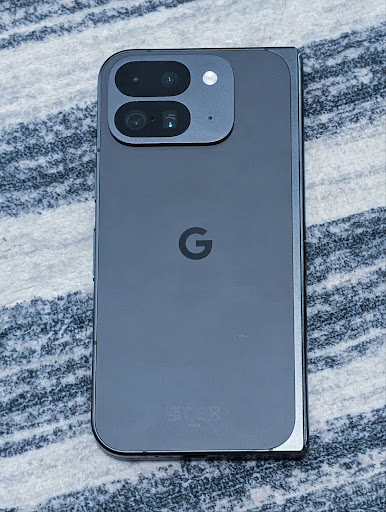
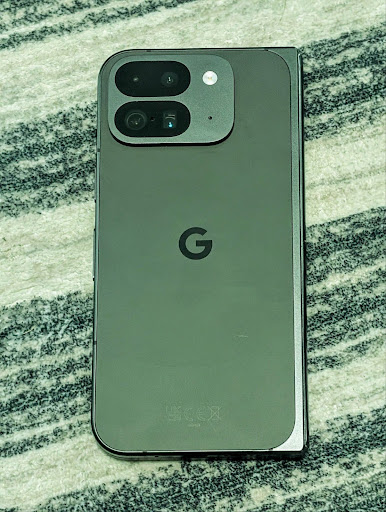
Các ví dụ sau đây cho thấy hình ảnh sẽ trông như thế nào sau khi áp dụng các mức điều chỉnh nhiệt độ màu và sắc độ khác nhau:



Tính năng phát hiện cảnh ở chế độ ban đêm của camera
To help your app know when to switch to and from a night mode camera session,
Android 16 adds EXTENSION_NIGHT_MODE_INDICATOR. If
supported, it's available in the CaptureResult within
Camera2.
This is the API we briefly mentioned as coming soon in the How Instagram enabled users to take stunning low light photos blog post. That post is a practical guide on how to implement night mode together with a case study that links higher-quality in-app night mode photos with an increase in the number of photos shared from the in-app camera.
Thao tác theo ý định chụp ảnh chuyển động
Android 16 thêm các thao tác theo Ý định chuẩn – ACTION_MOTION_PHOTO_CAPTURE và ACTION_MOTION_PHOTO_CAPTURE_SECURE – yêu cầu ứng dụng máy ảnh chụp một ảnh động và trả về ảnh đó.
Bạn phải truyền thêm một EXTRA_OUTPUT để kiểm soát vị trí ghi hình ảnh hoặc một Uri thông qua Intent.setClipData(ClipData). Nếu bạn không đặt ClipData, thì ClipData sẽ được sao chép vào đó khi bạn gọi Context.startActivity(Intent).
Các tính năng cải thiện hình ảnh Ultra HDR

Android 16 tiếp tục nỗ lực của chúng tôi nhằm mang đến chất lượng hình ảnh rực rỡ với hình ảnh UltraHDR. Thêm tính năng hỗ trợ cho hình ảnh UltraHDR ở định dạng tệp HEIC. Những hình ảnh này sẽ có loại ImageFormat
HEIC_ULTRAHDR và sẽ chứa một bản đồ độ lợi được nhúng tương tự
như định dạng JPEG UltraHDR hiện có. Chúng tôi cũng đang nỗ lực để hỗ trợ AVIF cho UltraHDR, vì vậy, hãy chú ý theo dõi.
Ngoài ra, Android 16 triển khai các thông số bổ sung trong UltraHDR từ tiêu chuẩn dự thảo ISO 21496-1, bao gồm cả khả năng lấy và đặt không gian màu mà toán học bản đồ độ lợi sẽ được áp dụng, cũng như hỗ trợ hình ảnh cơ sở được mã hoá HDR bằng bản đồ độ lợi SDR.
Đồ hoạ
Android 16 có các điểm cải thiện mới nhất về đồ hoạ, chẳng hạn như hiệu ứng đồ hoạ tuỳ chỉnh bằng AGSL.
Hiệu ứng đồ hoạ tuỳ chỉnh bằng AGSL
Android 16 adds RuntimeColorFilter and
RuntimeXfermode, allowing you to author complex effects like
Threshold, Sepia, and Hue Saturation and apply them to draw calls. Since Android
13, you've been able to use AGSL to create custom
RuntimeShaders that extend Shader. The new API
mirrors this, adding an AGSL-powered RuntimeColorFilter that
extends ColorFilter, and a Xfermode effect that
lets you implement AGSL-based custom compositing and blending between source and
destination pixels.
private val thresholdEffectString = """
    uniform half threshold;

    half4 main(half4 c) {
        half luminosity = dot(c.rgb, half3(0.2126, 0.7152, 0.0722));
        half bw = step(threshold, luminosity);
        return bw.xxx1 * c.a;
    }"""

fun setCustomColorFilter(paint: Paint) {
   val filter = RuntimeColorFilter(thresholdEffectString)
   filter.setFloatUniform(0.5);
   paint.colorFilter = filter
}
Khả năng kết nối
Android 16 cập nhật nền tảng để cho phép ứng dụng của bạn sử dụng những tiến bộ mới nhất về công nghệ truyền thông và không dây.
Đo khoảng cách với tính năng bảo mật nâng cao
Android 16 hỗ trợ thêm các tính năng bảo mật mạnh mẽ trong vị trí Wi-Fi trên các thiết bị được hỗ trợ bằng 802.11az của Wi-Fi 6, cho phép các ứng dụng kết hợp độ chính xác cao hơn, khả năng mở rộng lớn hơn và lập lịch biểu động của giao thức với các tính năng bảo mật nâng cao, bao gồm cả tính năng mã hoá dựa trên AES-256 và bảo vệ chống lại các cuộc tấn công MITM. Điều này cho phép sử dụng chip một cách an toàn hơn trong các trường hợp sử dụng ở cự ly gần, chẳng hạn như mở khoá máy tính xách tay hoặc cửa xe. 802.11az được tích hợp với tiêu chuẩn Wi-Fi 6, tận dụng cơ sở hạ tầng và các tính năng của tiêu chuẩn này để được áp dụng rộng rãi hơn và triển khai dễ dàng hơn.
API đo khoảng cách chung
Android 16 bao gồm RangingManager mới, cung cấp các cách xác định khoảng cách và góc trên phần cứng được hỗ trợ giữa thiết bị cục bộ và thiết bị từ xa. RangingManager hỗ trợ việc sử dụng nhiều công nghệ đo khoảng cách như đo khoảng cách dựa trên RSSI BLE, đo khoảng cách dựa trên kênh BLE, băng tần siêu rộng và thời gian truyền Wi-Fi.
Sự hiện diện của thiết bị do trình quản lý thiết bị đồng hành quản lý
In Android 16, new APIs are being introduced for binding your companion app
service. Service will be bound when BLE is in range and Bluetooth is connected
and service will be unbound when BLE is out of range or Bluetooth is
disconnected. App will receives a new
'onDevicePresenceEvent()' callback based on various
of DevicePresenceEvent.
More details can be found in
'startObservingDevicePresence(ObservingDevicePresenceRequest)'.
Nội dung nghe nhìn
Android 16 có nhiều tính năng giúp cải thiện trải nghiệm nghe nhìn.
Cải tiến công cụ chọn ảnh
The photo picker provides a safe, built-in way for users to grant your app access to selected images and videos from both local and cloud storage, instead of their entire media library. Using a combination of Modular System Components through Google System Updates and Google Play services, it's supported back to Android 4.4 (API level 19). Integration requires just a few lines of code with the associated Android Jetpack library.
Android 16 includes the following improvements to the photo picker:
- Embedded photo picker: New APIs that enable apps to embed the photo picker into their view hierarchy. This allows it to feel like a more integrated part of the app while still leveraging the process isolation that allows users to select media without the app needing overly broad permissions. To maximize compatibility across platform versions and simplify your integration, you'll want to use the forthcoming Android Jetpack library if you want to integrate the embedded photo picker.
- Cloud search in photo picker: New APIs that enable searching from the cloud media provider for the Android photo picker. Search functionality in the photo picker is coming soon.
Video chuyên nghiệp nâng cao
Android 16 ra mắt tính năng hỗ trợ bộ mã hoá và giải mã Video chuyên nghiệp nâng cao (APV). Bộ mã hoá và giải mã này được thiết kế để dùng cho việc quay video chất lượng cao và xử lý hậu kỳ ở cấp chuyên nghiệp.
Tiêu chuẩn bộ mã hoá và giải mã APV có các tính năng sau:
- Chất lượng video không bị mất dữ liệu (gần với chất lượng video thô)
- Mã hoá chỉ trong khung hình có độ phức tạp thấp và thông lượng cao (không có tính năng dự đoán miền pixel) để hỗ trợ tốt hơn quy trình chỉnh sửa
- Hỗ trợ phạm vi tốc độ bit cao lên đến vài Gbps cho nội dung có độ phân giải 2K, 4K và 8K, được bật bằng lược đồ mã hoá entropy nhẹ
- Sắp xếp khung hình cho nội dung sống động và để bật tính năng mã hoá và giải mã song song
- Hỗ trợ nhiều định dạng lấy mẫu màu sắc và độ sâu bit
- Hỗ trợ nhiều lần giải mã và mã hoá lại mà không làm giảm chất lượng hình ảnh nghiêm trọng
- Hỗ trợ video nhiều khung hình và video phụ như độ sâu, alpha và bản xem trước
- Hỗ trợ HDR10/10+ và siêu dữ liệu do người dùng xác định
Phương thức triển khai tham chiếu của APV được cung cấp thông qua dự án OpenAPV. Android 16 sẽ triển khai tính năng hỗ trợ cho Hồ sơ APV 422-10, cung cấp tính năng lấy mẫu màu YUV 422 cùng với tính năng mã hoá 10 bit và tốc độ bit mục tiêu lên đến 2 Gbps.
Quyền riêng tư
Android 16 có nhiều tính năng giúp nhà phát triển ứng dụng bảo vệ quyền riêng tư của người dùng.
Thông tin cập nhật về Health Connect
Health Connect thêm ACTIVITY_INTENSITY, một loại dữ liệu được xác định theo hướng dẫn của Tổ chức Y tế Thế giới về hoạt động vừa phải và mạnh mẽ. Mỗi bản ghi yêu cầu thời gian bắt đầu, thời gian kết thúc và cường độ hoạt động là vừa phải hay mạnh.
Health Connect cũng chứa các API đã cập nhật hỗ trợ bản ghi y tế. Điều này cho phép các ứng dụng đọc và ghi hồ sơ y tế ở định dạng FHIR khi có sự đồng ý rõ ràng của người dùng.
Hộp cát về quyền riêng tư trên Android
Android 16 incorporates the latest version of the Privacy Sandbox on Android, part of our ongoing work to develop technologies where users know their privacy is protected. Our website has more about the Privacy Sandbox on Android developer beta program to help you get started. Check out the SDK Runtime which allows SDKs to run in a dedicated runtime environment separate from the app they are serving, providing stronger safeguards around user data collection and sharing.
Bảo mật
Android 16 có các tính năng giúp bạn tăng cường tính bảo mật của ứng dụng và bảo vệ dữ liệu của ứng dụng.
API chia sẻ chìa khoá
Android 16 bổ sung các API hỗ trợ chia sẻ quyền truy cập vào khoá Kho khoá Android với các ứng dụng khác. Lớp KeyStoreManager mới hỗ trợ cấp và thu hồi quyền truy cập vào khoá theo uid của ứng dụng, đồng thời bao gồm một API để các ứng dụng truy cập vào khoá dùng chung.
Kiểu dáng thiết bị
Android 16 hỗ trợ các ứng dụng của bạn khai thác tối đa các kiểu dáng của Android.
Khung chất lượng hình ảnh và âm thanh tiêu chuẩn cho TV
The new MediaQuality
package in Android 16 exposes
a set of standardized APIs for access to audio and picture profiles and
hardware-related settings. This allows streaming apps to query profiles and
apply them to media dynamically:
- Movies mastered with a wider dynamic range require greater color accuracy to see subtle details in shadows and adjust to ambient light, so a profile that prefers color accuracy over brightness may be appropriate.
- Live sporting events are often mastered with a narrow dynamic range, but are often watched in daylight, so a profile that preferences brightness over color accuracy can give better results.
- Fully interactive content wants minimal processing to reduce latency, and wants higher frame rates, which is why many TV's ship with a game profile.
The API allows apps to switch between profiles and users to enjoy tuning supported TVs to best suit their content.
Quốc tế hoá
Android 16 bổ sung các tính năng và chức năng bổ trợ cho trải nghiệm người dùng khi thiết bị được dùng bằng nhiều ngôn ngữ.
Văn bản dọc
Android 16 bổ sung tính năng hỗ trợ cấp thấp để hiển thị và đo lường văn bản theo chiều dọc nhằm cung cấp tính năng hỗ trợ viết theo chiều dọc cơ bản cho nhà phát triển thư viện. Điều này đặc biệt hữu ích đối với các ngôn ngữ như tiếng Nhật thường sử dụng hệ thống viết theo chiều dọc. Thêm cờ mới, VERTICAL_TEXT_FLAG vào lớp Paint. Khi bạn đặt cờ này bằng Paint.setFlags, API đo lường văn bản của Paint sẽ báo cáo các tiến trình dọc thay vì tiến trình ngang và Canvas sẽ vẽ văn bản theo chiều dọc.
val text = "「春は、曙。」"
Box(
    Modifier.padding(innerPadding).background(Color.White).fillMaxSize().drawWithContent {
        drawIntoCanvas { canvas ->
            val paint = Paint().apply { textSize = 64.sp.toPx() }
            // Draw text vertically
            paint.flags = paint.flags or VERTICAL_TEXT_FLAG
            val height = paint.measureText(text)
            canvas.nativeCanvas.drawText(
                text,
                0,
                text.length,
                size.width / 2,
                (size.height - height) / 2,
                paint
            )
        }
    }
) {}
Tuỳ chỉnh hệ thống đo lường
Users can now customize their measurement system in regional preferences within
Settings. The user preference is included as part of the locale code, so you can
register a BroadcastReceiver on
ACTION_LOCALE_CHANGED to handle locale configuration changes when
regional preferences change.
Using formatters can help match the local experience. For example, "0.5 in" in English (United States), is "12,7 mm" for a user who has set their phone to English (Denmark) or who uses their phone in English (United States) with the metric system as the measurement system preference.
To find these settings, open the Settings app and navigate to System > Languages & region.