
使用 Play 帳款服務銷售數位產品,讓遊戲營利。SDK 提供 API,可顯示可購買的產品、啟動購買流程及處理購買交易。系統會使用在 Google Play 遊戲用戶端中啟動遊戲的 Google 帳戶,呼叫這些結帳 API,不需要額外的登入步驟。
如果您已整合 Android Play 帳款服務程式庫,應該會對這些 Play 帳款服務 API 感到熟悉。由於 Android 和電腦版遊戲的伺服器端整合方式相同,因此電腦版遊戲可以重複使用與 Play 帳款服務的任何伺服器端整合。
必要條件
完成 SDK 設定。
請參閱 Google Play 結帳系統總覽。
完成 Play 帳款服務設定。
步驟 1:建立 BillingClient
自 26.3.312.0 版起
如果是 SDK 26.3.312.0 以上版本,請使用 BillingClientParameters 設定及例項化 BillingClient。您可以在初始化期間啟用特定功能,例如未完成的購物交易。
// Set up initialization parameters
BillingClientParams params;
params.enable_pending_purchases = true;

// Instantiate the BillingClient with parameters
BillingClient billing_client(params);
26.3.312.0 之前的版本
在 26.3.312.0 之前的 SDK 版本中,BillingClient 僅支援使用預設建構函式進行例項化。這些版本不支援進階設定選項。.
BillingClient billing_client;
步驟 2:查詢先前的購買交易和在應用程式外完成的購買交易
應用程式啟動或重新進入前景時,請查詢購買交易。這是為了偵測在遊戲外進行的交易,或是解鎖使用者先前購買的內容。
使用
BillingClient::QueryPurchases查詢購買交易。請繼續處理購買交易。
// Query for purchases when:
// - Application starts up
// - Application window re-enters the foreground
auto promise = std::make_shared<std::promise<QueryPurchasesResult>>();
billing_client.QueryPurchases([promise](QueryPurchasesResult result) {
   promise->set_value(std::move(result));
});

auto query_purchases_result = promise->get_future().get();
if (query_purchases_result.ok()) {
  auto purchases = query_purchases_result.value().product_purchase_details;
  // Process the purchases
} else {
  // Handle the error
}
步驟 3:顯示可供購買的產品
您就可以開始查詢可用產品,並向使用者顯示。向使用者顯示產品之前,查詢產品詳細資料是非常重要的步驟,因為這會傳回本地化的產品資訊。
在提供待售產品之前,請先檢查使用者是否尚未擁有該產品。如果使用者的購買記錄中仍有消耗性產品,他們必須先消耗該產品才能再次購買。
- 使用
BillingClient::QueryProductDetails查詢產品詳細資料。傳遞您在 Google Play 管理中心註冊的產品 ID。 - 顯示
ProductDetails,其中包含產品的本地化名稱和特價。 - 保留對產品的
offer_token參照。這項屬性可用於啟動優惠的購買流程。
QueryProductDetailsParams params;
params.product_ids.push_back({"example_costmetic_1", ProductType::kTypeInApp});
params.product_ids.push_back({"example_costmetic_1", ProductType::kTypeInApp});
params.product_ids.push_back({"example_battle_pass", ProductType::kTypeInApp});

auto promise = std::make_shared<std::promise<QueryProductDetailsResult>>();
billing_client.QueryProductDetails(params, [promise](QueryProductDetailsResult result) {
   promise->set_value(std::move(result));
});

auto query_product_details_result = promise->get_future().get();
if (query_product_details_result.ok()) {
   auto product_details = query_product_details_result.value().product_details;
   // Display the available products and their offers to the user
} else {
   // Handle the error
}
步驟 4:啟動購買流程
當使用者有意購買您向他們展示的產品時,您就可以啟動購買流程。
使用以 WebView 為基礎的無縫疊加層,在遊戲中完成購買流程:
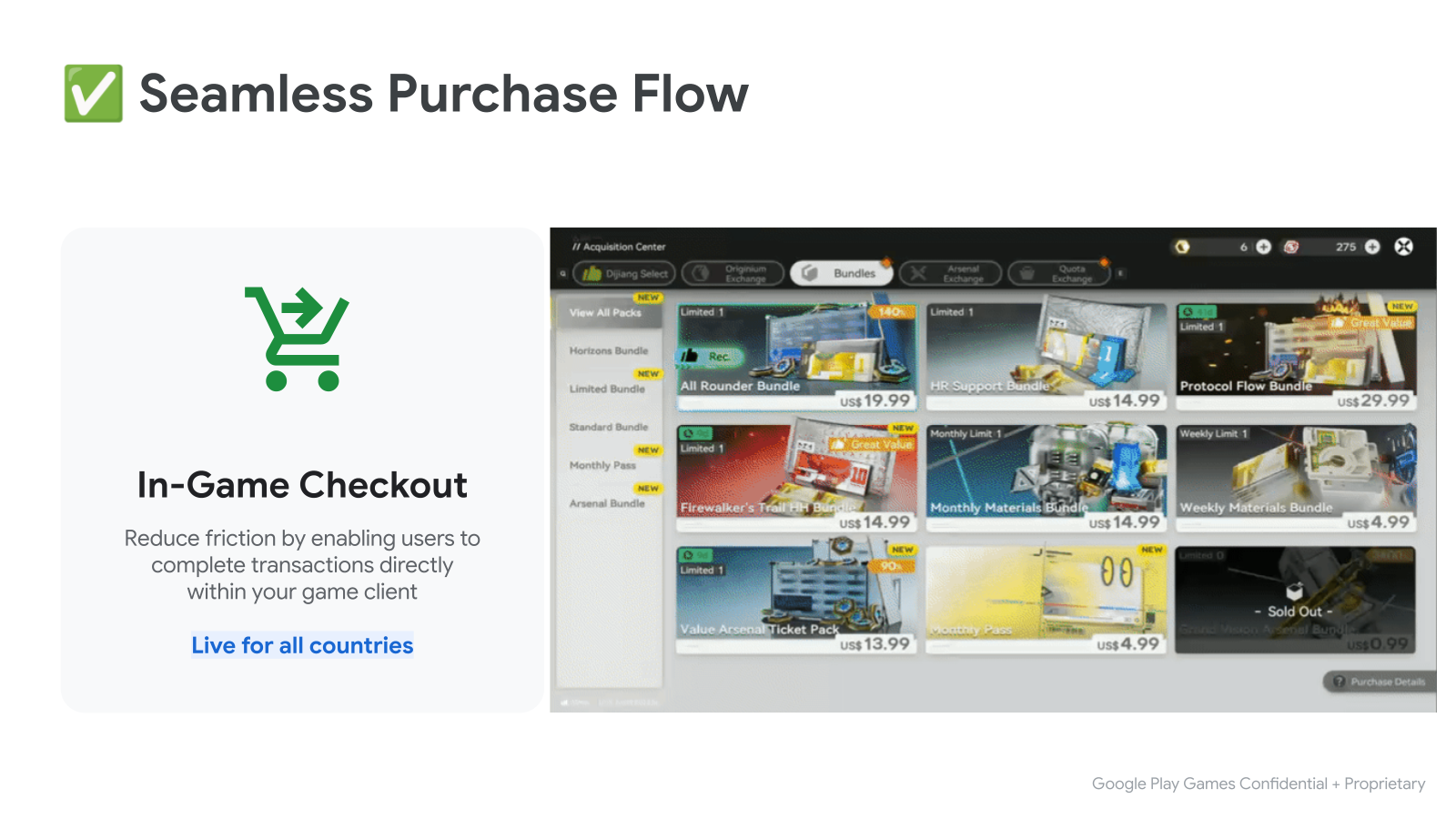
- 首先,請呼叫
BillingClient::LaunchPurchaseFlow()。傳遞查詢產品詳細資料時取得的offer_token。 - 購買交易完成後,系統會呼叫續訂函式並傳回結果。
- 如果成功,後續作業會包含
ProductPurchaseDetails。繼續處理購買交易。
LaunchPurchaseFlowParams params { product_offer.offer_token };

auto promise = std::make_shared<std::promise<LaunchPurchaseFlowResult>>();
billing_client.LaunchPurchaseFlow(params, [promise](LaunchPurchaseFlowResult result) {
   promise->set_value(std::move(result));
});
// The purchase flow has started and is now in progress.

auto launch_purchase_flow_result = promise->get_future().get();

// The purchase flow has now completed.
if (launch_purchase_flow_result.ok()) {
   auto purchase = launch_purchase_flow_result.value().product_purchase_details;
   // Process the purchase
} else if (launch_purchase_flow_result.code() == BillingError::kUserCanceled) {
   // Handle an error caused by the user canceling the purchase flow
} else {
   // Handle any other error codes
}
步驟 5:處理購買交易
透過後端伺服器處理
如果遊戲有後端伺服器,請將 purchase_token 傳送至後端伺服器,完成處理程序。使用伺服器端 Play 帳款服務 API 完成其餘處理程序。這項伺服器端整合與整合 Play 帳款服務的 Android 遊戲相同。
void ProcessPurchasesWithServer(std::vector<ProductPurchaseDetails> purchases) {
   std::vector<std::string> purchase_tokens;
   for (const auto& purchase : purchases) {
      purchase_tokens.push_back(purchase.purchase_token);
   }

   // Send purchase tokens to backend server for processing
}
無需後端伺服器即可處理
請檢查
ProductPurchaseDetails::purchase_state是否為PurchaseState::kPurchaseStatePurchased,確認使用者的付款並非待處理狀態。如果購買狀態為待處理,請通知使用者必須完成其他步驟,才能收到購買的產品。授予使用者已購買產品的存取權,並更新遊戲的授權儲存空間。
如果是非消耗性商品 (只能購買一次的商品),請使用
ProductPurchaseDetails::is_acknowledged檢查購買交易是否已確認。- 如果購買交易尚未確認,請呼叫
BillingClient::AcknowledgePurchase,通知 Google 授予使用者產品授權。
- 如果購買交易尚未確認,請呼叫
如果是消費性商品 (可重複購買的產品),請呼叫
BillingClient::ConsumePurchase,通知 Google 授予使用者產品授權。
void ProcessPurchasesWithoutServer(std::vector<ProductPurchaseDetails> purchases) {
   std::vector<std::string> entitled_product_ids;
   for (const auto& purchase : purchases) {
      auto was_successful = ProcessPurchasePurchaseWithoutServer(purchase);
      if (was_successful) {
         entitled_product_ids.push_back(purchase.product_id);
      }
   }

   // Note that non-consumable products that were previously purchased may have
   // been refunded. These purchases will stop being returned by
   // `QueryPurchases()`. If your game has given a user access to one of these
   // products storage they should be revoked.
   //
   // ...
}

bool ProcessPurchasePurchaseWithoutServer(ProductPurchaseDetails purchase) {
   auto is_purchase_completed =
      purchase.purchase_state == PurchaseState::kPurchaseStatePurchased;
   if (!is_purchase_completed) {
      // Notify the user that they need to take additional steps to complete
      // this purchase.
      return false;
   }

   // Determine if the product ID is associated with a consumable product.
   auto is_consumable = IsConsumableProductId(purchase.product_id);
   if (is_consumable) {
      // Grant an entitlement to the product to the user.
      // ...
      // Then, notify Google by consuming the purchase.

      ConsumePurchaseParams params { purchase.purchase_token };
      auto promise = std::make_shared<std::promise<ConsumePurchaseResult>>();
      billing_client.ConsumePurchase(params, [promise](ConsumePurchaseResult result) {
         promise->set_value(std::move(result));
      });

      auto consume_purchase_result = promise->get_future().get();
      if (!consume_purchase_result.ok()) {
         // Examine the failure code & message for more details & notify user
         // of failure.
         // ...
         return false;
      }

      return true;
   }

   // Otherwise the product is assumed to be a non-consumable.

   // Grant an entitlement to the product to the user.
   // ...
   // Then, notify Google by acknowledging the purchase (if not already done).

   if (purchase.is_acknowledged) {
      return true;
   }

   AcknowledgePurchaseParams params { purchase.purchase_token };
   auto promise = std::make_shared<std::promise<AcknowledgePurchaseResult>>();
   billing_client.AcknowledgePurchase(params, [promise](AcknowledgePurchaseResult result) {
      promise->set_value(std::move(result));
   });

   auto acknowledge_purchase_result = promise->get_future().get();
   if (!acknowledge_purchase_result.ok()) {
      // Examine the failure code & message for more details & notify user
      // of failure.
      // ...
      return false;
   }

   return true;
}
用戶端購物驗證
用戶端驗證可直接在遊戲用戶端驗證購買簽章,提供額外的安全防護:
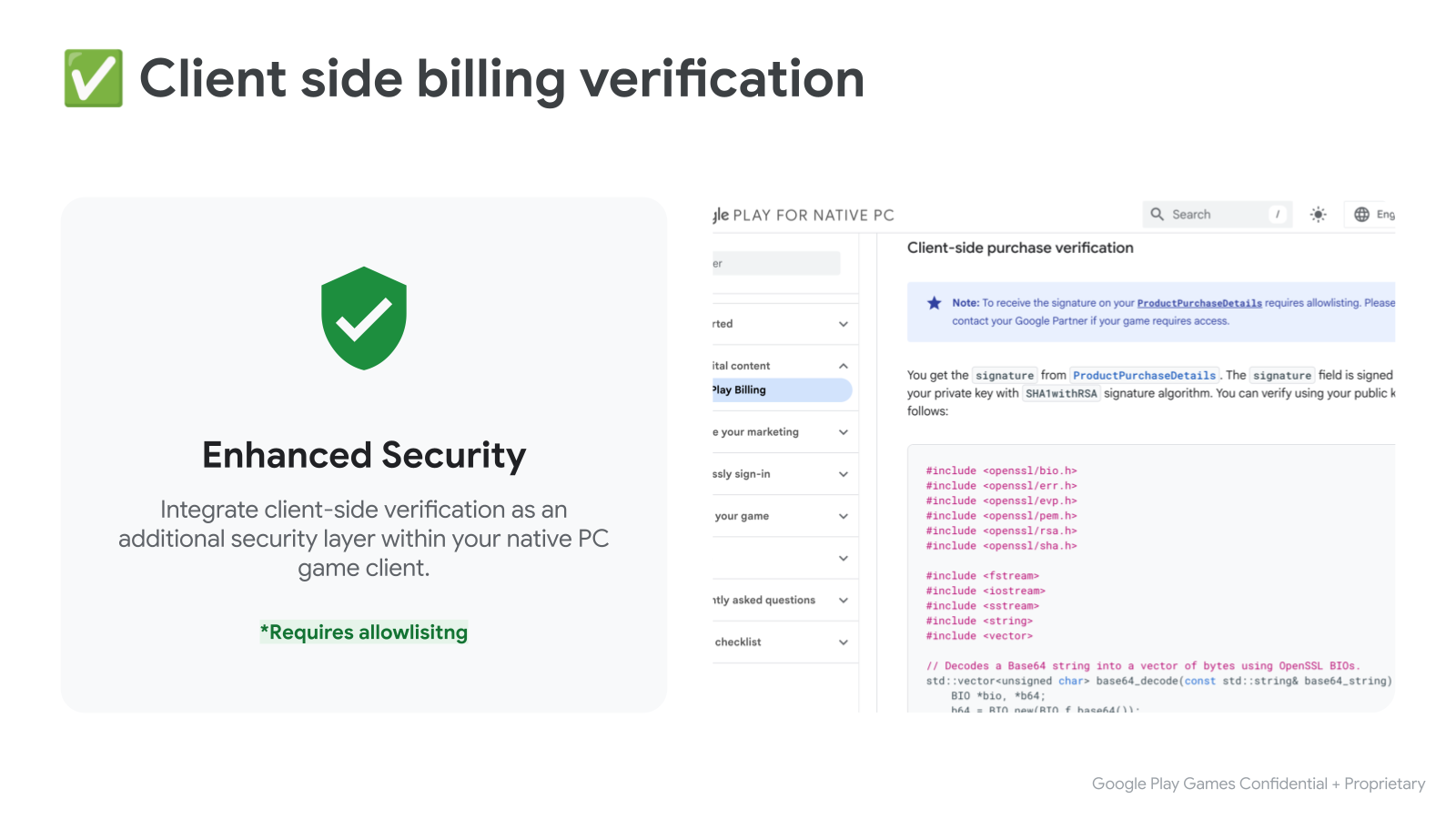
你從 ProductPurchaseDetails 取得 signature。signature 欄位會使用私密金鑰和 SHA1withRSA 簽章演算法簽署。您可以使用公開金鑰驗證,如下所示:
#include <openssl/bio.h>
#include <openssl/err.h>
#include <openssl/evp.h>
#include <openssl/pem.h>
#include <openssl/rsa.h>
#include <openssl/sha.h>

#include <fstream>
#include <iostream>
#include <sstream>
#include <string>
#include <vector>

// Decodes a Base64 string into a vector of bytes using OpenSSL BIOs.
std::vector<unsigned char> base64_decode(const std::string& base64_string) {
    BIO *bio, *b64;
    b64 = BIO_new(BIO_f_base64());
    BIO_set_flags(b64, BIO_FLAGS_BASE64_NO_NL);
    bio = BIO_new_mem_buf(base64_string.data(), base64_string.length());
    bio = BIO_push(b64, bio);

    std::vector<unsigned char> decoded_data;
    decoded_data.resize(base64_string.length());
    int length = BIO_read(bio, decoded_data.data(), decoded_data.size());
    if (length > 0) {
      decoded_data.resize(length);
    } else {
      decoded_data.clear();
    }
    BIO_free_all(bio);
    return decoded_data;
}

// Reads a PEM-encoded public key string and returns an EVP_PKEY object.
EVP_PKEY* createPublicKey(const std::string& publicKeyPem) {
  BIO* bio = BIO_new_mem_buf(publicKeyPem.data(), publicKeyPem.length());
  EVP_PKEY* pkey = PEM_read_bio_PUBKEY(bio, nullptr, nullptr, nullptr);
  BIO_free(bio);
  return pkey;
}

// Verifies the RSA-SHA1 signature of given data using a public key.
bool verifySignature(const std::string& publicKeyPem,
                     const std::string& originalData,
                     const std::string& signature_b64) {
  std::vector<unsigned char> signature = base64_decode(signature_b64);
  EVP_PKEY* pkey = createPublicKey(publicKeyPem);
  if (!pkey) {
    std::cerr << "Error loading public key." << std::endl;
    ERR_print_errors_fp(stderr);
    return false;
  }

  EVP_MD_CTX* mdctx = EVP_MD_CTX_new();
  if (!mdctx) {
    std::cerr << "EVP_MD_CTX_new failed." << std::endl;
    EVP_PKEY_free(pkey);
    return false;
  }

  if (EVP_DigestVerifyInit(mdctx, nullptr, EVP_sha1(), nullptr, pkey) <= 0 ||
      EVP_DigestVerifyUpdate(mdctx, originalData.c_str(),
                             originalData.length()) <= 0) {
    EVP_MD_CTX_free(mdctx);
    EVP_PKEY_free(pkey);
    std::cerr << "Error during EVP_DigestVerifyInit or EVP_DigestVerifyUpdate."
              << std::endl;
    return false;
  }

  int result = EVP_DigestVerifyFinal(
      mdctx, reinterpret_cast<const unsigned char*>(signature.data()),
      signature.size());

  EVP_MD_CTX_free(mdctx);
  EVP_PKEY_free(pkey);

  if (result == 0) {
    std::cerr << "Signature verification failed." << std::endl;
    return false;
  } else if (result != 1) {
    std::cerr << "Error during signature verification." << std::endl;
    ERR_print_errors_fp(stderr);
    return false;
  }

  return true;
}
步驟 6:測試整合功能
現在可以測試與 Play 帳款服務的整合情形。如要在開發階段進行測試,建議您讓授權測試人員測試。授權測試人員可以測試付款方式,而不會向測試人員真正收取購買交易的費用。
如需設定授權測試人員的操作說明,以及我們建議執行的手動測試套件,請參閱測試 Google Play 帳款服務程式庫整合作業的說明文件。