
使用 Play 结算服务销售数字商品,让您的游戏实现创收。该 SDK 提供了一些 API,用于展示可供购买的商品、启动购买流程和处理购买交易。对这些结算服务 API 的调用是使用在 Google Play 游戏客户端内启动游戏的 Google 账号执行的,不需要任何额外的登录步骤。
如果您已与 Android Play 结算库集成,那么这些 Play 结算服务 API 应该看起来很熟悉。与 Play 结算服务的所有服务器端集成都可以由 PC 版游戏重复使用,因为它们在 Android 和 PC 上是相同的。
前提条件
完成 SDK 设置。
完成 Play 结算服务设置。
第 1 步:创建 BillingClient
自 26.3.312.0 起
对于 SDK 版本 26.3.312.0 及更高版本,请使用
BillingClientParameters 配置和
实例化 BillingClient。这样,您就可以在初始化期间启用特定功能,例如待处理的购买交易。
// Set up initialization parameters
BillingClientParams params;
params.enable_pending_purchases = true;

// Instantiate the BillingClient with parameters
BillingClient billing_client(params);
26.3.312.0 之前
在 26.3.312.0 之前的 SDK 版本中,BillingClient
仅支持使用默认构造函数进行实例化。这些版本中没有高级配置选项。
。
BillingClient billing_client;
第 2 步:查询之前的购买交易和在应用外完成的购买交易
当您的应用启动或重新进入前台时,请查询购买交易。这是检测在游戏外发生的购买交易或解锁对用户之前进行的购买交易的访问权限所必需的。
使用
BillingClient::QueryPurchases查询购买交易。继续处理购买交易。
// Query for purchases when:
// - Application starts up
// - Application window re-enters the foreground
auto promise = std::make_shared<std::promise<QueryPurchasesResult>>();
billing_client.QueryPurchases([promise](QueryPurchasesResult result) {
   promise->set_value(std::move(result));
});

auto query_purchases_result = promise->get_future().get();
if (query_purchases_result.ok()) {
  auto purchases = query_purchases_result.value().product_purchase_details;
  // Process the purchases
} else {
  // Handle the error
}
第 3 步:展示可供购买的商品
您已准备好查询可供购买的商品并将其展示给用户。在将商品展示给用户之前,查询商品详情是非常重要的一步,因为查询会返回本地化的商品信息。
在提供商品进行销售之前,请检查用户是否已拥有该商品。如果用户的消耗型商品仍在他们的购买记录中,您必须先消耗掉该商品,然后他们才能再次购买。
- 使用
BillingClient::QueryProductDetails查询商品详情。传入您在 Google Play 管理中心内注册的商品 ID。 - 呈现
ProductDetails,其中包括商品的 本地化名称和优惠价格。 - 保留对商品的
offer_token的引用。这用于启动优惠的购买流程。
QueryProductDetailsParams params;
params.product_ids.push_back({"example_costmetic_1", ProductType::kTypeInApp});
params.product_ids.push_back({"example_costmetic_1", ProductType::kTypeInApp});
params.product_ids.push_back({"example_battle_pass", ProductType::kTypeInApp});

auto promise = std::make_shared<std::promise<QueryProductDetailsResult>>();
billing_client.QueryProductDetails(params, [promise](QueryProductDetailsResult result) {
   promise->set_value(std::move(result));
});

auto query_product_details_result = promise->get_future().get();
if (query_product_details_result.ok()) {
   auto product_details = query_product_details_result.value().product_details;
   // Display the available products and their offers to the user
} else {
   // Handle the error
}
第 4 步:启动购买流程
当用户表示有意购买您向其展示的商品时,您就可以启动购买流程了。
购买流程在游戏内使用基于 WebView 的无缝叠加层完成:
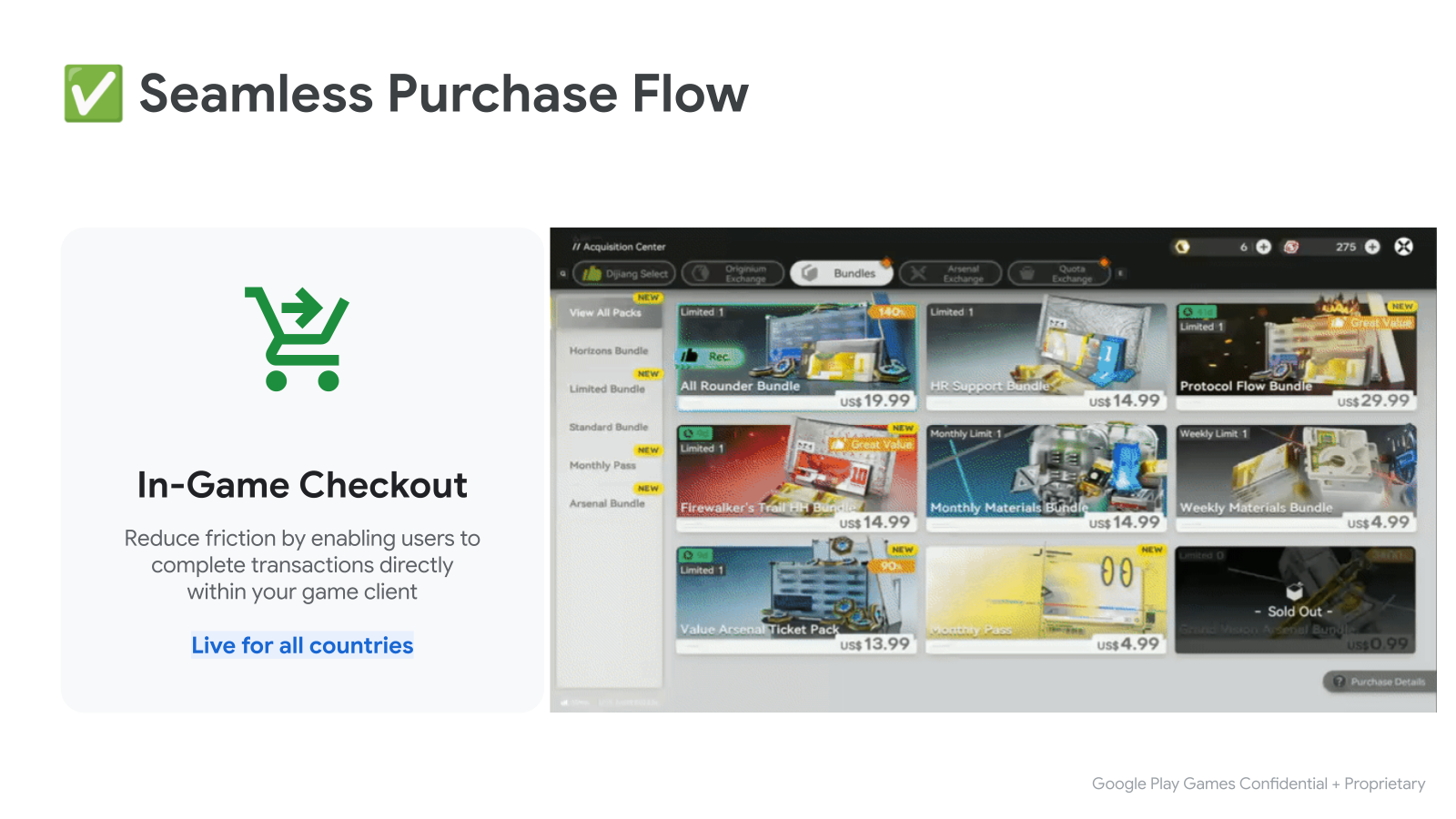
- 首先调用
BillingClient::LaunchPurchaseFlow()。传入 查询商品详情时获得的offer_token。 - 购买完成后,系统将使用结果调用延续函数。
- 如果成功,延续函数将包含
ProductPurchaseDetails。继续处理购买交易。
LaunchPurchaseFlowParams params { product_offer.offer_token };

auto promise = std::make_shared<std::promise<LaunchPurchaseFlowResult>>();
billing_client.LaunchPurchaseFlow(params, [promise](LaunchPurchaseFlowResult result) {
   promise->set_value(std::move(result));
});
// The purchase flow has started and is now in progress.

auto launch_purchase_flow_result = promise->get_future().get();

// The purchase flow has now completed.
if (launch_purchase_flow_result.ok()) {
   auto purchase = launch_purchase_flow_result.value().product_purchase_details;
   // Process the purchase
} else if (launch_purchase_flow_result.code() == BillingError::kUserCanceled) {
   // Handle an error caused by the user canceling the purchase flow
} else {
   // Handle any other error codes
}
第 5 步:处理购买交易
,并且权利将被撤销。如果您使用的是测试账号,则需要在 3 分钟内处理购买流程。使用后端服务器进行处理
对于有后端服务器的游戏,请将
purchase_token发送到后端服务器以完成处理。使用
服务器端 Play 结算服务 API 完成剩余的处理。此服务器端集成与为已与 Play 结算服务集成的 Android 游戏所做的集成相同。
void ProcessPurchasesWithServer(std::vector<ProductPurchaseDetails> purchases) {
   std::vector<std::string> purchase_tokens;
   for (const auto& purchase : purchases) {
      purchase_tokens.push_back(purchase.purchase_token);
   }

   // Send purchase tokens to backend server for processing
}
不使用后端服务器进行处理
检查
ProductPurchaseDetails::purchase_state是否为PurchaseState::kPurchaseStatePurchased,以确保用户的付款未处于待处理状态。如果购买状态为待处理,请通知用户他们需要完成其他步骤,然后才能收到购买的商品。授予用户对所购商品的访问权限,并更新游戏的权利存储。
对于非消耗型购买交易(只能购买一次的商品) 请使用
ProductPurchaseDetails::is_acknowledged检查购买交易是否已确认。- 如果购买交易尚未确认,请调用
BillingClient::AcknowledgePurchase,通知 Google 用户已 获得该商品的权利。
- 如果购买交易尚未确认,请调用
对于消耗型购买交易(可以购买多次的商品) 请调用
BillingClient::ConsumePurchase, 通知 Google 用户已获得该商品的权利。
void ProcessPurchasesWithoutServer(std::vector<ProductPurchaseDetails> purchases) {
   std::vector<std::string> entitled_product_ids;
   for (const auto& purchase : purchases) {
      auto was_successful = ProcessPurchasePurchaseWithoutServer(purchase);
      if (was_successful) {
         entitled_product_ids.push_back(purchase.product_id);
      }
   }

   // Note that non-consumable products that were previously purchased may have
   // been refunded. These purchases will stop being returned by
   // `QueryPurchases()`. If your game has given a user access to one of these
   // products storage they should be revoked.
   //
   // ...
}

bool ProcessPurchasePurchaseWithoutServer(ProductPurchaseDetails purchase) {
   auto is_purchase_completed =
      purchase.purchase_state == PurchaseState::kPurchaseStatePurchased;
   if (!is_purchase_completed) {
      // Notify the user that they need to take additional steps to complete
      // this purchase.
      return false;
   }

   // Determine if the product ID is associated with a consumable product.
   auto is_consumable = IsConsumableProductId(purchase.product_id);
   if (is_consumable) {
      // Grant an entitlement to the product to the user.
      // ...
      // Then, notify Google by consuming the purchase.

      ConsumePurchaseParams params { purchase.purchase_token };
      auto promise = std::make_shared<std::promise<ConsumePurchaseResult>>();
      billing_client.ConsumePurchase(params, [promise](ConsumePurchaseResult result) {
         promise->set_value(std::move(result));
      });

      auto consume_purchase_result = promise->get_future().get();
      if (!consume_purchase_result.ok()) {
         // Examine the failure code & message for more details & notify user
         // of failure.
         // ...
         return false;
      }

      return true;
   }

   // Otherwise the product is assumed to be a non-consumable.

   // Grant an entitlement to the product to the user.
   // ...
   // Then, notify Google by acknowledging the purchase (if not already done).

   if (purchase.is_acknowledged) {
      return true;
   }

   AcknowledgePurchaseParams params { purchase.purchase_token };
   auto promise = std::make_shared<std::promise<AcknowledgePurchaseResult>>();
   billing_client.AcknowledgePurchase(params, [promise](AcknowledgePurchaseResult result) {
      promise->set_value(std::move(result));
   });

   auto acknowledge_purchase_result = promise->get_future().get();
   if (!acknowledge_purchase_result.ok()) {
      // Examine the failure code & message for more details & notify user
      // of failure.
      // ...
      return false;
   }

   return true;
}
客户端购物验证
客户端验证通过直接在游戏客户端中验证购买签名来提供额外的安全保障:
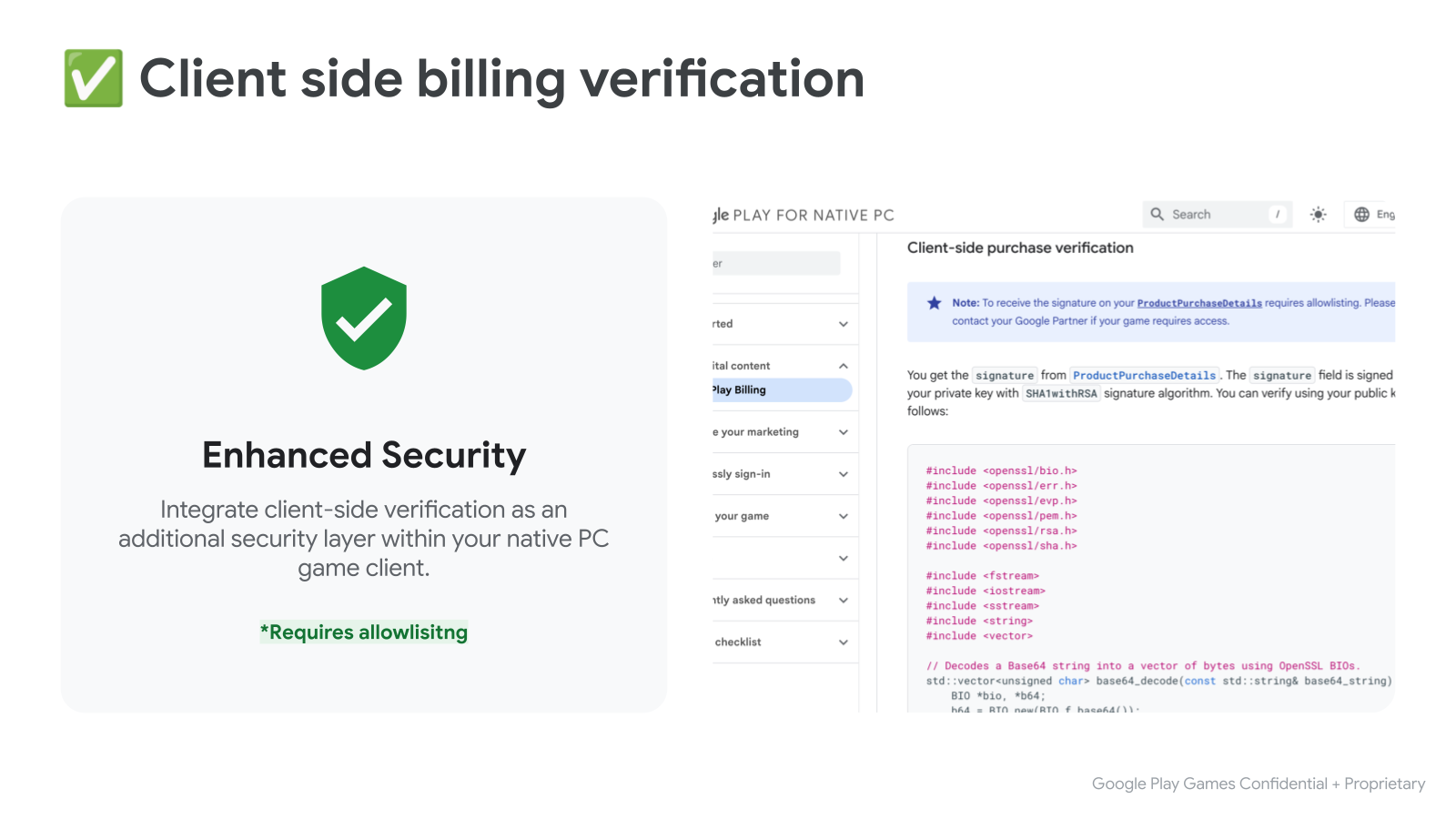
您可以从
ProductPurchaseDetails中获取signature。signature 字段使用您的私钥和 SHA1withRSA 签名算法进行签名。您可以使用公钥进行验证,如下所示:
#include <openssl/bio.h>
#include <openssl/err.h>
#include <openssl/evp.h>
#include <openssl/pem.h>
#include <openssl/rsa.h>
#include <openssl/sha.h>

#include <fstream>
#include <iostream>
#include <sstream>
#include <string>
#include <vector>

// Decodes a Base64 string into a vector of bytes using OpenSSL BIOs.
std::vector<unsigned char> base64_decode(const std::string& base64_string) {
    BIO *bio, *b64;
    b64 = BIO_new(BIO_f_base64());
    BIO_set_flags(b64, BIO_FLAGS_BASE64_NO_NL);
    bio = BIO_new_mem_buf(base64_string.data(), base64_string.length());
    bio = BIO_push(b64, bio);

    std::vector<unsigned char> decoded_data;
    decoded_data.resize(base64_string.length());
    int length = BIO_read(bio, decoded_data.data(), decoded_data.size());
    if (length > 0) {
      decoded_data.resize(length);
    } else {
      decoded_data.clear();
    }
    BIO_free_all(bio);
    return decoded_data;
}

// Reads a PEM-encoded public key string and returns an EVP_PKEY object.
EVP_PKEY* createPublicKey(const std::string& publicKeyPem) {
  BIO* bio = BIO_new_mem_buf(publicKeyPem.data(), publicKeyPem.length());
  EVP_PKEY* pkey = PEM_read_bio_PUBKEY(bio, nullptr, nullptr, nullptr);
  BIO_free(bio);
  return pkey;
}

// Verifies the RSA-SHA1 signature of given data using a public key.
bool verifySignature(const std::string& publicKeyPem,
                     const std::string& originalData,
                     const std::string& signature_b64) {
  std::vector<unsigned char> signature = base64_decode(signature_b64);
  EVP_PKEY* pkey = createPublicKey(publicKeyPem);
  if (!pkey) {
    std::cerr << "Error loading public key." << std::endl;
    ERR_print_errors_fp(stderr);
    return false;
  }

  EVP_MD_CTX* mdctx = EVP_MD_CTX_new();
  if (!mdctx) {
    std::cerr << "EVP_MD_CTX_new failed." << std::endl;
    EVP_PKEY_free(pkey);
    return false;
  }

  if (EVP_DigestVerifyInit(mdctx, nullptr, EVP_sha1(), nullptr, pkey) <= 0 ||
      EVP_DigestVerifyUpdate(mdctx, originalData.c_str(),
                             originalData.length()) <= 0) {
    EVP_MD_CTX_free(mdctx);
    EVP_PKEY_free(pkey);
    std::cerr << "Error during EVP_DigestVerifyInit or EVP_DigestVerifyUpdate."
              << std::endl;
    return false;
  }

  int result = EVP_DigestVerifyFinal(
      mdctx, reinterpret_cast<const unsigned char*>(signature.data()),
      signature.size());

  EVP_MD_CTX_free(mdctx);
  EVP_PKEY_free(pkey);

  if (result == 0) {
    std::cerr << "Signature verification failed." << std::endl;
    return false;
  } else if (result != 1) {
    std::cerr << "Error during signature verification." << std::endl;
    ERR_print_errors_fp(stderr);
    return false;
  }

  return true;
}
第 6 步:测试集成
您现在可以测试与 Play 结算服务的集成。为了在开发阶段进行测试,我们建议您利用许可测试人员 。许可测试人员可以使用测试付款方式,该方式不会针对购买交易收取真实费用。
如需了解如何设置许可测试人员以及我们建议执行的一系列手动测试 ,请参阅有关如何 测试 Google Play 结算库集成的文档。