

ステータスバーやナビゲーション バーにインジケーターが表示されない全画面表示でコンテンツを視聴するのが最適な場合もあります。たとえば、動画、ゲーム、画像ギャラリー、書籍、プレゼンテーションのスライドなどです。これは、没入モードと呼ばれます。このページでは、全画面表示を利用してユーザーに没入型のコンテンツを提供する方法について説明します。
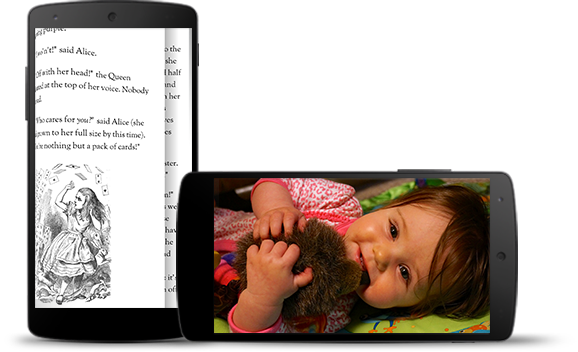
没入モードは、ゲーム中にユーザーが誤って終了するのを防ぎ、画像、動画、書籍を楽しむための没入感のあるエクスペリエンスを提供します。ただし、ユーザーはアプリの使用中でも、通知をチェックしたり、急に検索しようと思いついたりすることがよくあります。没入モードでは、ユーザーがシステム ナビゲーションに簡単にアクセスできなくなるため、没入モードは、単に画面領域を広げる以上のメリットがユーザー エクスペリエンスにもたらされる場合にのみ使用してください。
WindowInsetsControllerCompat.hide() を使用してシステムバーを非表示にし、WindowInsetsControllerCompat.show() を使用してシステムバーを再表示します。
次のスニペットは、システムバーの表示と非表示を切り替えるボタンを構成する例を示しています。
Kotlin
override fun onCreate(savedInstanceState: Bundle?) {
    ...

    val windowInsetsController =
        WindowCompat.getInsetsController(window, window.decorView)
    // Configure the behavior of the hidden system bars.
    windowInsetsController.systemBarsBehavior =
        WindowInsetsControllerCompat.BEHAVIOR_SHOW_TRANSIENT_BARS_BY_SWIPE

    // Add a listener to update the behavior of the toggle fullscreen button when
    // the system bars are hidden or revealed.
    ViewCompat.setOnApplyWindowInsetsListener(window.decorView) { view, windowInsets ->
        // You can hide the caption bar even when the other system bars are visible.
        // To account for this, explicitly check the visibility of navigationBars()
        // and statusBars() rather than checking the visibility of systemBars().
        if (windowInsets.isVisible(WindowInsetsCompat.Type.navigationBars())
            || windowInsets.isVisible(WindowInsetsCompat.Type.statusBars())) {
            binding.toggleFullscreenButton.setOnClickListener {
                // Hide both the status bar and the navigation bar.
                windowInsetsController.hide(WindowInsetsCompat.Type.systemBars())
            }
        } else {
            binding.toggleFullscreenButton.setOnClickListener {
                // Show both the status bar and the navigation bar.
                windowInsetsController.show(WindowInsetsCompat.Type.systemBars())
            }
        }
        ViewCompat.onApplyWindowInsets(view, windowInsets)
    }
}
Java
@Override
protected void onCreate(Bundle savedInstanceState) {
    ...

    WindowInsetsControllerCompat windowInsetsController =
            WindowCompat.getInsetsController(getWindow(), getWindow().getDecorView());
    // Configure the behavior of the hidden system bars.
    windowInsetsController.setSystemBarsBehavior(
            WindowInsetsControllerCompat.BEHAVIOR_SHOW_TRANSIENT_BARS_BY_SWIPE
    );

    // Add a listener to update the behavior of the toggle fullscreen button when
    // the system bars are hidden or revealed.
    ViewCompat.setOnApplyWindowInsetsListener(
        getWindow().getDecorView(),
        (view, windowInsets) -> {
        // You can hide the caption bar even when the other system bars are visible.
        // To account for this, explicitly check the visibility of navigationBars()
        // and statusBars() rather than checking the visibility of systemBars().
        if (windowInsets.isVisible(WindowInsetsCompat.Type.navigationBars())
                || windowInsets.isVisible(WindowInsetsCompat.Type.statusBars())) {
            binding.toggleFullscreenButton.setOnClickListener(v -> {
                // Hide both the status bar and the navigation bar.
                windowInsetsController.hide(WindowInsetsCompat.Type.systemBars());
            });
        } else {
            binding.toggleFullscreenButton.setOnClickListener(v -> {
                // Show both the status bar and the navigation bar.
                windowInsetsController.show(WindowInsetsCompat.Type.systemBars());
            });
        }
        return ViewCompat.onApplyWindowInsets(view, windowInsets);
    });
}
必要に応じて、非表示にするシステムバーの種類を指定し、ユーザーがシステムバーを操作したときの動作を決定できます。
非表示にするシステムバーを指定する
非表示にするシステムバーの種類を指定するには、次のいずれかのパラメータを WindowInsetsControllerCompat.hide() に渡します。
WindowInsetsCompat.Type.systemBars()を使用して、両方のシステムバーを非表示にします。WindowInsetsCompat.Type.statusBars()を使用して、ステータスバーのみを非表示にします。ナビゲーション バーのみを非表示にするには、
WindowInsetsCompat.Type.navigationBars()を使用します。
非表示のシステムバーの動作を指定する
WindowInsetsControllerCompat.setSystemBarsBehavior() を使用して、ユーザーが操作したときに非表示のシステムバーがどのように動作するかを指定します。
WindowInsetsControllerCompat.BEHAVIOR_SHOW_BARS_BY_TOUCHを使用して、対応するディスプレイの任意のユーザー操作で非表示のシステムバーを表示します。WindowInsetsControllerCompat.BEHAVIOR_SHOW_BARS_BY_SWIPEを使用して、システム ジェスチャー(バーが隠れている画面の端からスワイプするなど)で隠れているシステムバーを表示します。WindowInsetsControllerCompat.BEHAVIOR_SHOW_TRANSIENT_BARS_BY_SWIPEを使用して、システム ジェスチャー(バーが隠れている画面の端からスワイプするなど)で隠れているシステムバーを一時的に表示します。これらの一時的なシステムバーはアプリのコンテンツに重なり、ある程度の透明度があり、短いタイムアウトの後に自動的に非表示になります。