Applicable XR devices This guidance helps you build experiences for these types of XR devices. [Learn about XR device types →](https://developer.android.com/develop/xr/devices.md.txt)  XR Headsets [](https://developer.android.com/develop/xr/devices.md.txt#xr-headsets)  Wired XR Glasses [](https://developer.android.com/develop/xr/devices.md.txt#xr-glasses) [Learn about XR device types →](https://developer.android.com/develop/xr/devices.md.txt)
An [`Orbiter`](https://developer.android.com/reference/kotlin/androidx/xr/compose/spatial/Orbiter.composable.md.txt) is a [spatialized component](https://developer.android.com/develop/xr/jetpack-xr-sdk/compose/components.md.txt) that you can attach to a
corresponding spatial panel or spatial layout component like a
[`SpatialColumn`](https://developer.android.com/reference/kotlin/androidx/xr/compose/subspace/SpatialColumn.composable.md.txt), [`SpatialRow`](https://developer.android.com/reference/kotlin/androidx/xr/compose/subspace/SpatialRow.composable.md.txt), or [`SpatialBox`](https://developer.android.com/reference/kotlin/androidx/xr/compose/subspace/SpatialBox.composable.md.txt). An orbiter
typically contains navigation and contextual action items related to the entity
it's anchored to. For example, if you've created a spatial panel to display
video content, you could add video playback controls inside an orbiter.
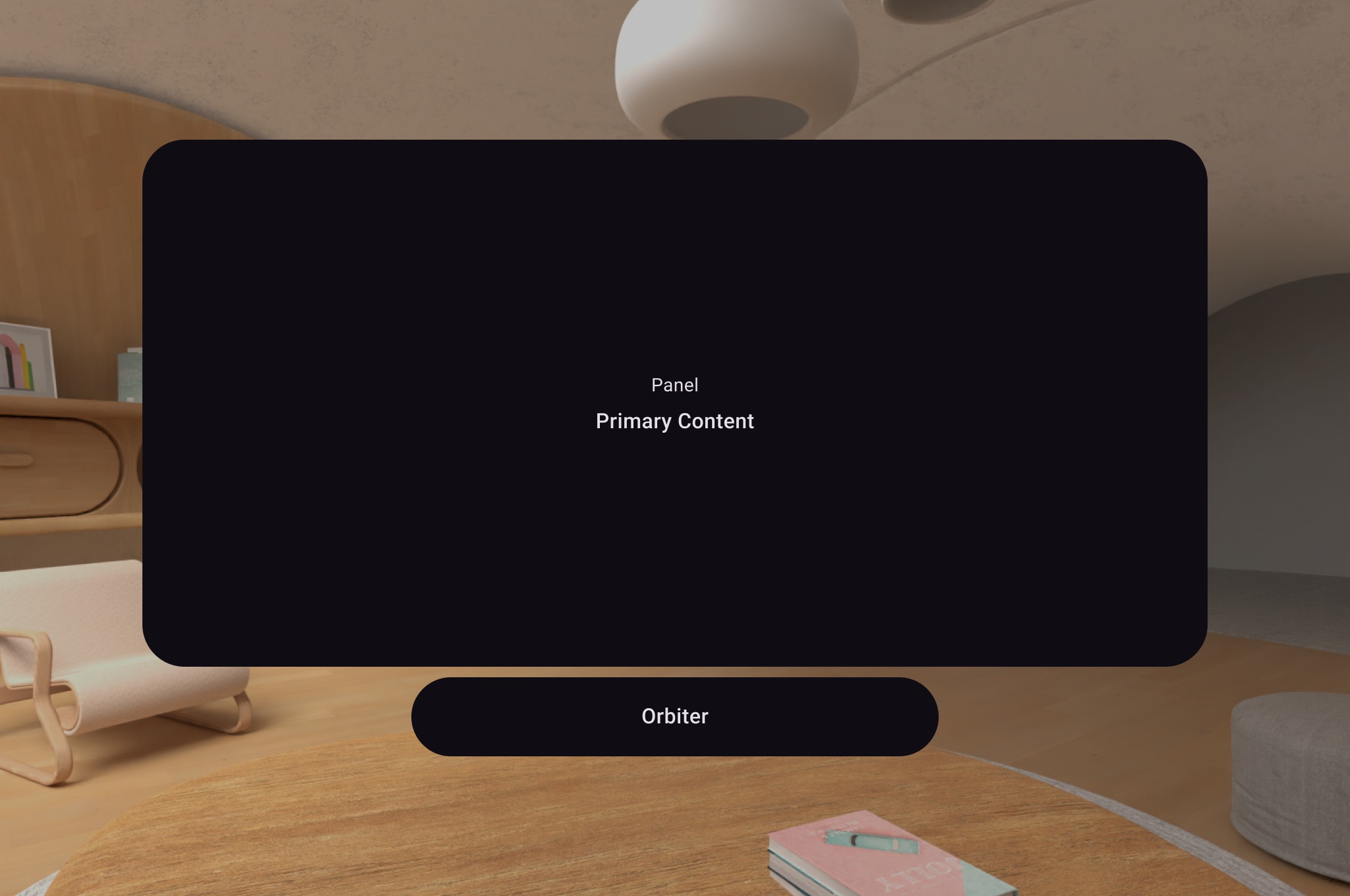 **Figure 1.**: Example of an orbiter.
## Create an orbiter
As shown in the following example, call an orbiter inside the 2D layout in a
[`SpatialPanel`](https://developer.android.com/reference/kotlin/androidx/xr/compose/subspace/SpatialPanel.composable.md.txt) to wrap user controls like navigation. Doing so extracts
them from your 2D layout and attaches them to the spatial panel according to
your configuration.
```kotlin
Subspace {
SpatialPanel(
SubspaceModifier
.height(824.dp)
.width(1400.dp)
.resizable()
.movable(),
) {
SpatialPanelContent()
OrbiterExample()
}
}
```
```kotlin
@Composable
fun OrbiterExample() {
Orbiter(
position = OrbiterPosition.BottomCenter(
verticalEdgeAlignment = OrbiterPosition.EdgeAlignment.Outside,
offset = DpVolumeOffset(y = 96.dp)
),
) {
Surface(Modifier.clip(CircleShape)) {
Row(
Modifier
.background(color = Color.Black)
.height(100.dp)
.width(600.dp),
horizontalArrangement = Arrangement.Center,
verticalAlignment = Alignment.CenterVertically
) {
Text(
text = "Orbiter",
color = Color.White,
fontSize = 50.sp
)
}
}
}
}
```
### Key points about the code
- Because orbiters are spatial UI components, the code can be reused in 2D or 3D layouts. In a 2D layout, your app renders only the content inside the orbiter and ignores the orbiter itself.
- Check out our [design guidance](https://developer.android.com/design/ui/xr/guides/spatial-ui.md.txt#orbiters) for more information on how to use and design orbiters.
## Anchor orbiters to spatial panels and layouts
You can anchor an orbiter to a [`SpatialPanel`](https://developer.android.com/reference/kotlin/androidx/xr/compose/subspace/SpatialPanel.composable.md.txt) and spatial layout components
declared in Compose. This involves declaring an orbiter in a spatial layout of
UI elements such as [`SpatialRow`](https://developer.android.com/reference/kotlin/androidx/xr/compose/subspace/SpatialRow.composable.md.txt), [`SpatialColumn`](https://developer.android.com/reference/kotlin/androidx/xr/compose/subspace/SpatialColumn.composable.md.txt), or
[`SpatialBox`](https://developer.android.com/reference/kotlin/androidx/xr/compose/subspace/SpatialBox.composable.md.txt). The orbiter anchors to the parent that is nearest to where
you've declared it.
The orbiter's behavior is determined by where you declare it:
- In a 2D layout wrapped in a `SpatialPanel` (as shown in a [preceding code](https://developer.android.com/develop/xr/jetpack-xr-sdk/compose/orbiter.md.txt#2dlayout-code-snippet) snippet), the orbiter anchors to that `SpatialPanel`.
- In a [`Subspace`](https://developer.android.com/reference/kotlin/androidx/xr/compose/spatial/Subspace.composable.md.txt), the orbiter anchors to the nearest parent entity, which is the spatial layout the orbiter is declared in.
The following example shows how to anchor an orbiter to a spatial row:
```kotlin
Subspace {
SpatialRow {
Orbiter(
position = OrbiterPosition.TopCenter(
verticalEdgeAlignment = OrbiterPosition.EdgeAlignment.Outside,
offset = DpVolumeOffset(y = 8.dp)
),
shape = SpatialRoundedCornerShape(size = CornerSize(50))
) {
Text(
"Hello World!",
style = MaterialTheme.typography.titleMedium,
modifier = Modifier
.background(Color.White)
.padding(16.dp)
)
}
SpatialPanel(
SubspaceModifier
.height(824.dp)
.width(1400.dp)
) {
Box(
modifier = Modifier
.background(Color.Red)
)
}
SpatialPanel(
SubspaceModifier
.height(824.dp)
.width(1400.dp)
) {
Box(
modifier = Modifier
.background(Color.Blue)
)
}
}
}
```
### Key points about the code
- When you declare an orbiter outside of a 2D layout, the orbiter anchors to its nearest parent entity. In this case, the orbiter anchors to the top of the `SpatialRow` it's declared in.
- Spatial layouts such as `SpatialRow`, `SpatialColumn`, `SpatialBox` all have contentless entities associated with them. Therefore, an orbiter declared in a spatial layout anchors to that layout.