The [snackbar component](https://material.io/components/snackbars) serves as a brief notification that appears at the
bottom of the screen. It provides feedback about an operation or action without
interrupting the user experience. Snackbars disappear after a few seconds. The
user can also dismiss them with an action, such as tapping a button.
Consider these three use cases where you might use a snackbar:
- **Action confirmation:** After a user deletes an email or message, a snackbar appears to confirm the action and offer an "Undo" option.
- **Network status:** When the app loses its internet connection, a snackbar pops up to note that it is now offline.
- **Data submission:** Upon successfully submitting a form or updating settings, a snackbar notes that the change has saved successfully.
## Results
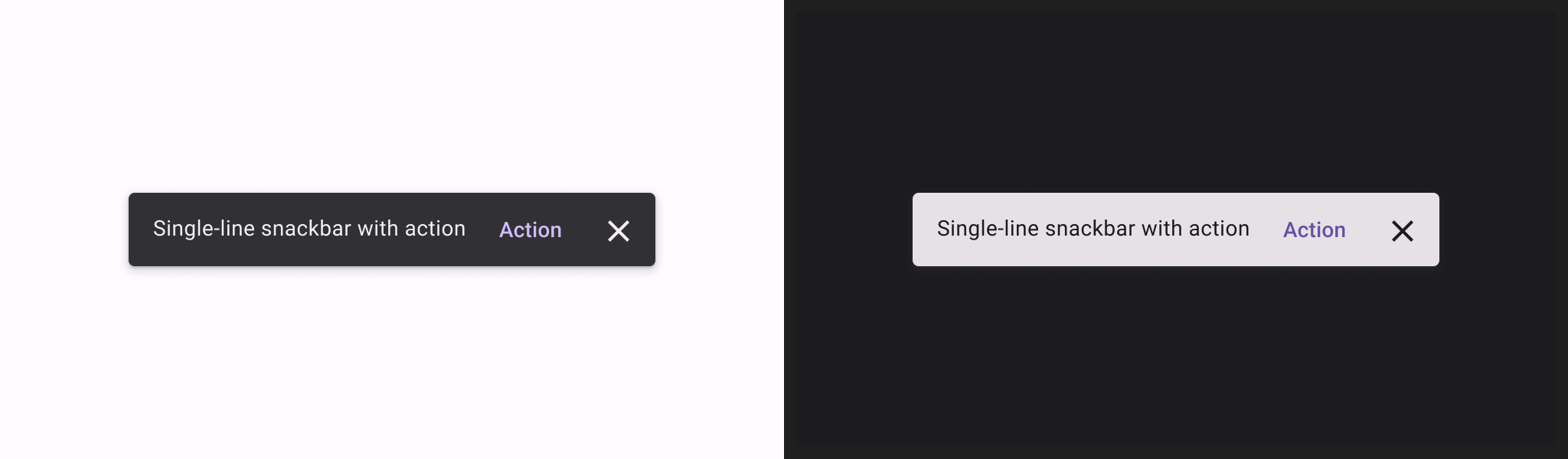
**Figure 1.** Snackbar notifications with action.
## Version compatibility
This implementation requires that your project minSDK be set to API level 21
or higher.
### Dependencies
## Create a basic snackbar
To implement a snackbar, you first create [`SnackbarHost`](https://developer.android.com/reference/kotlin/androidx/compose/material3/SnackbarHost.composable.md.txt#SnackbarHost(androidx.compose.material3.SnackbarHostState,androidx.compose.ui.Modifier,kotlin.Function1)), which includes a
[`SnackbarHostState`](https://developer.android.com/reference/kotlin/androidx/compose/material3/SnackbarHostState.md.txt) property. `SnackbarHostState` provides access to the
[`showSnackbar()`](https://developer.android.com/reference/kotlin/androidx/compose/material3/SnackbarHostState.md.txt#showsnackbar) function which you can use to display your snackbar.
This suspending function requires a `CoroutineScope` such as with using
[`rememberCoroutineScope`](https://developer.android.com/reference/kotlin/androidx/compose/runtime/package-summary.md.txt#remembercoroutinescope) --- and can be called in response to UI events to
show a [`Snackbar`](https://developer.android.com/reference/kotlin/androidx/compose/material3/package-summary.md.txt#snackbar) within `Scaffold`.
## Create a snackbar with action
You can provide an optional action and adjust the duration of the `Snackbar`.
The `snackbarHostState.showSnackbar()` function accepts additional `actionLabel`
and `duration` parameters, and returns a [`SnackbarResult`](https://developer.android.com/reference/kotlin/androidx/compose/material3/SnackbarResult.md.txt).
You can provide a custom `Snackbar` with the `snackbarHost` parameter. See the
[`SnackbarHost` API reference docs](https://developer.android.com/reference/kotlin/androidx/compose/material/package-summary.md.txt#snackbarhost) for more information.
## Collections that contain this guide
This guide is part of these curated Quick Guide collections that cover
broader Android development goals:
 
### Display interactive components
Learn how composable functions can enable you to easily create beautiful UI components based on the Material Design design system. [Quick guide collection](https://developer.android.com/develop/ui/compose/quick-guides/collections/display-interactive-components) 
## Have questions or feedback
Go to our frequently asked questions page and learn about quick guides or reach out and let us know your thoughts. [Go to FAQ](https://developer.android.com/quick-guides/faq.md.txt) [Leave feedback](https://issuetracker.google.com/issues/new?component=1573691&template=1993320)