
The [`Grid`](https://developer.android.com/reference/kotlin/androidx/compose/foundation/layout/Grid.composable.md.txt#Grid(kotlin.Function1,androidx.compose.ui.Modifier,kotlin.Function1)) composable creates structural, two-dimensional screen layouts.
`Grid` defines a responsive layout structure using explicitly defined tracks
(rows and columns) and gaps as the foundational architecture of your UI.
Because `Grid` is a structural rather than a lazy-loading container, it requires you to
explicitly define every element placed within it without recycling items on scroll.
As a result, rendering large or dynamic datasets directly within a `Grid` can cause performance
bottlenecks as all items compose simultaneously.
To display large collections of data within a structured screen layout, embed
lazy components such as [`LazyColumn`](https://developer.android.com/reference/kotlin/androidx/compose/foundation/lazy/LazyColumn.composable.md.txt#LazyColumn(androidx.compose.ui.Modifier,androidx.compose.foundation.lazy.LazyListState,androidx.compose.foundation.layout.PaddingValues,kotlin.Boolean,androidx.compose.foundation.layout.Arrangement.Vertical,androidx.compose.ui.Alignment.Horizontal,androidx.compose.foundation.gestures.FlingBehavior,kotlin.Boolean,androidx.compose.foundation.OverscrollEffect,kotlin.Function1)) or [`LazyRow`](https://developer.android.com/reference/kotlin/androidx/compose/foundation/lazy/LazyRow.composable.md.txt#LazyRow(androidx.compose.ui.Modifier,androidx.compose.foundation.lazy.LazyListState,androidx.compose.foundation.layout.PaddingValues,kotlin.Boolean,androidx.compose.foundation.layout.Arrangement.Horizontal,androidx.compose.ui.Alignment.Vertical,androidx.compose.foundation.gestures.FlingBehavior,kotlin.Boolean,androidx.compose.foundation.OverscrollEffect,kotlin.Function1)) in your `Grid` cells.
But note: flexible tracks (with specifications such as `1.fr`) query the
intrinsic sizes of child elements. Because [`SubcomposeLayout`](https://developer.android.com/develop/adaptive-apps/cookbook/which%20backs%0A%60LazyColumn%60%20and%20%60LazyRow%60) does not support intrinsic measurement passes,
placing a lazy list inside a flexible track causes an
[`IllegalStateException`](https://developer.android.com/reference/java/lang/IllegalStateException.md.txt) crash. To safely place lazy lists inside a flexible grid
track, you must use [`GridTrackSize.MinMax`](https://developer.android.com/reference/kotlin/androidx/compose/foundation/layout/GridTrackSize.md.txt#MinMax(androidx.compose.ui.unit.Dp,androidx.compose.foundation.layout.Fr)) sizing (such as `minmax(0.dp, 1.fr)`)
to bypass the intrinsic measurement pass.
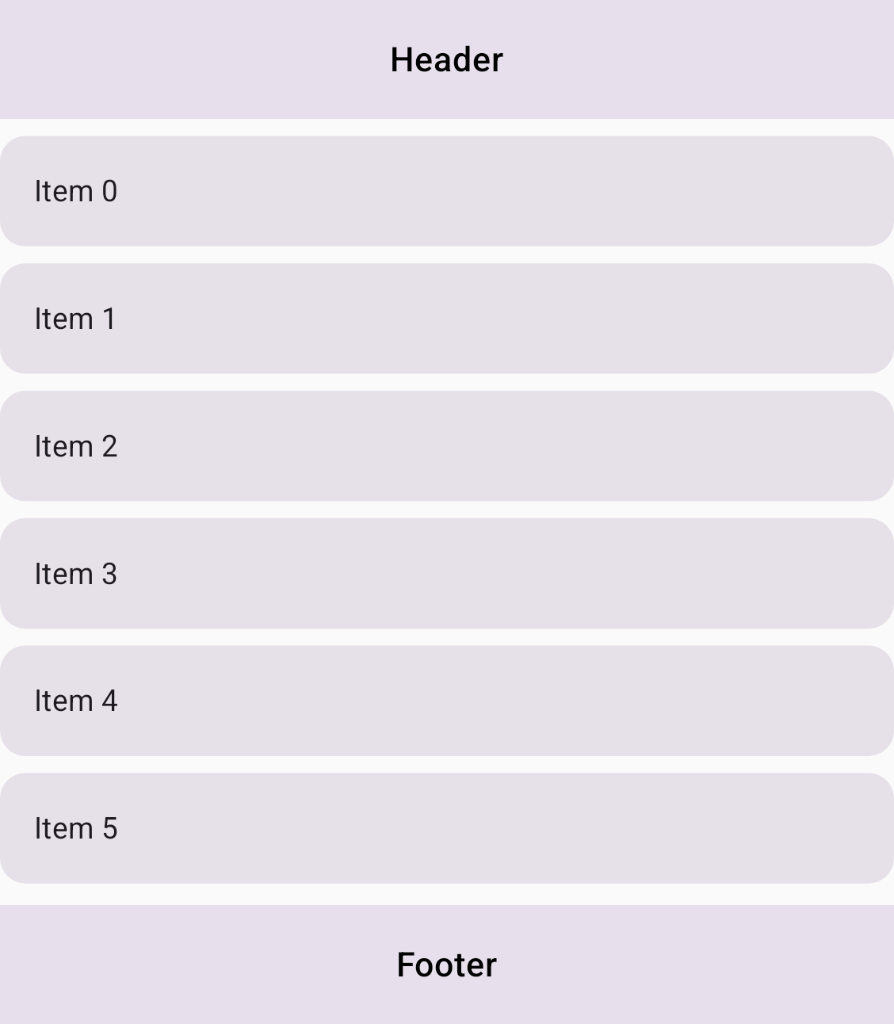 **Figure 1.** Structural screen layout with a header, footer, and an embedded `LazyColumn` for content.
## Best practices
- **Use lazy lists instead of large explicit loops** : To display large or dynamic datasets within a structured `Grid`, embed lazy components (typically `LazyColumn` or `LazyRow`) inside specific grid cells rather than creating large explicit loops over items, as `Grid` does not recycle items and has a limit of 1000 tracks.
- **Use `MinMax` track sizing for lazy lists** : Because `LazyColumn` and `LazyRow` don't support intrinsic measurement passes (see [`SubcomposeLayout`](https://developer.android.com/reference/kotlin/androidx/compose/ui/layout/SubcomposeLayout.composable.md.txt)), use `GridTrackSize.MinMax` on flexible tracks hosting lazy components to bypass intrinsic measurements safely.
## Ingredients
- [`Grid`](https://developer.android.com/reference/kotlin/androidx/compose/foundation/layout/Grid.composable.md.txt#Grid(kotlin.Function1,androidx.compose.ui.Modifier,kotlin.Function1)): Composable layout that places items in a two-dimensional grid structure configured using explicit row and column tracks.
- [`LazyColumn`](https://developer.android.com/reference/kotlin/androidx/compose/foundation/lazy/LazyColumn.composable.md.txt#LazyColumn(androidx.compose.ui.Modifier,androidx.compose.foundation.lazy.LazyListState,androidx.compose.foundation.layout.PaddingValues,kotlin.Boolean,androidx.compose.foundation.layout.Arrangement.Vertical,androidx.compose.ui.Alignment.Horizontal,androidx.compose.foundation.gestures.FlingBehavior,kotlin.Boolean,androidx.compose.foundation.OverscrollEffect,kotlin.Function1)): Vertically scrolling list that composes and recycles only the items currently visible on screen.
- [`GridTrackSize.MinMax`](https://developer.android.com/reference/kotlin/androidx/compose/foundation/layout/GridTrackSize.md.txt#MinMax(androidx.compose.ui.unit.Dp,androidx.compose.foundation.layout.Fr)): Track sizing property that defines flexible bounds (`min` and `max`) to safely host lazy components without triggering runtime measurement crashes.
- [`gridItem`](https://developer.android.com/reference/kotlin/androidx/compose/foundation/layout/GridScope.md.txt#(androidx.compose.ui.Modifier).gridItem(kotlin.Any,androidx.compose.ui.Alignment)): Compose `Modifier` extension that assigns a child UI element to a specific cell or named area inside a `Grid`.
## Steps
Structure your screen layout by defining semantic area identifiers, configuring
grid tracks with `minmax` sizing for lazy list compatibility, and embedding
`LazyColumn` inside the grid content area.
### 1. Configure grid tracks and named areas
Create an `enum` class to represent the distinct regions of your screen layout,
and define a `GridConfigurationScope` lambda for your layout tracks and named
areas. Use `GridTrackSize.MaxContent` for the header and footer rows to fit their
content dimensions, and use `minmax(0.dp, 1.fr)` for the content track hosting
the lazy list to allocate flexible space without querying unsupported intrinsic
measurements:
```kotlin
enum class ScreenArea {
Header,
Content,
Footer
}
val lazyConfig: GridConfigurationScope.() -> Unit = {
column(minmax(0.dp, 1.fr))
row(GridTrackSize.MaxContent)
row(minmax(0.dp, 1.fr))
row(GridTrackSize.MaxContent)
area(ScreenArea.Header, row = 1, column = 1)
area(ScreenArea.Content, row = 2, column = 1)
area(ScreenArea.Footer, row = 3, column = 1)
gap(8.dp)
}
```
### 2. Place static components in the Grid
In your composable, pass `lazyConfig` to the `Grid` container. Inside the
`content` lambda, place static components (*Header* and *Footer* ) and position them
using `Modifier.gridItem()` with their respective area identifiers.
### 3. Embed LazyColumn in the content area
In the content cell, embed `LazyColumn` using `Modifier.gridItem(ScreenArea.Content)`.
Because the content track was configured with `minmax(0.dp, 1.fr)` in Step 1,
`LazyColumn` can safely measure and recycle items on scroll without querying unsupported
intrinsic dimensions:
```kotlin
@Composable
fun GridWithLazyColumn(
modifier: Modifier = Modifier,
items: List = emptyList(),
) {
Grid(
modifier = modifier.fillMaxSize(),
config = lazyConfig
) {
Text("Header", Modifier.gridItem(ScreenArea.Header).padding(16.dp))
Text("Footer", Modifier.gridItem(ScreenArea.Footer).padding(16.dp))
// LazyColumn placed in the content area for large datasets
LazyColumn(
modifier = Modifier
.gridItem(ScreenArea.Content)
.fillMaxSize(),
verticalArrangement = Arrangement.spacedBy(8.dp)
) {
items(items) { item ->
Text(item, Modifier.padding(16.dp))
}
}
}
}
```
## Results
Your screen layout now utilizes the `Grid` API to define the overall
two-dimensional page structure, while embedding a `LazyColumn` in a flexible
track with `minmax` sizing to recycle list items efficiently and avoid runtime
exceptions.
## Additional resources
- [Grid in Jetpack Compose](https://developer.android.com/develop/ui/compose/layouts/adaptive/grid.md.txt)
- [Set container properties](https://developer.android.com/develop/ui/compose/layouts/adaptive/grid/container-properties.md.txt)
- [Lazy lists and lazy grids](https://developer.android.com/develop/ui/compose/lists.md.txt)